
Utility Belt
Adds a wearable secondary hotbar to help manage your tools and clear inventory clutter
Screenshots
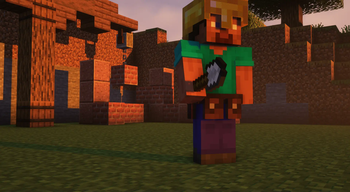
About this Mod
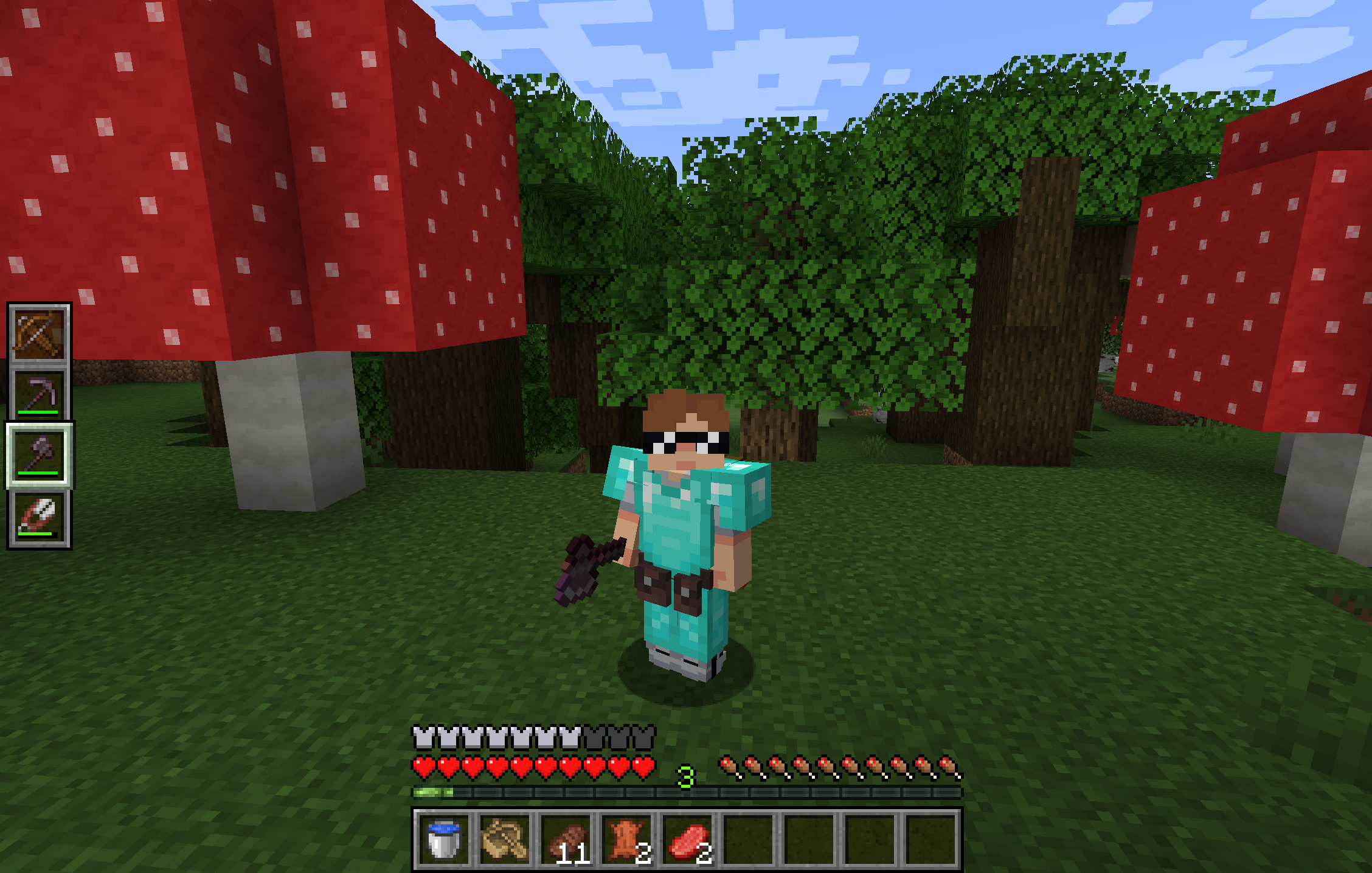
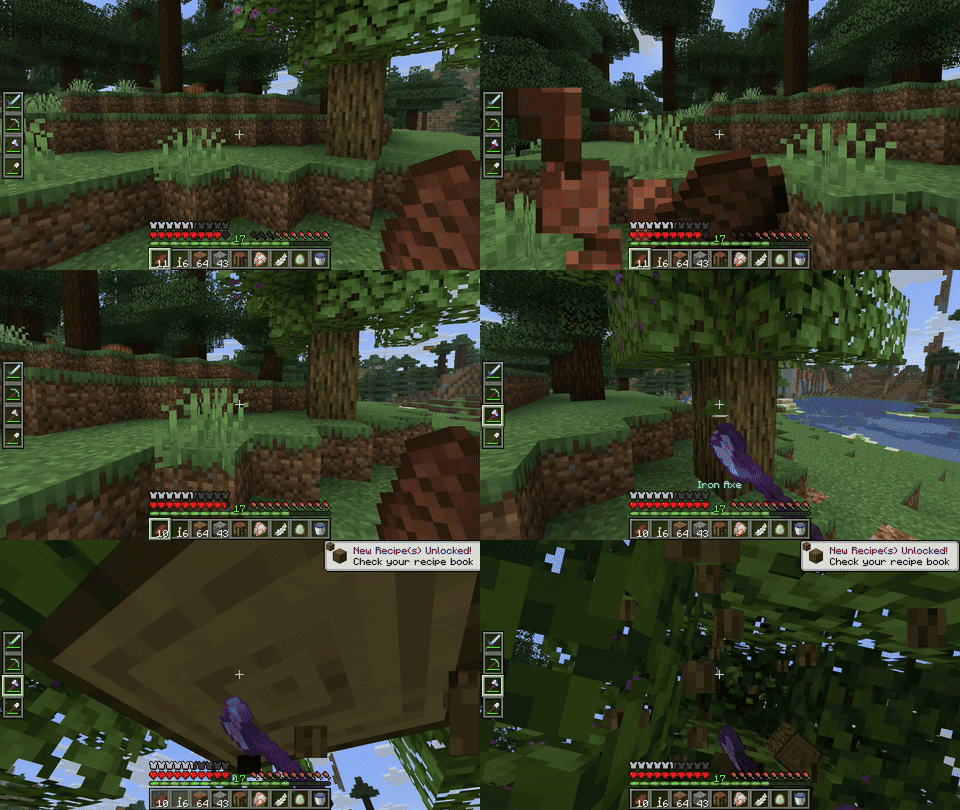
Utility Belt will solve your inventory clutter issues. 9 hotbar slots are not enough, especially when playing with mods. Wearing a Utility Belt gives you a second hotbar where only tools and weapons can be stored.
🛠️ Getting Started
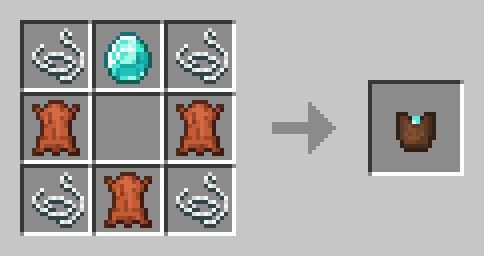
- Craft two belt pouches using the recipe above.
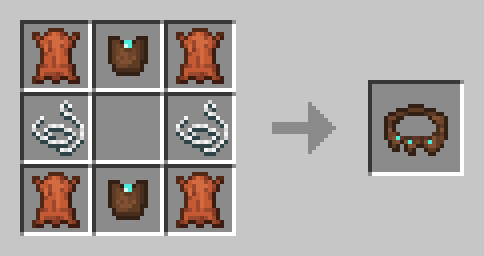
- Craft a Utility Belt using the recipe above.
- Equip it in your belt slot.
- Fill it with your tools and weapons.
⬆️ Upgrading the Belt
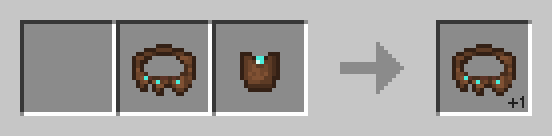
By default, the belt has 4 slots and can be upgraded to have up to 6 slots (these values can be changed in the mod configuration). You can add a slot to a belt in a Smithing Table using the recipe below.
🎮 Controls
| Action | Default Keybind | Description |
|---|---|---|
| Open Belt Screen | ' |
Opens the belt GUI to store items in the belt |
| Swap Hotbar | B (toggle), N (hold) |
Switches between your main hotbar and the belt hotbar |
| Quick Transfer | Sneak + Swap |
Swap the item in your hand between your main hotbar and the belt |
⚙️ Configuration
You can customize Utility Belt's options using the in-game configuration screen:
- Fabric: Accessible using ModMenu.
- Forge/NeoForge: Accessible using the Mods screen.
To change which items are accepted in the belt, you can make a datapack and add items to the allowed_in_utility_belt tag.
🔗 Compatibility
- LambDynamicLights: torches and lanterns in your belt will light up the world around you.
🐛 Bugs and Suggestions
You can report any issues and suggest changes on the GitHub issue tracker. Try out the /utilitybelt fixme command to see if it resolves the issue while you wait for a fix.
Always keep backups of your world, especially when playing versions marked as beta.
Available Versions
How to Install Utility Belt on Your Server
Order Server
Order a Minecraft Java server with at least 3 GB RAM (4 GB recommended).
Set fabric Loader
In the panel under "Egg", select the fabric loader and matching Minecraft version (1.21.10).
Install Mod
Open the mod browser in the dashboard and search for "Utility Belt". Click "Install" – done! Alternatively, upload the .jar via SFTP to the /mods folder.
Compatibility
Mod Loaders
Minecraft Versions
1.21.10, 1.21.4, 1.21.1 (+4 more)
Server-side
✓ RequiredRecommended RAM
4 GB(min. 3 GB)Frequently Asked Questions
Utility Belt server crashes on startup – what to do?
Most common cause: wrong fabric version or insufficient RAM. Check the server log (latest.log) for "OutOfMemoryError" or "Mixin" errors. With Mado Hosting: ensure at least 3 GB RAM is allocated and the loader matches the mod version (1.21.10). You can switch loaders with one click in the panel.
Is Utility Belt compatible with fabric and forge and neoforge and quilt?
Utility Belt officially supports fabric, forge, neoforge, quilt for Minecraft 1.21.10, 1.21.4, 1.21.1. Note: Forge and Fabric mods are NOT cross-compatible – pick one loader and stick with it. The Mado dashboard automatically detects incompatible loader combinations.
Server lagging with Utility Belt – how to optimize performance?
Recommended RAM: 4 GB (per 8 players). Use /spark profiler to check if Utility Belt consumes the most tick time. Common fixes: reduce server view-distance to 8-10, install "performant" or "starlight" as supplementary mods on Forge. With Mado Hosting, your server runs on NVMe SSDs with dedicated CPU cores for minimal latency.
Similar Mods




Rent Modded Server
Install Utility Belt with just one click on your server.