
Wawla - What Are We Looking At
Waila/Hwyla addon which adds all the info.
Screenshots
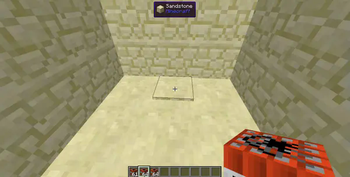
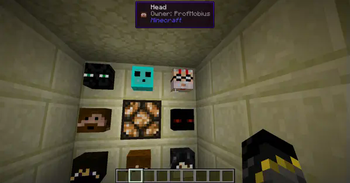
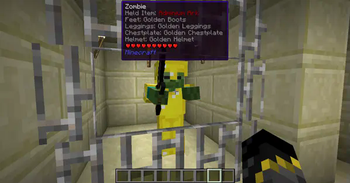
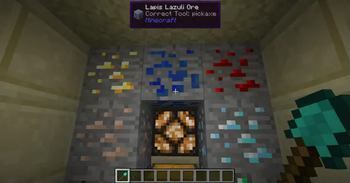
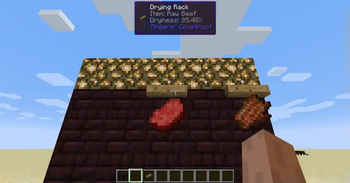
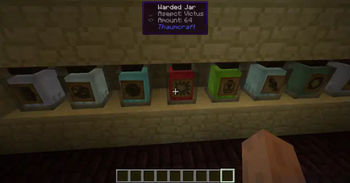
About this Mod
This mod is an addon for Waila/Hwyla. It gathers a lot of additional information about the game and presents it using the information display HUD. This mod requires Hwyla or Waila, along with Bookshelf.
NOTE: This mod requires other mods to run properly!
Features include
- Animal Breeding Cooldown
- Animal Growing Up timer.
- Armor points
- Block Blast Resistance (Off by default)
- Block Hardness (Off by default)
- Block Break Progress
- Block Enchantment Power
- Total Enchanting Power for Enchanting Table
- Horse Speed
- Horse Jump Strength
- Item Frame Contents
- Player Head Username
- Villager Professions
- Trapped Chests displayed as normal Chests instead.
Notice: If you are using older versions of the mods, some features may not be available, and some additional features may not be documented. This page only maintains info on the latest versions.
Like the mod and want to support me?

This project is sponsored by Nodecraft. Use code DARKHAX for 30% off your first month of service!
Available Versions
How to Install Wawla - What Are We Looking At on Your Server
Order Server
Order a Minecraft Java server with at least 3 GB RAM (4 GB recommended).
Set forge Loader
In the panel under "Egg", select the forge loader and matching Minecraft version (1.16.5).
Install Mod
Open the mod browser in the dashboard and search for "Wawla - What Are We Looking At". Click "Install" – done! Alternatively, upload the .jar via SFTP to the /mods folder.
Compatibility
Mod Loaders
Minecraft Versions
1.16.5, 1.16.4, 1.16.3 (+25 more)
Server-side
✓ RequiredRecommended RAM
4 GB(min. 3 GB)Frequently Asked Questions
Wawla - What Are We Looking At server crashes on startup – what to do?
Most common cause: wrong forge version or insufficient RAM. Check the server log (latest.log) for "OutOfMemoryError" or "Mixin" errors. With Mado Hosting: ensure at least 3 GB RAM is allocated and the loader matches the mod version (1.16.5). You can switch loaders with one click in the panel.
Is Wawla - What Are We Looking At compatible with forge?
Wawla - What Are We Looking At officially supports forge for Minecraft 1.16.5, 1.16.4, 1.16.3. The Mado dashboard automatically detects incompatible loader combinations.
Server lagging with Wawla - What Are We Looking At – how to optimize performance?
Recommended RAM: 4 GB (per 8 players). Use /spark profiler to check if Wawla - What Are We Looking At consumes the most tick time. Common fixes: reduce server view-distance to 8-10, install "performant" or "starlight" as supplementary mods on Forge. With Mado Hosting, your server runs on NVMe SSDs with dedicated CPU cores for minimal latency.
Similar Mods




![[ETF] Entity Texture Features](https://cdn.modrinth.com/data/BVzZfTc1/af683d206d50b05258d865b0d6e4aa2f2cee12f2_96.webp)

Rent Modded Server
Install Wawla - What Are We Looking At with just one click on your server.