
Waystones Plus
This project reworks Waystones UI to make it more user friendly
Screenshots
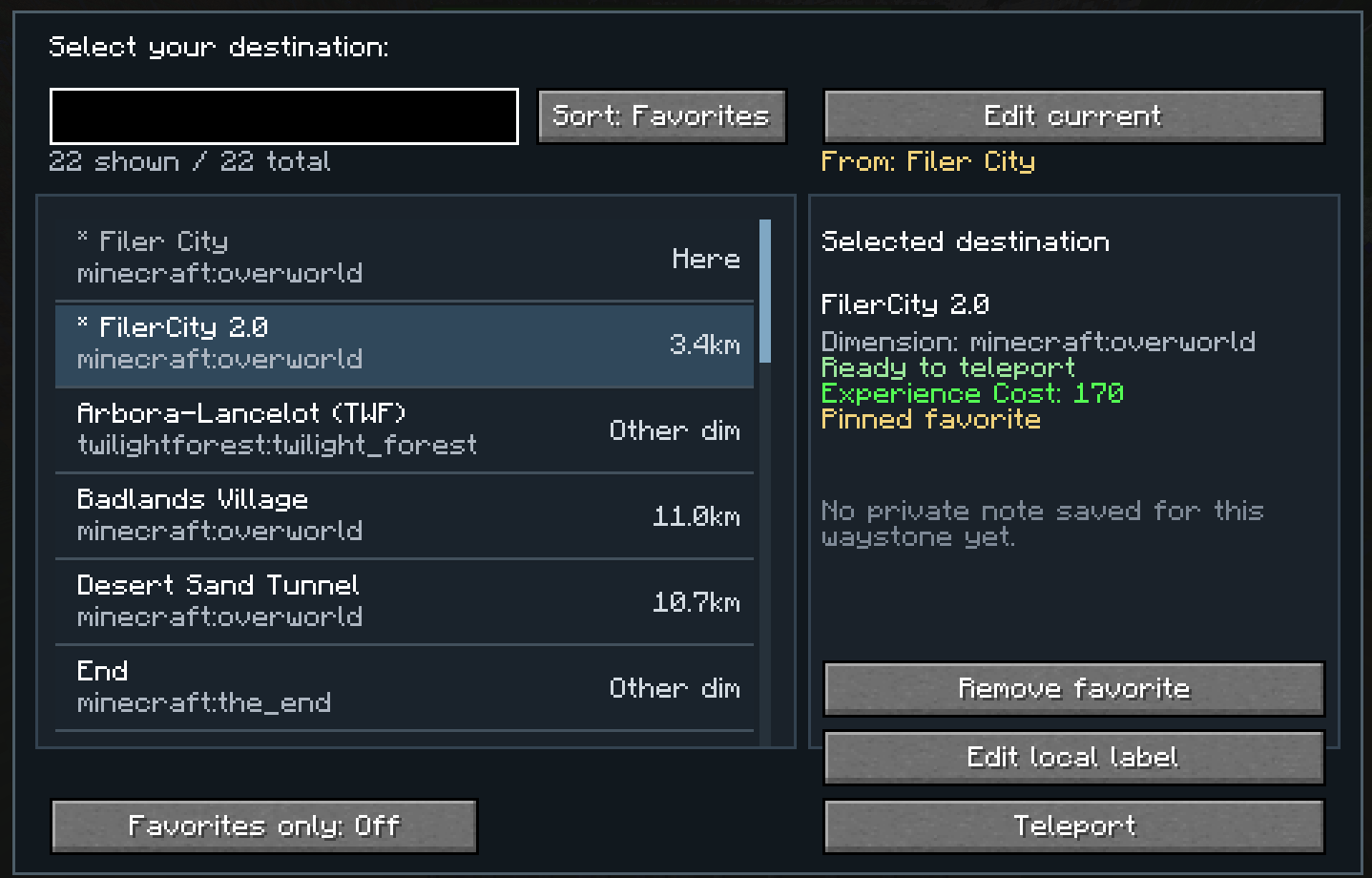
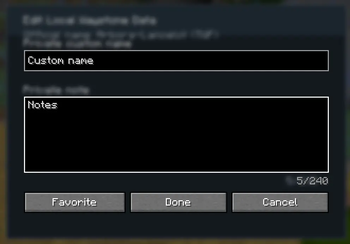
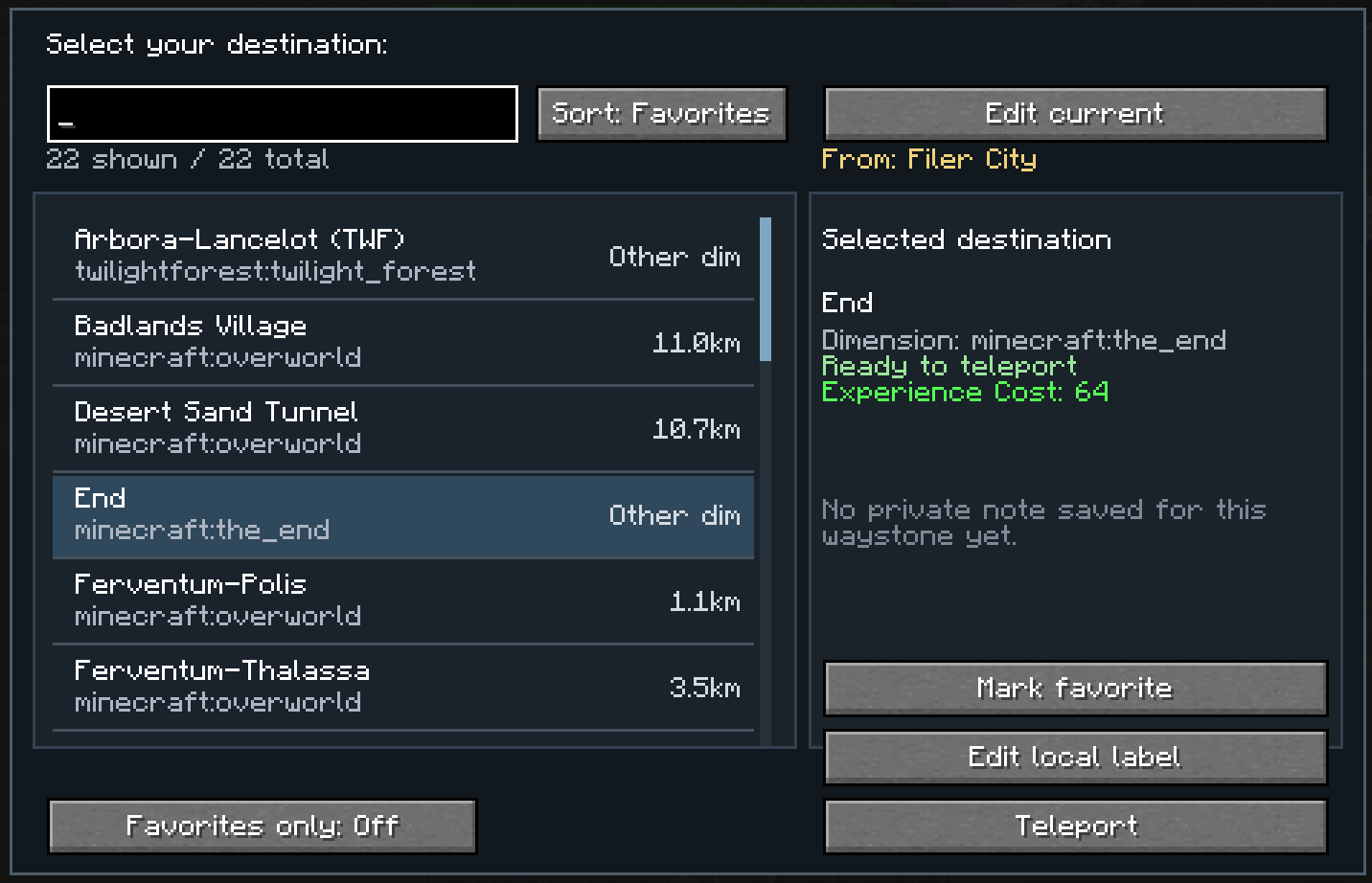
About this Mod
Waystones UI+ is a client-side quality-of-life addon for NeoForge 1.21.1 that improves the Waystones teleport selection screen and makes large waystone networks much easier to use.
The default Waystones interface can become inconvenient when you have many discovered waystones. This mod replaces that limited browsing experience with a more practical scroll-based UI and adds personal organization tools that are visible only to you.
Features
- Custom scroll UI for browsing waystones more comfortably
- Personal renaming of waystones for your client only
- Private notes for remembering what each waystone is actually for
- Sorting options
- by name
- by distance
- Favorites
- Custom favorites order for quick access to your most important destinations
Why use it?
If you play on multiplayer servers, you probably know the problem:
other players often name waystones in ways that make sense to them, but not necessarily to you.
With this mod, you can organize everything locally:
rename waystones for yourself, leave notes, and keep your favorite destinations exactly where you want them.
Client-side only
This mod is designed as a client-side addon.
That means:
- your personal renames are only visible to you
- your notes are only visible to you
- it does not rename waystones on the server
- it does not affect other players
- it does not change teleport mechanics
It only improves the interface and your personal waystone organization.
Planned Features
- Folders for better waystone organization
- Level cost display
Available Versions
How to Install Waystones Plus on Your Client
Install the Mod Loader Locally
Install neoforge for your local Minecraft version.
Download the Matching File
Choose the Waystones Plus file for neoforge and Minecraft 1.21.1.
Install Mod
Place the .jar file in your local .minecraft/mods folder and restart Minecraft. No server-side installation is required.
Compatibility
Mod Loaders
Minecraft Versions
1.21.1
Server-side
✗ UnsupportedRecommended RAM
4 GB(min. 3 GB)Frequently Asked Questions
Does Waystones Plus need to be installed on the Minecraft server?
No. Modrinth marks Waystones Plus as unsupported on the server side. Install it only in your local Minecraft mods folder. Your server can remain unchanged unless the mod page lists an additional dependency.
Which version and loader does Waystones Plus require?
Use a file for neoforge and your exact Minecraft version. Supported versions include 1.21.1. Files for different loaders are not interchangeable.
Waystones Plus is not working – what should I check?
First check the Minecraft version, loader version and required dependencies. Put the .jar file in your local .minecraft/mods folder and remove older duplicates. Because this mod is client-side, adding server RAM will not fix it.
Similar Mods




Minecraft Server for Your Group
Waystones Plus stays on your client. Host a compatible world for your group.