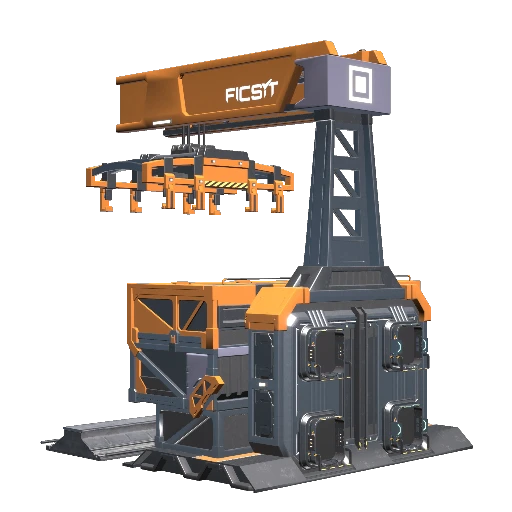
Modular Stations
Provides modular pieces for building train stations
Description
<h1>Overview</h1>
Adds small train station pieces which can be assembled into functional, compact train stations like this:
<img alt="2-Track Station" src="https://i.imgur.com/iwhtHtV.png">
<br><br>
<img alt="4-Track Station" src="https://i.imgur.com/R1z5zv6.png">
<h3>Unlocking</h4>
After unlocking the "Monorail Train Technology" milestone, 2 schematics will become available in the Awesome Shop:
<br>
<img alt="Schematics" src="https://i.imgur.com/IGKoHnk.png">
<h1>Version 2.0</h1>
<h3>Modular Modularity</h3>
As of Version 2.0, Modular Stations is transitioning to an even more modular format. Station components are built up using
<ol>
<li>a base (Station Left, Station Right, Empty, Freight, Fluid, Freight (ports below) or Fluid (ports below)),</li>
<li>an optional gantry (Station, Square, or Rounded), which must snap to a base, and </li>
<li>an optional walkway, which must snap to a gantry.</li>
</ol>
Gantries and walkways will change model at snap/place time based on what they are snapping to, but will not disappear/update if the component that they originally snap to is removed/replaced.
This transition makes it possible to offer more customization with fewer unique components (which de-clutters the build and quick-switch menus and makes the mod easier to maintain). It also makes it possible to build functional stations in which the gantry and/or roof are made out of architectural components, for example:
<img alt="Station with architectural gantries" src="https://i.imgur.com/40DnBzH.jpeg">
One "gotcha" to be aware of with this change is that you will have to look the <b>base</b> (not the gantry or sign) in order to interact with stations.
<h3>Power Connections</h3>
Under the hood, the new modular components have hidden power connections which automatically link together as the components are placed. In the example below, each gantry is electrically connected to the base below it and the three gantries are electrically connected in a chain, so the power line is enough to power both stations and the two side tracks (the middle track still needs a track connection in order to be powered). Most modular components have lights which will turn on when they are powered - pay attention to them if you're trying to find a broken connection. These components have a tiny power draw (1 W) because the game doesn't update the lighting status of buildables with no power draw.
<img alt="Power flow in 3-track station" src="https://i.imgur.com/Dfdroat.jpeg">
<h3>Backwards Compatibility </h3>
The Modular Station components which existed in Version 1.2.5 of the mod are still present in 2.0, but only available if they were previously unlocked in the save file. If you have stations which use the Version 1.2.5 components in a save file you are trying to future-proof, <i>you should consider re-building them with Version 2.0 components</i>. I'm not planning to remove the Version 1.2.5 components any time soon, but they will likely be removed eventually. Station sign placement has been fixed for Version 2.0 stations only.
<h3>Adjusted Clearance</h3>
The clearance boxes for "ports below" stations, empty platforms, and stations have been shrunk slightly so that the far-from-track sides of these elements can clip into one another :
<img alt="New clearance" src="https://i.imgur.com/6KAj21D.jpeg">
This reduces the minimum width of a station with 4 functional tracks from 128 m (vanilla) / 64 m (Modular Stations version 1) to 62 m.
<h3>Adjusted Terminology</h3>
In Version 1.2.5, "Dummy Station" referred to something that looked like a station but was functionally an empty platform. In Version 2.0, this element can be created by attaching a Station-Style Gantry to an Empty Platform. The new "Dummy Platform" introduced in version 2.0 is a purely decorative component without a track.
<h1>Old Notes from Version 1</h1>
<h3>Additional Features</h3>
<ul>
<li>Walkway height adjusted from 7.75m to exactly 8m facilitate better integration with catwalks/foundations</li>
<li>"Ports Below" versions of stations, which have input/output ports on the bottom rather than the side. This makes it possible place train stations immediately beside one another without the belt work clipping, meaning that in most scenarios a given area can fit twice as many modular stations as it can vanilla stations. Note that the snapping points for the Freight Platform (Ports Below) are actually buried inside, but they're positioned in such a way that lifts which attach to them will come out with the expected alignment. You can also snap belts to them, but it won't look good.
<br>
<img alt="Freight Station (Ports Below)" src="https://i.imgur.com/nH0A8nH.png">
</li>
<li>"Walkway-Free" variants of stations and side gantries</li>
<li>Additional snapping points for signs and catwalks<br>
<img alt="Sign Snap Points 1" src="https://i.imgur.com/6GddGfs.png">
<br><br>
<img alt="Sign Snap Points 2" src="https://i.imgur.com/Xlj7u2B.png">
<br><br>
<img alt="Catwalk Snap Points" src="https://i.imgur.com/RaNj5mQ.png">
</li>
</ul>
<h3>Tip</h3>
Trains seek the shortest route, but the length used in this calculation includes a penalty of 200 m extra for each station that the route passes through. If you want a station with one "main line" and one "docking" track, use an Empty Platform with a Station-Style Gantry for the main line and a regular station for the docking track. This will cause through trains to choose the route through the Empty Platform even if it is slightly longer.
<h3>Author Contact</h3>
<b>nary_believe</b> on the <a href="https://discord.gg/CTTCPSfa">Satisfactory Modding discord</a>.
Versions
How to Install Modular Stations on Your Server
Order Satisfactory Server
Order a Satisfactory server with at least 4 GB RAM (6 GB recommended). For multiplayer: per 4 players.
Install Mod
Open the mod manager in the dashboard and search for "Modular Stations". Installation dependencies are installed automatically.
Restart Server
Restart the server so the mod is loaded. Players need to have the mod installed locally as well.
Frequently Asked Questions
Modular Stations not working after update – what to do?
After a Satisfactory update, mods need to be updated. Check ficsit.app whether Modular Stations has been updated for the new game version. With Mado Hosting: open the mod manager and click "Update All". If the mod hasn't been updated yet, temporarily remove it so the server starts.
Modular Stations causing crashes in multiplayer – solution
Most common cause: all players must have exactly the same mod version installed. Check server logs for "ModMismatch" or "Version Conflict". Ensure all players use Modular Stations v2.0.6 and the same SML. With Mado Hosting, Satisfactory servers run with 6 GB RAM for stable multiplayer performance.
Is Modular Stations compatible with other Satisfactory mods?
Modular Stations uses the Satisfactory Mod Loader (SML). Generally, SML-based mods are cross-compatible, but mods modifying the same game systems can cause conflicts. Test new mod combinations on a backup save. The Mado dashboard automatically detects known conflicts and warns you.
Rent Modular Stations Server
Play Modular Stations on your own Satisfactory server with mod support.
Mod Information
- Author
- narybelieve
- Latest Version
- v2.0.6
- Created
- February 6, 2025
- Last Updated
- October 7, 2026