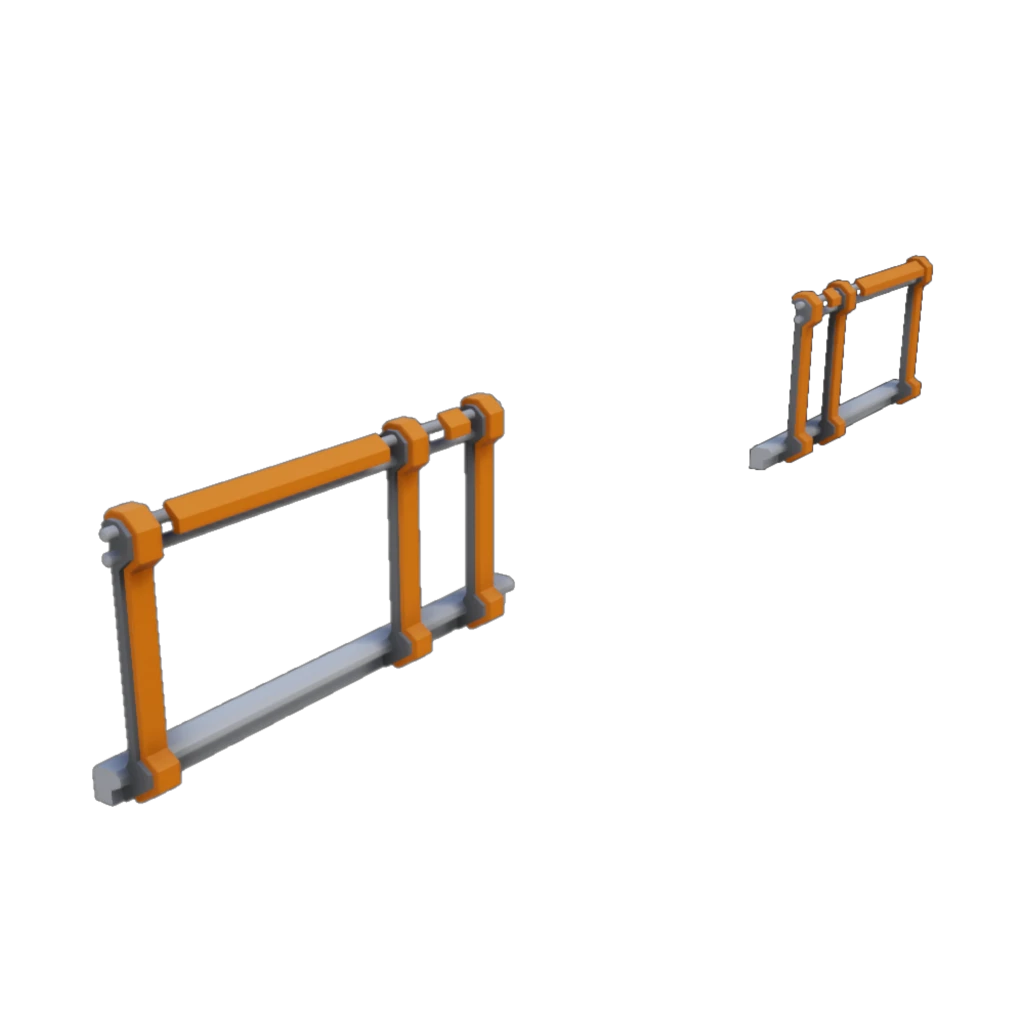
More Fences
Extra fences to literally fill the safety gaps in your factory!
Description
Tired of falling off the edge and sustaining a serious injury because the only fence available covers the entire edge, leaving no way to block the gap next to walkways?
Well hopefully this mod can save you from all the incident reports and lost time due to injuries!
Only three variants for now.
1. Fence to the left allowing a walkway placed on the right-hand side.
2. Fence to the right allowing a walkway placed on the left-hand side.
3. Fence on outer sides allowing a walkway placed in the center.
Known issues:
On the left and right fences, due to the snapping system, when rotating the hologram it flips to the other side rather than in place. This is just how the placement system works and I haven't found a way to make it flip how I'd like it to.
Possible future additions:
Full sized fence for the side of ramp blocks - once I can find a way to skew the mesh nicely.
<b><u>Mod Highlight Video:</u></b>
'Random Gamer' on YouTube is making Satisfactory mod highlight videos and has kindly made one for this mod.
Check out their video which shows it in action:
https://www.youtube.com/watch?v=5TiPnw6HXe4
They have other mod highlight videos too, so be sure to check those out!
How to Install More Fences on Your Server
Order Satisfactory Server
Order a Satisfactory server with at least 4 GB RAM (6 GB recommended). For multiplayer: per 3 players.
Install Mod
Open the mod manager in the dashboard and search for "More Fences". Installation dependencies are installed automatically.
Restart Server
Restart the server so the mod is loaded. Players need to have the mod installed locally as well.
Frequently Asked Questions
More Fences not working after update – what to do?
After a Satisfactory update, mods need to be updated. Check ficsit.app whether More Fences has been updated for the new game version. With Mado Hosting: open the mod manager and click "Update All". If the mod hasn't been updated yet, temporarily remove it so the server starts.
More Fences causing crashes in multiplayer – solution
Most common cause: all players must have exactly the same mod version installed. Check server logs for "ModMismatch" or "Version Conflict". Ensure all players use More Fences v1.0.0 and the same SML. With Mado Hosting, Satisfactory servers run with 6 GB RAM for stable multiplayer performance.
Is More Fences compatible with other Satisfactory mods?
More Fences uses the Satisfactory Mod Loader (SML). Generally, SML-based mods are cross-compatible, but mods modifying the same game systems can cause conflicts. Test new mod combinations on a backup save. The Mado dashboard automatically detects known conflicts and warns you.
Rent More Fences Server
Play More Fences on your own Satisfactory server with mod support.
Mod Information
- Author
- andrew-w
- Latest Version
- v1.0.0
- Created
- May 14, 2020
- Last Updated
- October 8, 2026