
420HUD
420HUD A modern Fabric client mod with 33+ customizable HUD modules for an enhanced gameplay experience.
Screenshots
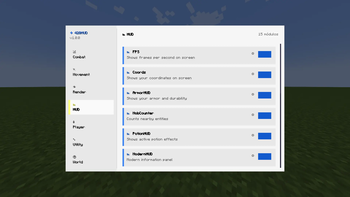
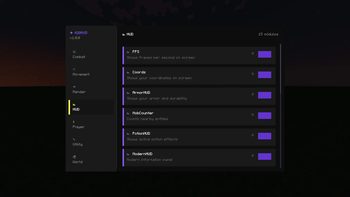
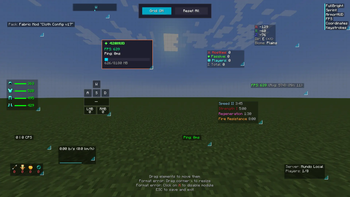
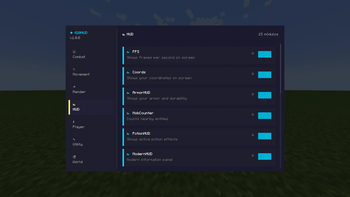
About this Mod
420HUD
A modern Fabric client mod with 33+ customizable HUD modules for an enhanced gameplay experience.
✨ Features
- 33+ Modules - FPS Counter, Coordinates, ArmorHUD, Keystrokes, CPS, Combo Counter, Ping Display, Speed, Inventory preview, and much more
- Draggable HUD Editor - Press H to freely position any HUD element on your screen
- Modern ClickGUI - Press Right Shift to open the sleek configuration menu
- 3 Themes - Navy Blue, Dark, and Light color schemes
- Multi-language - Full English and Spanish support
- Lightweight - Works perfectly alongside Sodium, Iris, Lithium, and other optimization mods
🎮 Default Keybinds
| Key | Action |
|---|---|
| Right Shift | Open ClickGUI |
| H | Open HUD Editor |
| C | Zoom |
📦 Requirements
- Fabric Loader
- Fabric API
🎨 Module Categories
HUD - FPS, Coords, Armor, Keystrokes, CPS, Combo Counter, Ping, Speed, Inventory, Potions, Server Info, Pack Display, Direction, Reach Display
Render - Fullbright, Time Changer, Custom Crosshair, No Hurt Cam, ViewModel, Low Fire, Block Overlay, Damage Indicator, Hitbox Editor
Utility - Zoom, Notifications, Auto Text, GUI Settings
Player - Sprint, Toggle Sneak
💡 Tips
- All HUD elements can be dragged anywhere on your screen
- Each module has individual settings accessible through the ClickGUI
- Compatible with most Fabric mods
Made by 420Dev
Available Versions
How to Install 420HUD on Your Server
Order Server
Order a Minecraft Java server with at least 3 GB RAM (4 GB recommended).
Set fabric Loader
In the panel under "Egg", select the fabric loader and matching Minecraft version (1.21.11).
Install Mod
Open the mod browser in the dashboard and search for "420HUD". Click "Install" – done! Alternatively, upload the .jar via SFTP to the /mods folder.
Compatibility
Mod Loaders
Minecraft Versions
1.21.11, 1.21.10, 1.21.9 (+5 more)
Server-side
✗ UnsupportedRecommended RAM
4 GB(min. 3 GB)Frequently Asked Questions
420HUD server crashes on startup – what to do?
Most common cause: wrong fabric version or insufficient RAM. Check the server log (latest.log) for "OutOfMemoryError" or "Mixin" errors. With Mado Hosting: ensure at least 3 GB RAM is allocated and the loader matches the mod version (1.21.11). You can switch loaders with one click in the panel.
Is 420HUD compatible with fabric?
420HUD officially supports fabric for Minecraft 1.21.11, 1.21.10, 1.21.9. The Mado dashboard automatically detects incompatible loader combinations.
Server lagging with 420HUD – how to optimize performance?
Recommended RAM: 4 GB (per 8 players). Use /spark profiler to check if 420HUD consumes the most tick time. Common fixes: reduce server view-distance to 8-10, install "performant" or "starlight" as supplementary mods on Forge. With Mado Hosting, your server runs on NVMe SSDs with dedicated CPU cores for minimal latency.
Similar Mods




![[ETF] Entity Texture Features](https://cdn.modrinth.com/data/BVzZfTc1/af683d206d50b05258d865b0d6e4aa2f2cee12f2_96.webp)
![[EMF] Entity Model Features](https://cdn.modrinth.com/data/4I1XuqiY/6e5bbd0d06b1741bfdab6c0cfab6de8fdaf0064c_96.webp)
Rent Modded Server
Install 420HUD with just one click on your server.