
ADJ Blocks
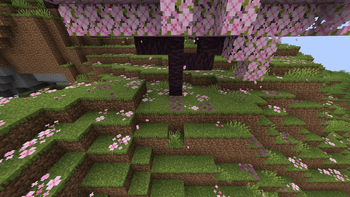
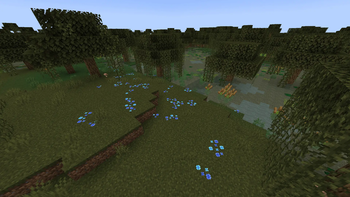
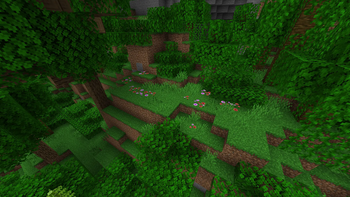
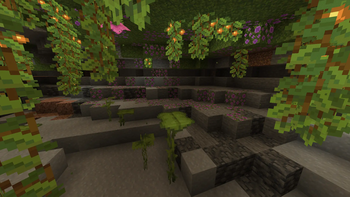
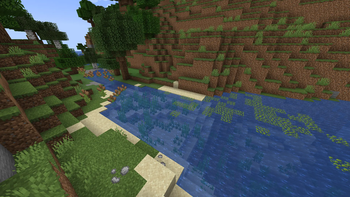
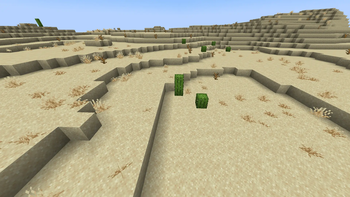
Adds some decorative blocks that generate in the world and backports most 1.21.5 blocks.
Screenshots
About this Mod
Made specifically for my upcoming modpack A Distant Journey. But you are UNCONDITIONALLY FREE to include it in yours ^^.
ADJ Blocks re-adds Cattails and Duckweed from older versions of the Naturalist mod and ports over Twigs, Pebbles and Azalea Flowers from the Twigs mod. It also ports most blocks from the 1.21.5 Spring To Life update (everything except Firefly Bushes and Cactus Flowers). It also adds red and blue variants of Wildflowers and a Cherry variant of Leaf Litter.
Every block generates naturally in the world and is 100% functional and obtainable in Survival.
Why port over rather than use the mods themselves?
Naturalist removed their worldgen features a while back ago, meaning I'd have stay on na older version which doesn't have modern features nor bugfixes. On the other hand, Twigs adds a ton of overlapping content with other mods in my modpack. I opted in for porting them over to my own mod rather than using a mod like ItemObliterator to disable all of them as it would still keep them in the memory, bloating the RAM usage.
This mod reuses some code bits of both of those mods (both of which licensed its code under the MIT license), but it doesn't reuse their assets. The texture's for the blocks were done by me (and a lovely contributor - Midas - from my Discord server).
Spring To Life textures are owned by Mojang. I take 0 credit for those.
Available Versions
How to Install ADJ Blocks on Your Server
Order Server
Order a Minecraft Java server with at least 4 GB RAM (6 GB recommended).
Set forge Loader
In the panel under "Egg", select the forge loader and matching Minecraft version (1.20.1).
Install Mod
Open the mod browser in the dashboard and search for "ADJ Blocks". Click "Install" – done! Alternatively, upload the .jar via SFTP to the /mods folder.
Compatibility
Mod Loaders
Minecraft Versions
1.20.1
Server-side
✓ RequiredRecommended RAM
6 GB(min. 4 GB)Frequently Asked Questions
ADJ Blocks server crashes on startup – what to do?
Most common cause: wrong forge version or insufficient RAM. Check the server log (latest.log) for "OutOfMemoryError" or "Mixin" errors. With Mado Hosting: ensure at least 4 GB RAM is allocated and the loader matches the mod version (1.20.1). You can switch loaders with one click in the panel.
Is ADJ Blocks compatible with forge?
ADJ Blocks officially supports forge for Minecraft 1.20.1. The Mado dashboard automatically detects incompatible loader combinations.
Server lagging with ADJ Blocks – how to optimize performance?
Recommended RAM: 6 GB (per 5 players). Use /spark profiler to check if ADJ Blocks consumes the most tick time. Common fixes: reduce server view-distance to 8-10, install "performant" or "starlight" as supplementary mods on Forge. With Mado Hosting, your server runs on NVMe SSDs with dedicated CPU cores for minimal latency.
Similar Mods

![[ETF] Entity Texture Features](https://cdn.modrinth.com/data/BVzZfTc1/af683d206d50b05258d865b0d6e4aa2f2cee12f2_96.webp)
![[EMF] Entity Model Features](https://cdn.modrinth.com/data/4I1XuqiY/6e5bbd0d06b1741bfdab6c0cfab6de8fdaf0064c_96.webp)



Rent Modded Server
Install ADJ Blocks with just one click on your server.