
ADtsd's Tech Mod
A simple tech mod made in MCreator, aiming for a comfortable experience. Supported and Motivated by someone who has no idea of MCreator
Screenshots
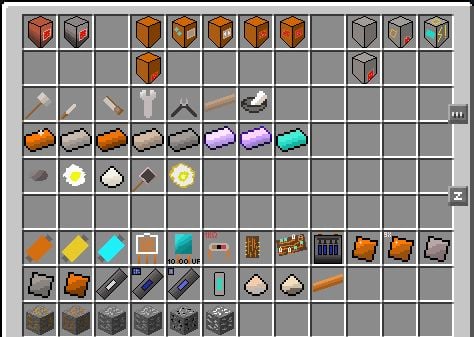
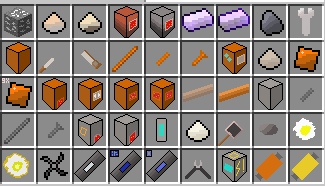
About this Mod

Things to note here:
Machines are used in the inventory, since MCreator isnt powerful enough to make machines as actual machine blocks. (EDIT: It is possible, but for style reasons, most machines are still used in the inventory. The current exceptions as of Beta 1.0 are the Oil Refinery and Fractioning Tower)
Textures are still very WIP (Work In Progress).
I might not update this mod every day, since I have a school, and thus homework. Dont expect updates too often from me!
Still, please give me suggestions and bug reports here: GitHub Issues (NOTE: Please do not report the following error: "[Server thread/WARN] [FML]: ADtsd's Tech Mod loaded a new chunk [chunk, chunk] in dimension dimension ID (dimension name) while populating chunk [chunk, chunk], causing cascading worldgen lag. Please report this to the mod's issue tracker. This log can be disabled in the Forge config." as it can NOT be fixed. If you hate this message in the log, turn it off in the Forge config like Forge said). Any help is appreciated!
Oh, and, this mod has a very primitive vein system with Minecraft NBT-based structures. So, you will find big 16x16 ore veins that have a lot of ore in them, but no modded small ore veins like you regularly find in modded Minecraft. I took this idea from Gregorious Techneticies, the creator of GregTech, so thank you, Gregorious Techneticies!
Epsilon here, helping out with the Descriptions and stuff
Review currently taken down (by me) due to issues of: Reviewed version of mod too old (was reviewed back in the Alpha versions i think)
Available Versions
How to Install ADtsd's Tech Mod on Your Server
Order Server
Order a Minecraft Java server with at least 3 GB RAM (4 GB recommended).
Set forge Loader
In the panel under "Egg", select the forge loader and matching Minecraft version (1.12.2).
Install Mod
Open the mod browser in the dashboard and search for "ADtsd's Tech Mod". Click "Install" – done! Alternatively, upload the .jar via SFTP to the /mods folder.
Compatibility
Mod Loaders
Minecraft Versions
1.12.2
Server-side
✓ RequiredRecommended RAM
4 GB(min. 3 GB)Frequently Asked Questions
ADtsd's Tech Mod server crashes on startup – what to do?
Most common cause: wrong forge version or insufficient RAM. Check the server log (latest.log) for "OutOfMemoryError" or "Mixin" errors. With Mado Hosting: ensure at least 3 GB RAM is allocated and the loader matches the mod version (1.12.2). You can switch loaders with one click in the panel.
Is ADtsd's Tech Mod compatible with forge?
ADtsd's Tech Mod officially supports forge for Minecraft 1.12.2. The Mado dashboard automatically detects incompatible loader combinations.
Server lagging with ADtsd's Tech Mod – how to optimize performance?
Recommended RAM: 4 GB (per 8 players). Use /spark profiler to check if ADtsd's Tech Mod consumes the most tick time. Common fixes: reduce server view-distance to 8-10, install "performant" or "starlight" as supplementary mods on Forge. With Mado Hosting, your server runs on NVMe SSDs with dedicated CPU cores for minimal latency.
Similar Mods




Rent Modded Server
Install ADtsd's Tech Mod with just one click on your server.