
Advanced Fake Player
Spawn real players and directly possess them to control their actions without running multiple game instances.
Screenshots
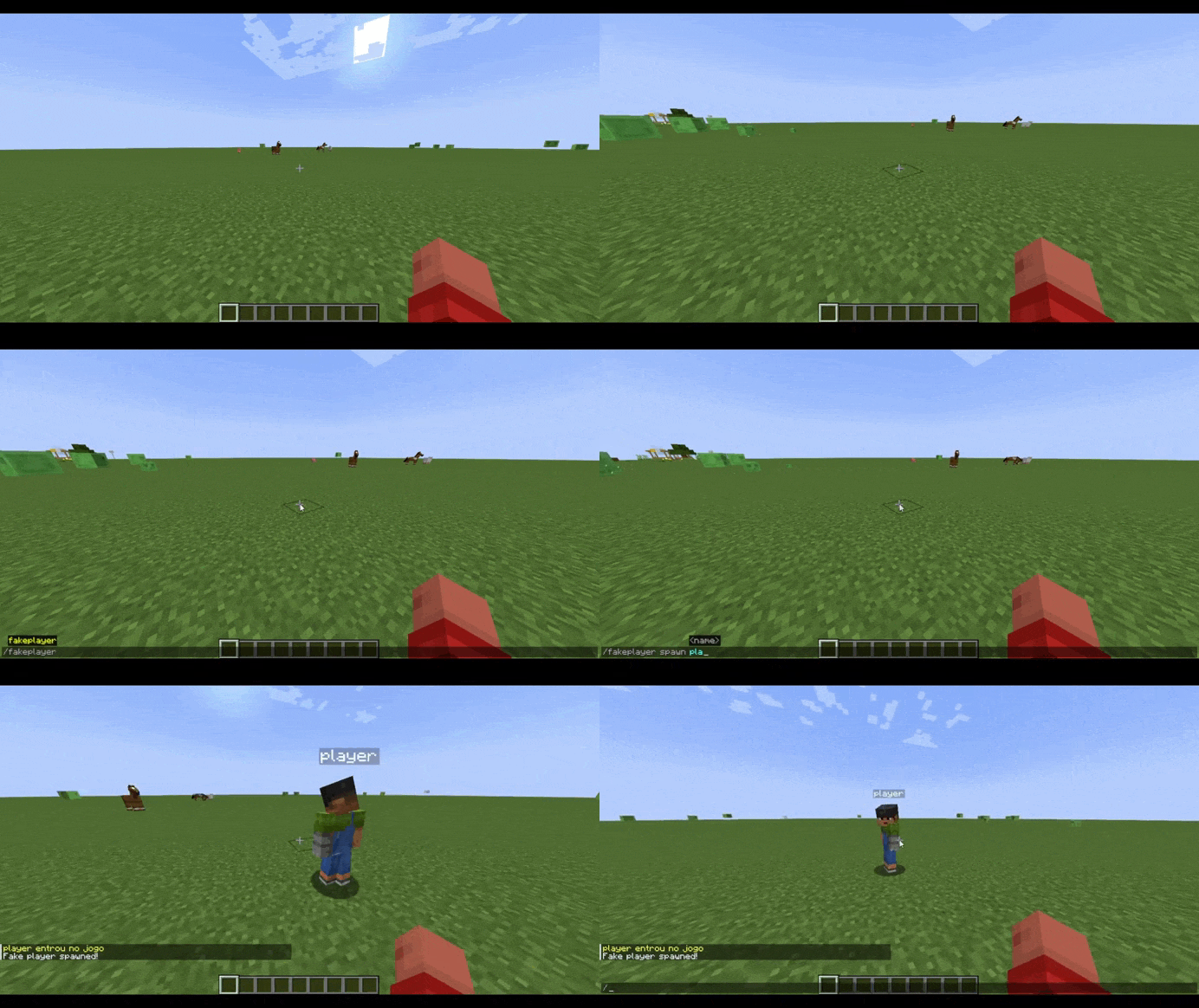
About this Mod
Advanced Fake Players (Beta)
Ever wanted to test a multiplayer feature but had nobody available to join your world? Or maybe you're simply looking for new ways to have fun with your friends?
No more launching multiple Minecraft clients just to test multiplayer mechanics, mods, datapacks, command block creations, or server features.
Most fake player mods rely on chat commands, scripted actions, or limited NPC behavior. Advanced Fake Players takes a completely different approach by creating highly integrated synthetic players and introducing a Direct Possession System, allowing you to seamlessly take control of alternative players from a single Minecraft instance.
Create, possess, and interact with fully integrated fake players as if they were real accounts connected to the server.
To spawn the player, just type: /fakeplayer spawn
Direct Possession System
This is not just another AI-controlled NPC.
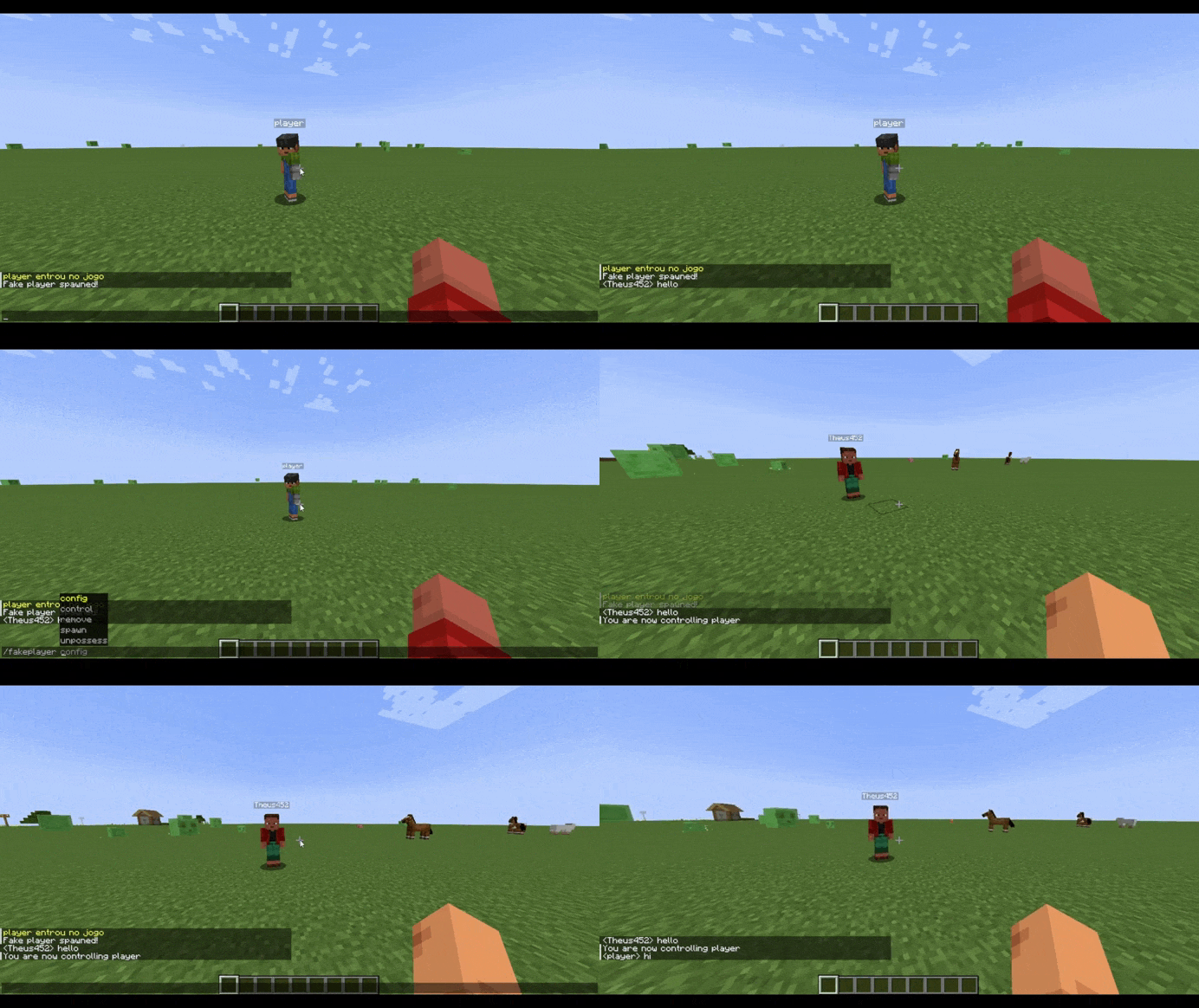
You can instantly transfer your camera, movement, inventory, and interactions into any spawned fake player.
Features
- Full Input Redirection – Place blocks, break blocks, attack entities, interact with GUIs, and manage inventories exactly as if you were using another account.
- Zero Client Overhead – Perform multiplayer testing while running only one Minecraft client.
- Instant Switching – Jump between your real player and any controlled fake player at any time.
To control the player, just type: /fakeplayer control
Deep Server Integration
Unlike traditional NPCs, fake players are integrated directly into Minecraft's player systems.
Authentic Behavior
- Trigger chunk loading.
- Affect local difficulty calculations.
- Participate in mob spawning mechanics.
- Activate pressure plates and tripwires.
- Interact with entity collisions naturally.
- Can be targeted by hostile mobs.
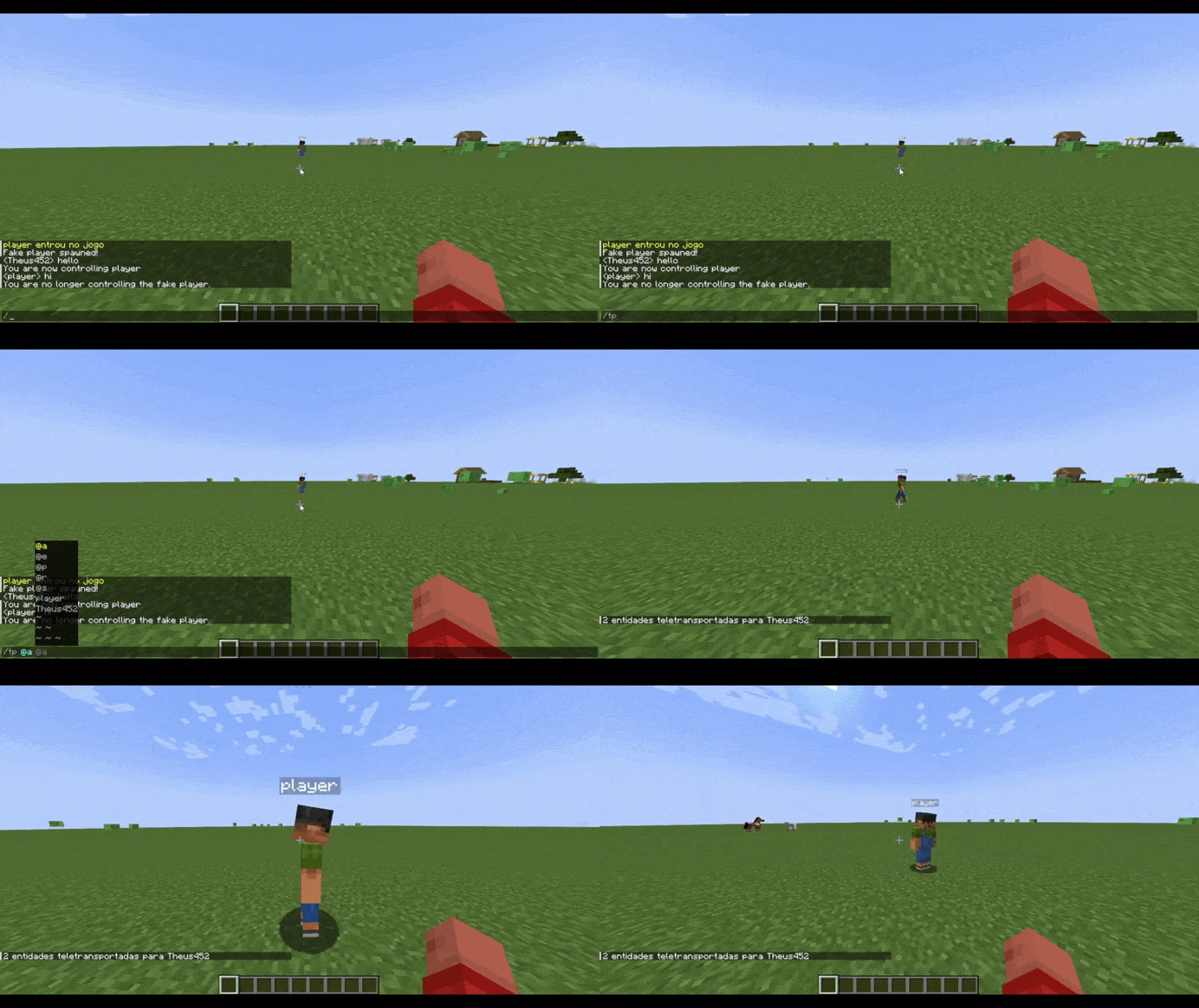
- Can appear in player selectors such as
@a.
Multiplayer Support
Fully compatible with multiplayer and LAN worlds.
It can also be used to create hilarious situations and troll your friends in multiplayer servers.
Multi-Control Mode (Beta)
One of the most unique features of the mod is the ability for multiple real players to control the same fake player simultaneously.
This feature is currently in beta and may contain bugs or unexpected behavior, but it already provides a surprisingly fun and chaotic experience for testing, challenges, and cooperative gameplay.
Enable it with:
/fakeplayer config multi_control true
Requirements
Because the Possession System the mod must be installed on both the client and the server.
Supported Platforms
- Fabric
- Forge
Perfect for:
- Mod development
- Multiplayer testing
- Technical Minecraft projects
- Command block creations
- Datapack development
- LAN worlds
- Dedicated servers
- Troll your friends
Commands
/fakeplayer config
Configure mod settings.
/fakeplayer spawn <name>
Spawn a new fake player.
/fakeplayer control <name>
Take control of a fake player.
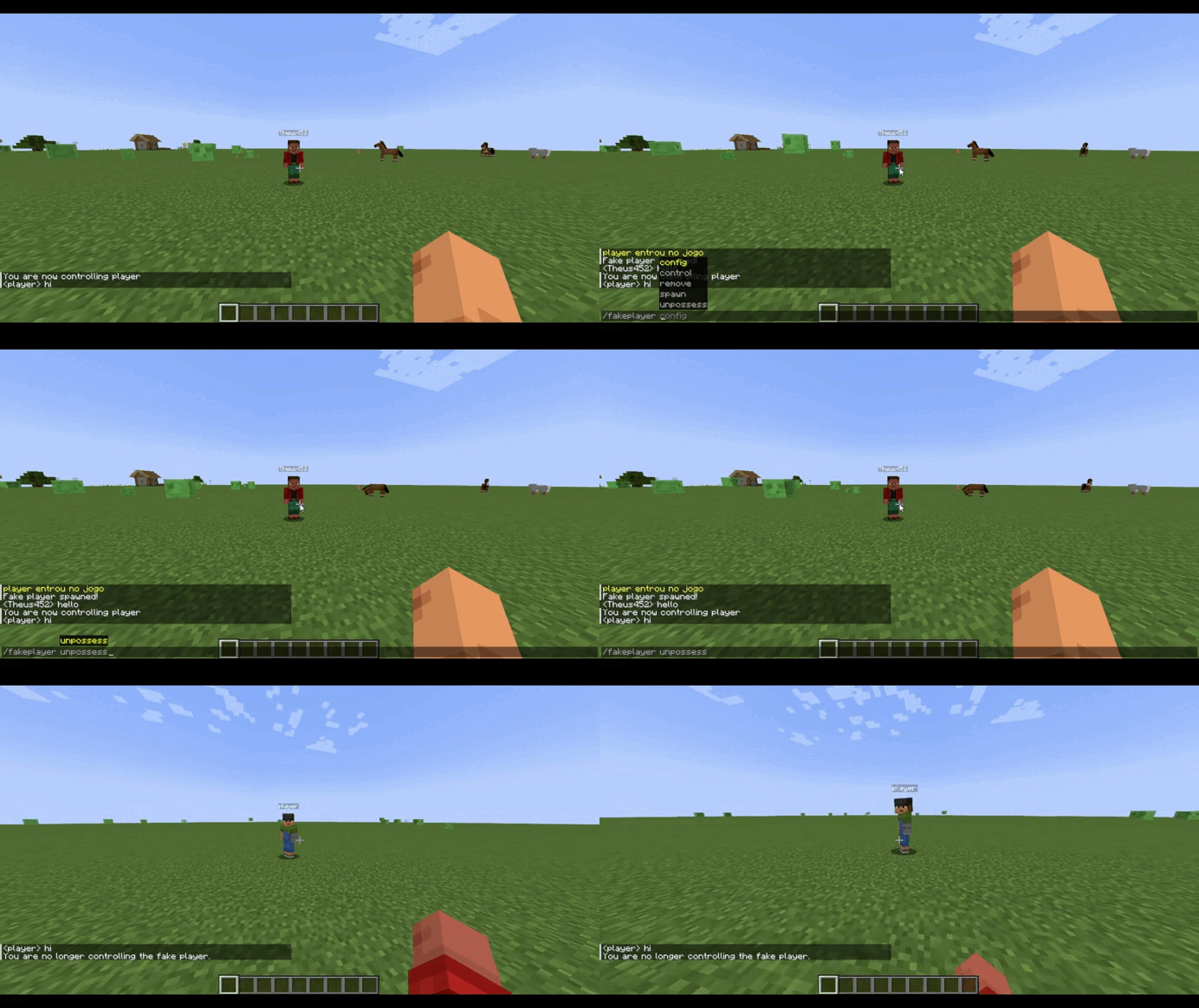
/fakeplayer unpossess
Return control to your original player.
You can also use the keybind defined in the mod configuration (default: O).
Available Versions
How to Install Advanced Fake Player on Your Server
Order Server
Order a Minecraft Java server with at least 3 GB RAM (4 GB recommended).
Set fabric Loader
In the panel under "Egg", select the fabric loader and matching Minecraft version (1.20.1).
Install Mod
Open the mod browser in the dashboard and search for "Advanced Fake Player". Click "Install" – done! Alternatively, upload the .jar via SFTP to the /mods folder.
Compatibility
Mod Loaders
Minecraft Versions
1.20.1
Server-side
✓ RequiredRecommended RAM
4 GB(min. 3 GB)Frequently Asked Questions
Advanced Fake Player server crashes on startup – what to do?
Most common cause: wrong fabric version or insufficient RAM. Check the server log (latest.log) for "OutOfMemoryError" or "Mixin" errors. With Mado Hosting: ensure at least 3 GB RAM is allocated and the loader matches the mod version (1.20.1). You can switch loaders with one click in the panel.
Is Advanced Fake Player compatible with fabric and forge?
Advanced Fake Player officially supports fabric, forge for Minecraft 1.20.1. Note: Forge and Fabric mods are NOT cross-compatible – pick one loader and stick with it. The Mado dashboard automatically detects incompatible loader combinations.
Server lagging with Advanced Fake Player – how to optimize performance?
Recommended RAM: 4 GB (per 8 players). Use /spark profiler to check if Advanced Fake Player consumes the most tick time. Common fixes: reduce server view-distance to 8-10, install "performant" or "starlight" as supplementary mods on Forge. With Mado Hosting, your server runs on NVMe SSDs with dedicated CPU cores for minimal latency.
Similar Mods
![[EMF] Entity Model Features](https://cdn.modrinth.com/data/4I1XuqiY/6e5bbd0d06b1741bfdab6c0cfab6de8fdaf0064c_96.webp)


Rent Modded Server
Install Advanced Fake Player with just one click on your server.