
Advanced Fletching Table
Gives the fletching table real purpose. Craft arrows and spectral arrows, uncraft them back to materials, color your arrows with dye, remove colors or potion effects, and preserve trail colors through tipping. Supports wood variant arrows and dispensers.
About this Mod
Trails!
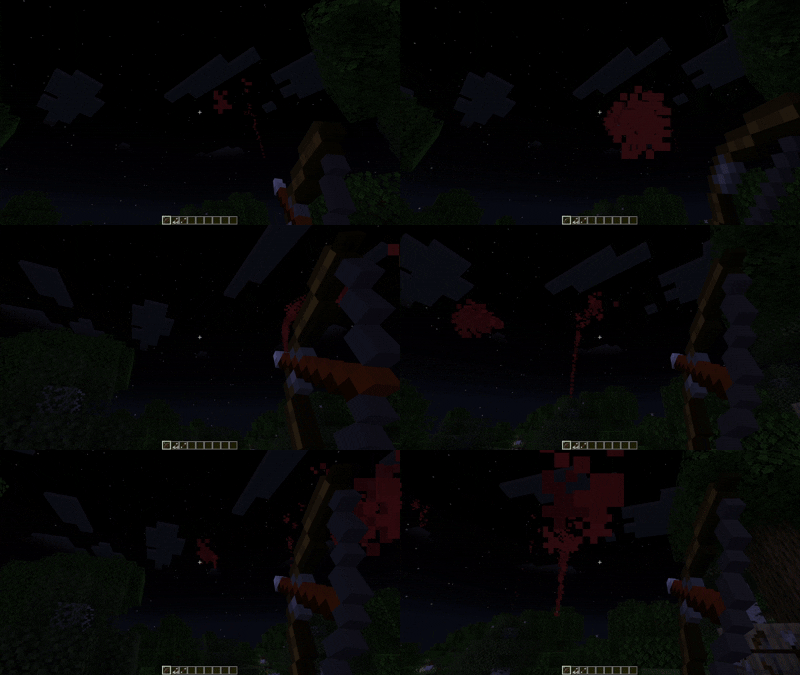
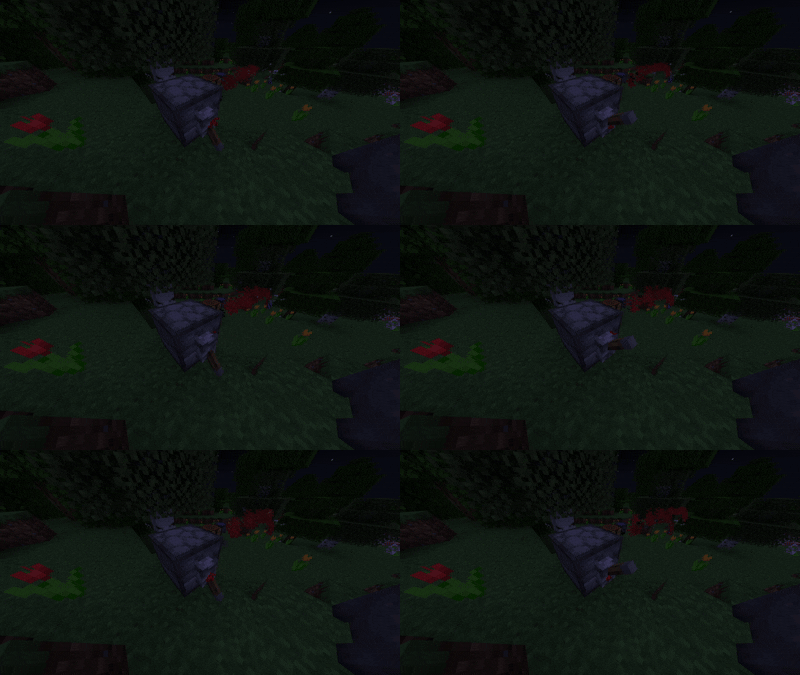
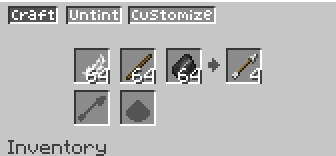
Arrow Crafting!
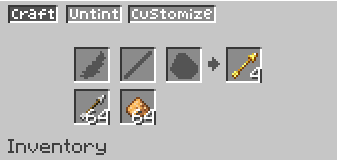
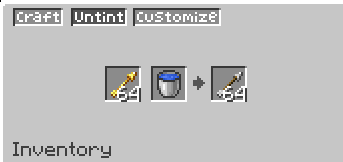
Specrtal Arrow Crafting
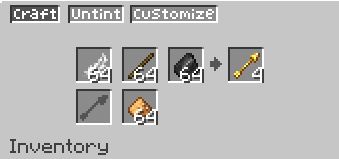
Customize your arrows! (More Customizations coming soon)
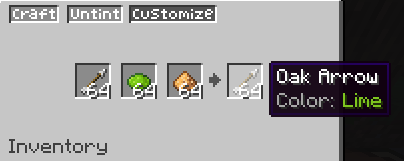
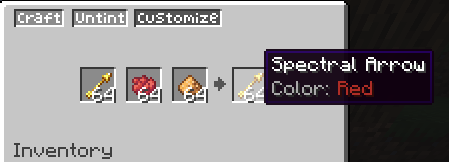
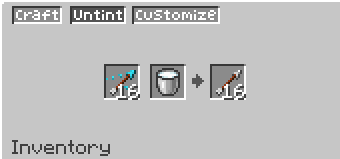
Uncraft your Arrows!
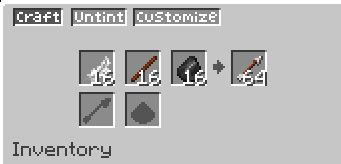
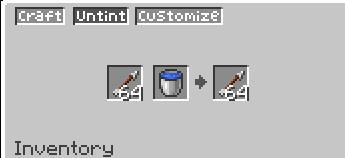
Uncolor/Untint your arrows!
● Advanced Fletching Table
Gives the fletching table the purpose it always deserved. Craft, customize, and manage your arrows all in one place — with three dedicated tabs and full support for wood variant arrows.
Features
🪓 Craft Tab
- Craft arrows from feather + stick + flint — more efficiently than a crafting table
- Craft spectral arrows using glowstone (with or without flint)
- Apply glowstone to an existing arrow to convert it into a spectral arrow — and if that arrow was colored, the spectral version keeps its color
- Uncraft plain arrows back into feather, stick, and flint — no free materials, the ratio matches the craft output
🌊 Untint Tab
- Remove the trail color from a colored arrow using a water bucket
- Remove the potion effect from a tipped arrow using a milk bucket (returns the original arrow type)
- Remove the spectral effect from a spectral arrow using a water bucket (returns the original arrow type, even if it was a wood variant)
🎨 Customize Tab
- Apply a dye + glowstone to any arrow to give it a colored particle trail
- Works in batches: X arrows + X dye + X glowstone = X colored arrows
- Compatible with tipped arrows — keeps the potion effect
Crafting Table Nerf
Arrow crafting in the vanilla crafting table now produces only 1 arrow instead of 4. Use the fletching table to craft arrows efficiently. This is configurable.
Compatibility
- https://modrinth.com/mod/advanced-cauldron — trail colors are preserved when tipping colored arrows in a brewing cauldron
- Full support for MoreWeaponVariants wood variant arrows (oak, warped, bamboo, etc.)
- Trail colors survive bows, crossbows, and dispensers
Available Versions
How to Install Advanced Fletching Table on Your Server
Order Server
Order a Minecraft Java server with at least 3 GB RAM (4 GB recommended).
Set fabric Loader
In the panel under "Egg", select the fabric loader and matching Minecraft version (1.20.1).
Install Mod
Open the mod browser in the dashboard and search for "Advanced Fletching Table". Click "Install" – done! Alternatively, upload the .jar via SFTP to the /mods folder.
Compatibility
Mod Loaders
Minecraft Versions
1.20.1
Server-side
✓ RequiredRecommended RAM
4 GB(min. 3 GB)Frequently Asked Questions
Advanced Fletching Table server crashes on startup – what to do?
Most common cause: wrong fabric version or insufficient RAM. Check the server log (latest.log) for "OutOfMemoryError" or "Mixin" errors. With Mado Hosting: ensure at least 3 GB RAM is allocated and the loader matches the mod version (1.20.1). You can switch loaders with one click in the panel.
Is Advanced Fletching Table compatible with fabric?
Advanced Fletching Table officially supports fabric for Minecraft 1.20.1. The Mado dashboard automatically detects incompatible loader combinations.
Server lagging with Advanced Fletching Table – how to optimize performance?
Recommended RAM: 4 GB (per 8 players). Use /spark profiler to check if Advanced Fletching Table consumes the most tick time. Common fixes: reduce server view-distance to 8-10, install "performant" or "starlight" as supplementary mods on Forge. With Mado Hosting, your server runs on NVMe SSDs with dedicated CPU cores for minimal latency.
Similar Mods

![[ETF] Entity Texture Features](https://cdn.modrinth.com/data/BVzZfTc1/af683d206d50b05258d865b0d6e4aa2f2cee12f2_96.webp)
![[EMF] Entity Model Features](https://cdn.modrinth.com/data/4I1XuqiY/6e5bbd0d06b1741bfdab6c0cfab6de8fdaf0064c_96.webp)



Rent Modded Server
Install Advanced Fletching Table with just one click on your server.