
Advanced Redstone Expansion
Advanced Redstone Expansion adds sleek, survival-balanced redstone blocks, wireless quantum channels, configurable timers, smart filtering hoppers, and optional omni-directional redstone dust output.
Screenshots
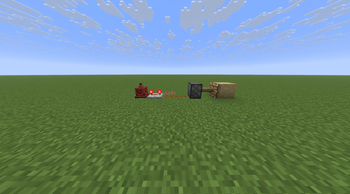
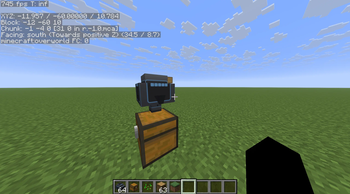
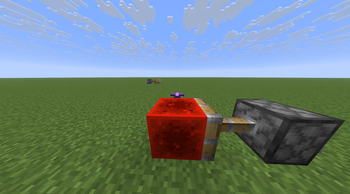
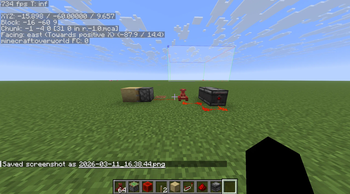
About this Mod
Advanced Redstone Expansion is a Fabric mod designed for players who want more powerful, precise, and scalable redstone systems without breaking vanilla mechanics.
It adds practical engineering tools for survival worlds and multiplayer servers, enabling wireless networks, precision timing, smart item filtering, and enhanced redstone control — all while preserving vanilla compatibility and power levels.
Whether you're building compact contraptions, large-scale automation systems, or server-wide redstone networks, this mod expands what’s possible with redstone while keeping the experience intuitive and balanced.
Why Download Advanced Redstone Expansion?
⚡ Wireless Redstone Networking
Transmit redstone signals instantly across any distance — even across dimensions — using configurable channels with persistent server data.
🧠 Designed for Redstone Engineers
Every block is built for practical use in real contraptions, focusing on reliability, clarity, and precise control.
📊 Clear Visual Configuration
GUIs include 3D block previews and numeric readouts for timing and channels so you can configure systems quickly and accurately.
🌍 Multiplayer-Friendly
Persistent network channels and deterministic behavior make the mod ideal for servers and collaborative redstone builds.
🔧 Vanilla-Compatible Mechanics
All systems respect vanilla redstone rules, including power levels (0–15) and comparator behavior, ensuring compatibility with existing contraptions.
Included Blocks
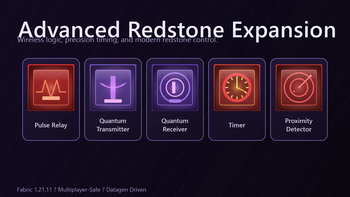
Pulse Relay
Emits a short redstone pulse when triggered, useful for edge detection and signal control.
Quantum Transmitter
Sends a redstone signal to any matching Quantum Receiver on the same channel, regardless of distance or dimension.
Quantum Receiver
Receives wireless signals from transmitters on the same channel and outputs a redstone signal.
Timer
Generates configurable redstone pulses with precise tick timing.
Proximity Detector
Detects nearby players or entities and outputs a redstone signal.
Filter Hopper I–V
Advanced hopper variants that allow filtering 1 to 5 different item types, enabling compact and efficient sorting systems.
Key Features
Cross-dimensional wireless redstone channels
Persistent server-side network data
3D block previews inside configuration GUIs
Clear numeric timing and channel readouts
Filter hopper tiers supporting 1–5 item filters
Data-generated blockstates, models, recipes, loot tables, and language files
Optional Feature: Omni Redstone Dust
Advanced Redstone Expansion also adds an optional enhanced redstone dust mode.
When enabled:
Powered dust outputs strong and weak power in all directions
Redstone becomes more flexible for compact builds
Toggle per block:
Sneak + Right Click redstone dust to switch Omni Mode ON/OFF.
Vanilla power levels and comparator behavior remain unchanged.
Available Versions
How to Install Advanced Redstone Expansion on Your Server
Order Server
Order a Minecraft Java server with at least 3 GB RAM (4 GB recommended).
Set fabric Loader
In the panel under "Egg", select the fabric loader and matching Minecraft version (1.21.11).
Install Mod
Open the mod browser in the dashboard and search for "Advanced Redstone Expansion". Click "Install" – done! Alternatively, upload the .jar via SFTP to the /mods folder.
Compatibility
Mod Loaders
Minecraft Versions
1.21.11
Server-side
✓ RequiredRecommended RAM
4 GB(min. 3 GB)Frequently Asked Questions
Advanced Redstone Expansion server crashes on startup – what to do?
Most common cause: wrong fabric version or insufficient RAM. Check the server log (latest.log) for "OutOfMemoryError" or "Mixin" errors. With Mado Hosting: ensure at least 3 GB RAM is allocated and the loader matches the mod version (1.21.11). You can switch loaders with one click in the panel.
Is Advanced Redstone Expansion compatible with fabric?
Advanced Redstone Expansion officially supports fabric for Minecraft 1.21.11. The Mado dashboard automatically detects incompatible loader combinations.
Server lagging with Advanced Redstone Expansion – how to optimize performance?
Recommended RAM: 4 GB (per 8 players). Use /spark profiler to check if Advanced Redstone Expansion consumes the most tick time. Common fixes: reduce server view-distance to 8-10, install "performant" or "starlight" as supplementary mods on Forge. With Mado Hosting, your server runs on NVMe SSDs with dedicated CPU cores for minimal latency.
Similar Mods




Rent Modded Server
Install Advanced Redstone Expansion with just one click on your server.