
Advanced RGB Lamps
An RGB Lamp mod, with optional colored lighting & computercraft support
Screenshots

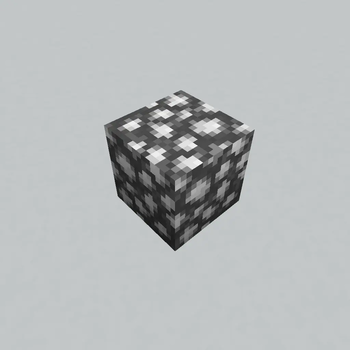
About this Mod
Advanced RGB Lamps
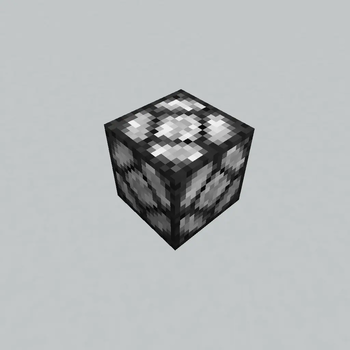
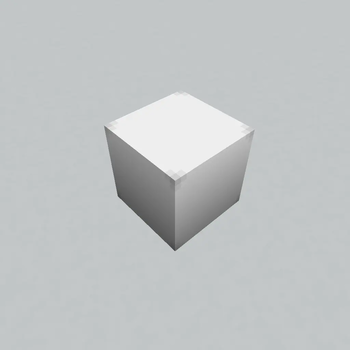
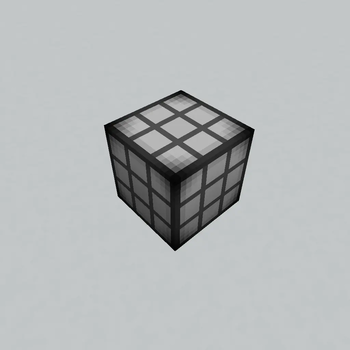
An RGB lamp mod that has 10 different lamp variations and optional Colorful Lighting & Computercraft support
Demonstration
Usage
Lamp Configurator Tool:
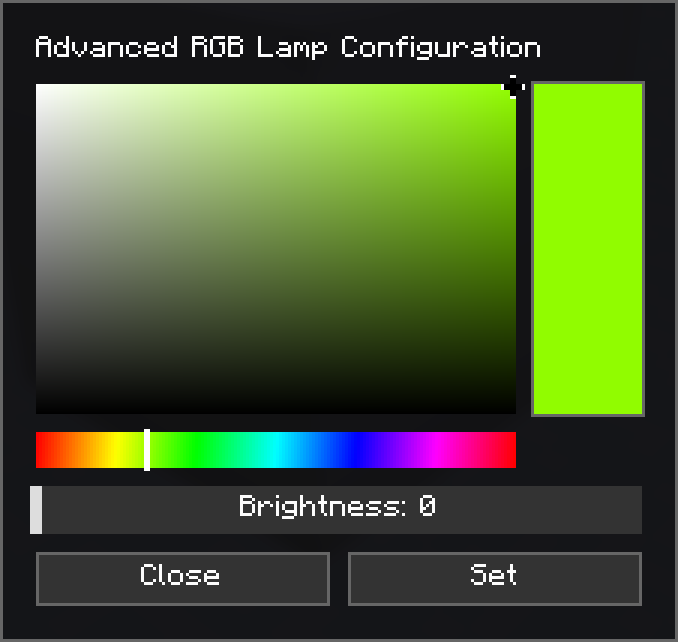
You can use the Lamp Configurator Tool by shift right clicking on a lamp, this opens the color and brightness configuration by default, modes can be switched between Edit, Copy, Paste& Debug by pressing P while holding the tool.
Crafting Recipes
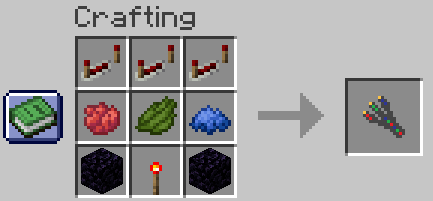
Lamp Configurator Tool:
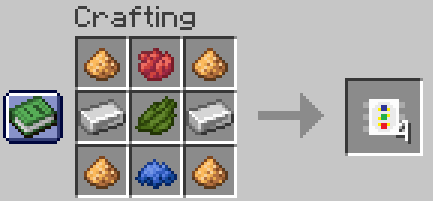
Led Diode:
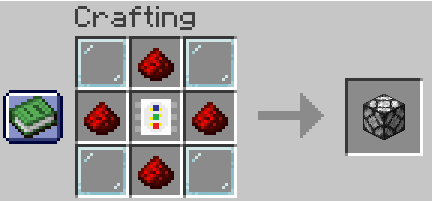
Advanced RGB Lamp:
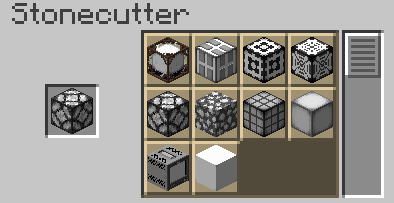
Stonecutter:
CC:Tweaked API Reference
setBrightness(level)
Sets the lamp brightness
| Parameter | Type | Range |
|---|---|---|
level |
integer | 0 - 15 |
Usage:
lamp.setBrightness(8)
setRGB(r, g, b, [, brightness])
Sets the lamp color from individual Red, Green & Blue components
| Parameter | Type | Range | Required |
|---|---|---|---|
r |
integer | 0 - 255 | yes |
g |
integer | 0 - 255 | yes |
b |
integer | 0 - 255 | yes |
brightness |
integer | 0 - 15 | no |
Usage:
lamp.setRGB(255, 128, 0) -- Sets color to orange without changing brightness
lamp.setRGB(255, 128, 0, 15) -- Sets color to orange and brightness to 15
setHex(hex [, brightness])
Sets the lamp color from a hex color string
| Parameter | Type | Range | Required |
|---|---|---|---|
hex |
string | yes | |
brightness |
integer | 0 - 15 | no |
Usage:
lamp.setHex("FF8800") -- Sets color to orange without changing brightness
lamp.setHex("FF8800", 15) -- Sets color to orange and brightness to 15
setHSV(h, s, v [, brightness])
Sets the lamp from Hue, Saturatuon & Value components
| Parameter | Type | Range | Required |
|---|---|---|---|
h |
number | 0 - 360 | yes |
s |
number | 0 - 100 | yes |
v |
number | 0 - 100 | yes |
brightness |
integer | 0 - 15 | no |
Usage:
lamp.setHSV(32, 100, 100) -- Sets color to orange without changing brightness
lamp.setHSV(32, 100, 100, 15) -- Sets color to orange and brightness to 15
setVariant(variant)
Sets the lamp variant (see gallery for all variants)
| Parameter | Type | Range |
|---|---|---|
variant |
integer | 0 - 9 |
Usage:
lamp.setVariant(3)
getBrightness()-> level
Gets current lamp brightness
Usage:
local brightness = lamp.getBrightness()
getRGB()->r, g, b`
Gets current color in Red, Green & Blue components
Usage:
local r, g, b = lamp.getRGB()
getHex() -> hex
Gets current color as a Hex string
Usage:
local hex = lamp.getHex()
getHSV() -> h, s, v
Gets current color as Hue, Saturatuon & Value components
Usage:
local h, s, v = lamp.getHSV()
getVariant() -> variant
Gets current variant
Usage:
local variant = lamp.getVariant()
Notes:
The Colorful Lighting mod is required for colored lighting, this mod is not compatible with the sodium/embeddium fork of Colorful Lighting.
Use in modpacks is allowed, no permission is required.
Available Versions
How to Install Advanced RGB Lamps on Your Server
Order Server
Order a Minecraft Java server with at least 3 GB RAM (4 GB recommended).
Set neoforge Loader
In the panel under "Egg", select the neoforge loader and matching Minecraft version (1.21.1).
Install Mod
Open the mod browser in the dashboard and search for "Advanced RGB Lamps". Click "Install" – done! Alternatively, upload the .jar via SFTP to the /mods folder.
Compatibility
Mod Loaders
Minecraft Versions
1.21.1
Server-side
✓ RequiredRecommended RAM
4 GB(min. 3 GB)Frequently Asked Questions
Advanced RGB Lamps server crashes on startup – what to do?
Most common cause: wrong neoforge version or insufficient RAM. Check the server log (latest.log) for "OutOfMemoryError" or "Mixin" errors. With Mado Hosting: ensure at least 3 GB RAM is allocated and the loader matches the mod version (1.21.1). You can switch loaders with one click in the panel.
Is Advanced RGB Lamps compatible with neoforge?
Advanced RGB Lamps officially supports neoforge for Minecraft 1.21.1. The Mado dashboard automatically detects incompatible loader combinations.
Server lagging with Advanced RGB Lamps – how to optimize performance?
Recommended RAM: 4 GB (per 8 players). Use /spark profiler to check if Advanced RGB Lamps consumes the most tick time. Common fixes: reduce server view-distance to 8-10, install "performant" or "starlight" as supplementary mods on Forge. With Mado Hosting, your server runs on NVMe SSDs with dedicated CPU cores for minimal latency.
Similar Mods

![[ETF] Entity Texture Features](https://cdn.modrinth.com/data/BVzZfTc1/af683d206d50b05258d865b0d6e4aa2f2cee12f2_96.webp)
![[EMF] Entity Model Features](https://cdn.modrinth.com/data/4I1XuqiY/6e5bbd0d06b1741bfdab6c0cfab6de8fdaf0064c_96.webp)



Rent Modded Server
Install Advanced RGB Lamps with just one click on your server.