
Aeronautics: Calibrated
A mod that adds extra features to Create: Aeronautics that improve it slightly.
Screenshots
About this Mod
This mod currently adds these new items/blocks:
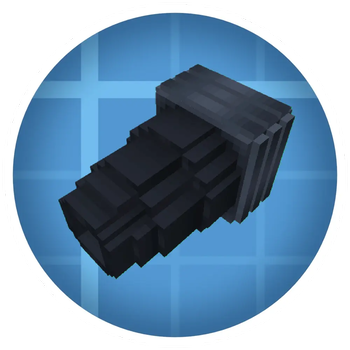
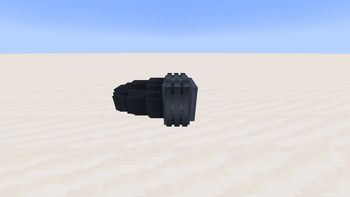
- Thruster (Ion and regular, requires FE)
- Ionized Thermal Mechanism
- Thermal Mechanism
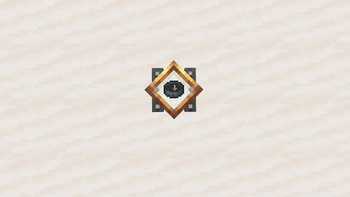
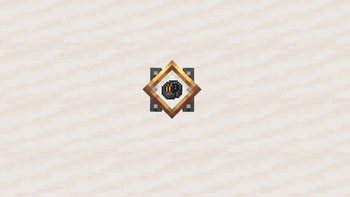
- Navigation Compass
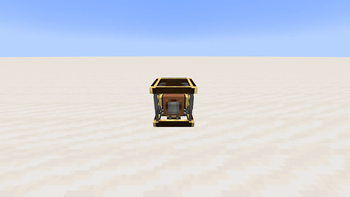
- Generator (Regular, Industrial and Creative)
- Navigation Tracker
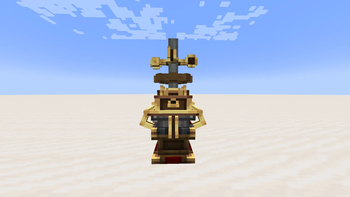
- Traverse Board
Thruster:
A block that provides thrust as long as enough Power according to the inputted redstone signal is inputted.
Inputting redstone signals through the sides allows the thruster to output a specific amount of thrust.
Ionized Thermal Mechanism:
Via the Ionized Thermal Mechanism you can upgrade the Thruster to be an Ion Thruster which provides more thrust at the cost of more Power required.
Thermal Mechanism:
With the Thermal mechanism aquired through a sequenced assembly you can create the thruster in an Mechanical Crafter
Navigation Compass:
A Compass in which you can input coordinates to point you to those exact coordinates.
When Inputting into a Navigation Table it will function like any other Compass just to the inputted Coordinates
Generator:
A small and compact Generator that uses RPM to create FE with a maximum FE output of 15 FE/t, 45 FE/t or nearly infinite FE/t
Navigation Tracker
An extention to the Navigation Table that outputs a higher redstone signal the closer you get to its inputted target (A Navigation Compass is inputted)
REQUIRES A MINIMUM OF CONSTANT 32 RPM ROTATIONAL POWER AND A NAVIGATION TABLE BELOW AND A SHAFT ABOVE OF IT
Traverse Board:
A small board that saves your current coordinates to later be crafted with a Navigation Compass to redirect the Compass's target to that position
PLANNED ADDITIONS:
Currently I am planning on adding 6 more things to the mod:
- Cables for the Generator so the Mod is independent from Mekanism
- CREDIT vaskociganina (Discord): When having a Mob sit on a seat next to a Typewriter and giing it a Path schedule item the mob will automatically control the Contraption to try and bring you to the wanted destination (This feature will be implemented after the Navigation Compass's functionality is finished)
- A block that changes its mass depending on the RPM inputted
- A Survival Physics Staff
- A Plunger Launcher Block that you can shoot
- A Force Field like Block that has players be stuck to the ship the block is placed on

Available Versions
How to Install Aeronautics: Calibrated on Your Server
Order Server
Order a Minecraft Java server with at least 3 GB RAM (4 GB recommended).
Set neoforge Loader
In the panel under "Egg", select the neoforge loader and matching Minecraft version (1.21.1).
Install Mod
Open the mod browser in the dashboard and search for "Aeronautics: Calibrated". Click "Install" – done! Alternatively, upload the .jar via SFTP to the /mods folder.
Compatibility
Mod Loaders
Minecraft Versions
1.21.1
Server-side
✓ RequiredRecommended RAM
4 GB(min. 3 GB)Frequently Asked Questions
Aeronautics: Calibrated server crashes on startup – what to do?
Most common cause: wrong neoforge version or insufficient RAM. Check the server log (latest.log) for "OutOfMemoryError" or "Mixin" errors. With Mado Hosting: ensure at least 3 GB RAM is allocated and the loader matches the mod version (1.21.1). You can switch loaders with one click in the panel.
Is Aeronautics: Calibrated compatible with neoforge?
Aeronautics: Calibrated officially supports neoforge for Minecraft 1.21.1. The Mado dashboard automatically detects incompatible loader combinations.
Server lagging with Aeronautics: Calibrated – how to optimize performance?
Recommended RAM: 4 GB (per 8 players). Use /spark profiler to check if Aeronautics: Calibrated consumes the most tick time. Common fixes: reduce server view-distance to 8-10, install "performant" or "starlight" as supplementary mods on Forge. With Mado Hosting, your server runs on NVMe SSDs with dedicated CPU cores for minimal latency.
Similar Mods




Rent Modded Server
Install Aeronautics: Calibrated with just one click on your server.