
Ai Helper
Chat with AI directly in your Minecraft world! Transform your Minecraft experience by bringing the power of artificial intelligence right into your game. No more alt-tabbing to ask questions or get help
Screenshots

About this Mod
🤖 AI Chat Helper
Chat with AI directly in your Minecraft world!
Transform your Minecraft experience by bringing the power of artificial intelligence right into your game. No more alt-tabbing to ask questions or get help - just type a command and get instant AI responses in chat!
✨ Features
🌍 Multi-Language Support
- Automatically detects your game language
- Supports 6 languages: English, Turkish, Russian, German, French, and Spanish
- All UI elements and book content adapt to your language
🤖 Multiple AI Providers
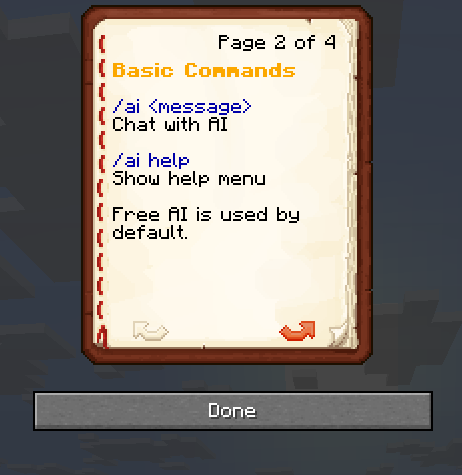
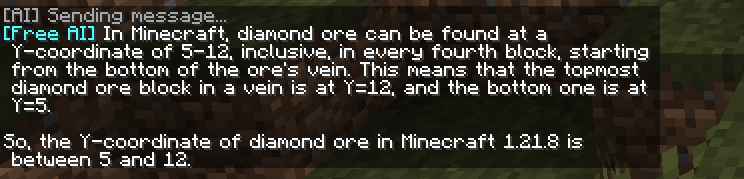
- Free AI (Groq) - Works out of the box, no setup required!
- ChatGPT - Industry-leading conversational AI
- Gemini - Google's powerful language model
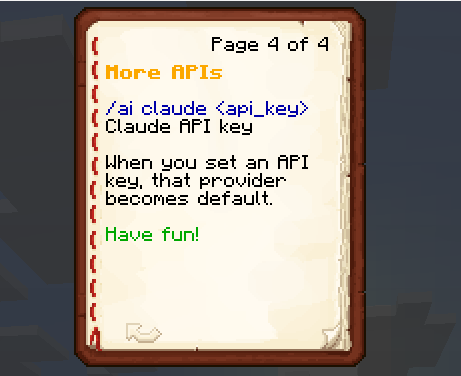
- Claude - Anthropic's helpful AI assistant
- DeepSeek - Advanced reasoning capabilities
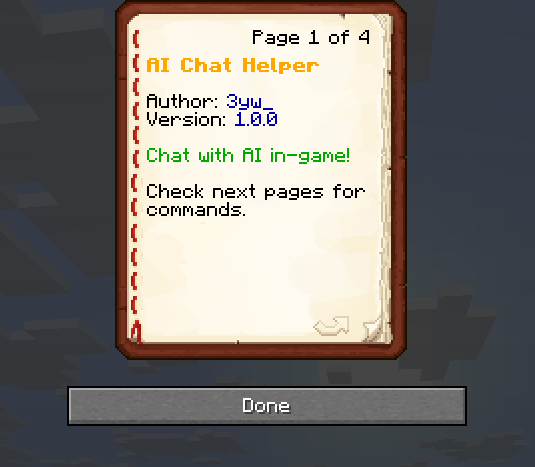
📚 In-Game Guide Book
- Receive a helpful guide book when you first join
- Contains all commands and instructions
- Beautiful, readable formatting with proper colors
- Automatically translated to your language
⚡ Simple Commands
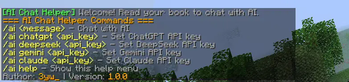
/ai <message> - Chat with AI using your default provider
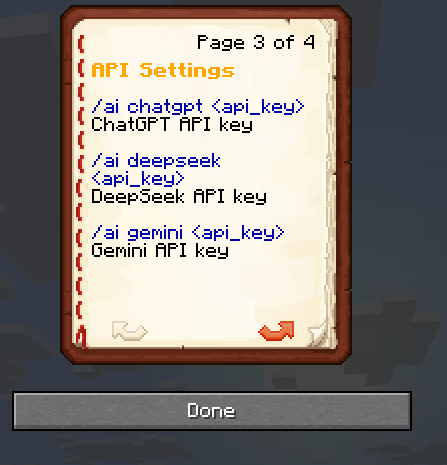
/ai chatgpt <api_key> - Set ChatGPT as default and configure API key
/ai gemini <api_key> - Set Gemini as default and configure API key
/ai claude <api_key> - Set Claude as default and configure API key
/ai deepseek <api_key> - Set DeepSeek as default and configure API key
/ai help - Show command help
🚀 Why Choose AI Chat Helper?
🆓 Works Immediately
No configuration needed! The mod comes with a free AI provider that works right away.
🔒 Your API Keys, Your Control
- API keys are stored locally on your client
- Switch between providers anytime
- Use your own premium API keys for better responses
🌐 True Multilingual
- Not just English! Full support for major languages
- UI adapts to your Minecraft language settings
- No language barriers to getting help
⚙️ Developer Friendly
- Clean, well-structured code
- Easy to understand and modify
- Built with modern Minecraft modding practices
🎮 Seamless Integration
- No external applications needed
- Works in singleplayer and multiplayer
- Lightweight and efficient
📋 Requirements
- Minecraft 1.21.8
- Fabric Loader 0.17.2+
- Fabric API
🔧 Quick Setup
- Install the mod
- Join your world
- Read the guide book you receive
- Start chatting with
/ai hello!
For premium AI providers, just set your API key once and you're ready to go!
💡 Use Cases
- Get building inspiration:
/ai give me ideas for a medieval castle - Learn game mechanics:
/ai how do I make a redstone clock? - Creative writing:
/ai write a backstory for my character - Problem solving:
/ai my farm isn't working, what could be wrong? - Language practice: Chat in different languages!
🤝 Perfect For
- Casual players who want quick help without leaving the game
- Builders seeking creative inspiration
- Redstone engineers needing technical assistance
- Multiplayer servers wanting to add AI assistance for players
- Content creators looking for interactive elements
Ready to revolutionize your Minecraft experience? Download now and start chatting with AI in-game!
Made with ❤️ by 3yw_
Available Versions
How to Install Ai Helper on Your Server
Order Server
Order a Minecraft Java server with at least 3 GB RAM (4 GB recommended).
Set fabric Loader
In the panel under "Egg", select the fabric loader and matching Minecraft version (1.21.8).
Install Mod
Open the mod browser in the dashboard and search for "Ai Helper". Click "Install" – done! Alternatively, upload the .jar via SFTP to the /mods folder.
Compatibility
Mod Loaders
Minecraft Versions
1.21.8
Server-side
~ OptionalRecommended RAM
4 GB(min. 3 GB)Frequently Asked Questions
Ai Helper server crashes on startup – what to do?
Most common cause: wrong fabric version or insufficient RAM. Check the server log (latest.log) for "OutOfMemoryError" or "Mixin" errors. With Mado Hosting: ensure at least 3 GB RAM is allocated and the loader matches the mod version (1.21.8). You can switch loaders with one click in the panel.
Is Ai Helper compatible with fabric?
Ai Helper officially supports fabric for Minecraft 1.21.8. The Mado dashboard automatically detects incompatible loader combinations.
Server lagging with Ai Helper – how to optimize performance?
Recommended RAM: 4 GB (per 8 players). Use /spark profiler to check if Ai Helper consumes the most tick time. Common fixes: reduce server view-distance to 8-10, install "performant" or "starlight" as supplementary mods on Forge. With Mado Hosting, your server runs on NVMe SSDs with dedicated CPU cores for minimal latency.
Similar Mods




![[ETF] Entity Texture Features](https://cdn.modrinth.com/data/BVzZfTc1/af683d206d50b05258d865b0d6e4aa2f2cee12f2_96.webp)
![[EMF] Entity Model Features](https://cdn.modrinth.com/data/4I1XuqiY/6e5bbd0d06b1741bfdab6c0cfab6de8fdaf0064c_96.webp)
Rent Modded Server
Install Ai Helper with just one click on your server.