
Algae Delight
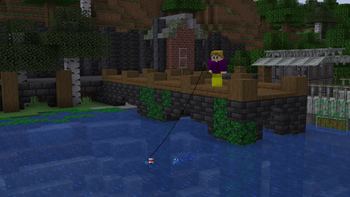
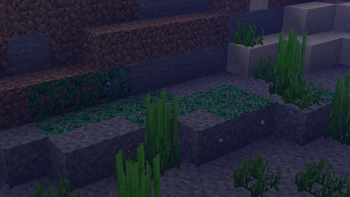
Add some greenery to the surface of your ponds with some floating algae, or cover the pillars of your dock with waterloggable clinging algae! If Farmer's Delight is installed, also includes a few algae-based foods!
Screenshots
About this Mod
Algae Delight
Algae Delight adds some decorative Algae blocks to use for decorating builds on, in, or near water. If Farmer's Delight is also installed, some algae-based foods can also be made from the algae!
Algae
Algae is the base algae item that drops when algae is broken without shears or silk touch. It can also be crafted from other algae types by placing them in a crafting table or stonecutter. Algae can be cooked, with fancier recipes available if Farmer's Delight is installed. More recipes coming soon!
Surface Algae
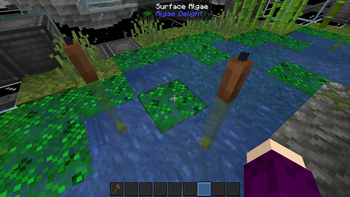
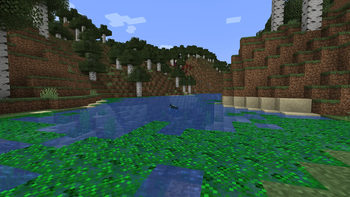
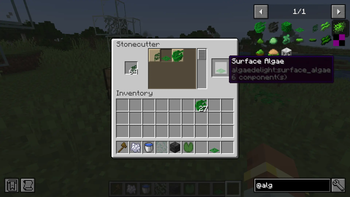
Surface Algae floats on the surface of water. Entities can swim through it, but you might get a little slimy. Surface Algae generates near the shore of rivers, and can also be crafted from any other algae by putting two algae side by side in a crafting grid, or using a stonecutter.
Clinging Algae
Clinging Algae can be placed on any surface of a block, similar to glow lichen. It can also be waterlogged. It can be crafted from any other algae by stacking two algae vertically in a crafting grid, or by using a stonecutter.
Block of Algae
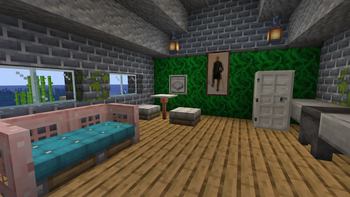
Nine Algae can be crafted into one Block of Algae. It crafts back into nine Algae. This is mostly to conveniently store large amounts of algae, but in my opinion it also makes a nice funky green wallpaper.
Growing Algae
Algae doesn't spread on its own for the convenience of builders. No need to place one million string to block it in! Instead, Surface and Clinging Algae can both be bonemealed, and feeding them bonemeal gives them the ability to spread to nearby blocks over time.
Available Versions
How to Install Algae Delight on Your Server
Order Server
Order a Minecraft Java server with at least 4 GB RAM (6 GB recommended).
Set neoforge Loader
In the panel under "Egg", select the neoforge loader and matching Minecraft version (1.21.1).
Install Mod
Open the mod browser in the dashboard and search for "Algae Delight". Click "Install" – done! Alternatively, upload the .jar via SFTP to the /mods folder.
Compatibility
Mod Loaders
Minecraft Versions
1.21.1
Server-side
✓ RequiredRecommended RAM
6 GB(min. 4 GB)Frequently Asked Questions
Algae Delight server crashes on startup – what to do?
Most common cause: wrong neoforge version or insufficient RAM. Check the server log (latest.log) for "OutOfMemoryError" or "Mixin" errors. With Mado Hosting: ensure at least 4 GB RAM is allocated and the loader matches the mod version (1.21.1). You can switch loaders with one click in the panel.
Is Algae Delight compatible with neoforge?
Algae Delight officially supports neoforge for Minecraft 1.21.1. The Mado dashboard automatically detects incompatible loader combinations.
Server lagging with Algae Delight – how to optimize performance?
Recommended RAM: 6 GB (per 5 players). Use /spark profiler to check if Algae Delight consumes the most tick time. Common fixes: reduce server view-distance to 8-10, install "performant" or "starlight" as supplementary mods on Forge. With Mado Hosting, your server runs on NVMe SSDs with dedicated CPU cores for minimal latency.
Similar Mods

![[ETF] Entity Texture Features](https://cdn.modrinth.com/data/BVzZfTc1/af683d206d50b05258d865b0d6e4aa2f2cee12f2_96.webp)
![[EMF] Entity Model Features](https://cdn.modrinth.com/data/4I1XuqiY/6e5bbd0d06b1741bfdab6c0cfab6de8fdaf0064c_96.webp)



Rent Modded Server
Install Algae Delight with just one click on your server.