
altcamera
Anyone who played Rust knows about the Freelock feature. This mod adds the same feature in first and third person.
Screenshots
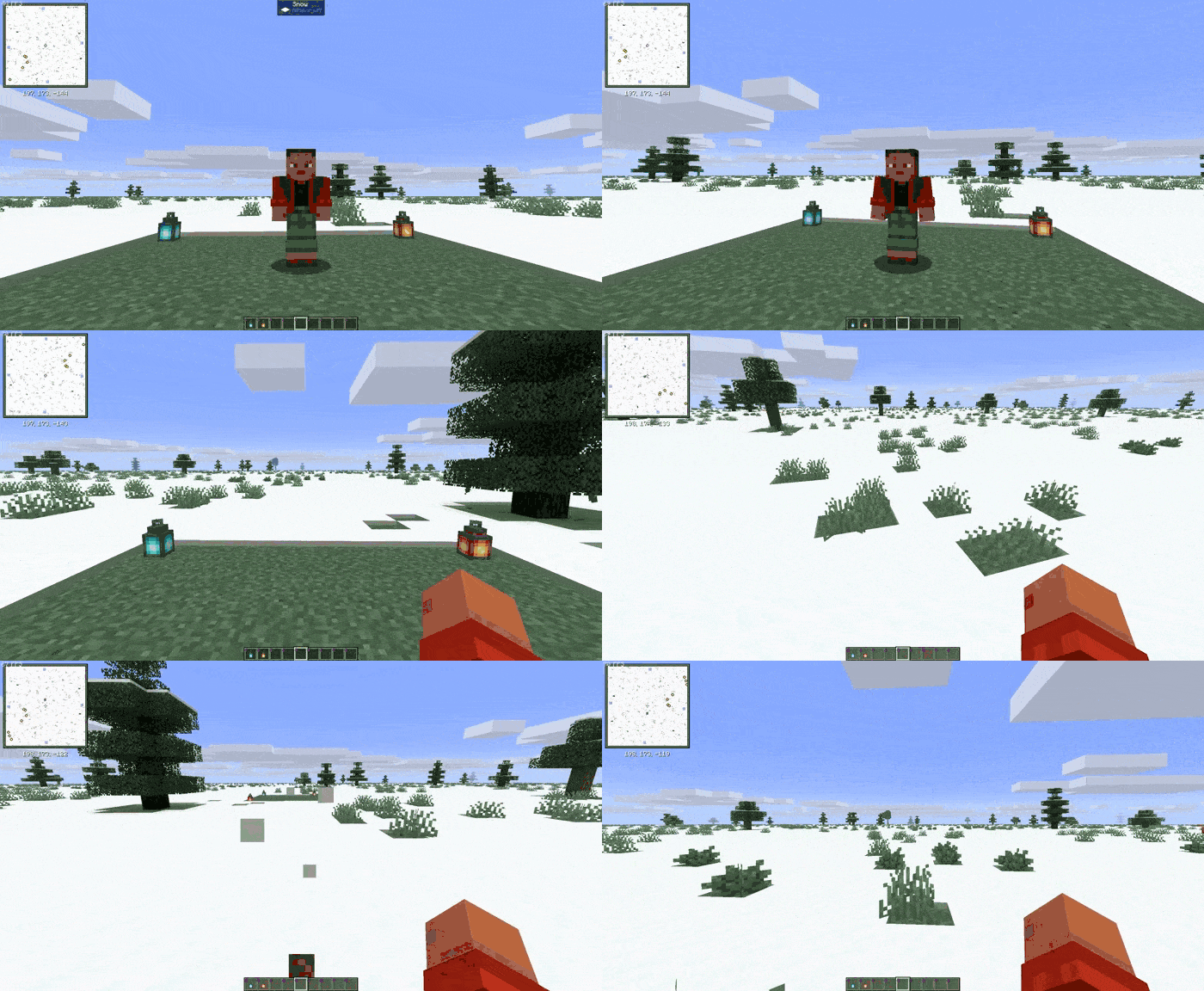
About this Mod
⭐️Functional
Pressing the left alt key allows you to look around. This works in both first and third person.
🔥Explanation
If you've played Rust, you're familiar with the concept of Freelock. Freelock is a keystroke that allows you to look around while simultaneously moving your character.
⚙️Technical
- Loader: Fabric
- Client-side only
- Dependencies: Fabric API
- Works on any server
- Possibility to change the bind
- No server installation required(Client-side only)
⭐️Функционал
При нажатии Left Alt вы сможете смотреть по сторонам/осматриваться. Это работает как от первого, так и от третьего лица.
🔥Объяснения
Если вы играли в раст, вы знаете о такой темке как Freelock. Freelock — это действие, при нажатии на клавишу, которое позволяет смотреть по сторонам/осматриваться, одновременно перемещая персонажа.
⚙️Техническая часть
- Загрузчик: Fabric
- Только клиент
- Обезательно: Fabric Api
- Работает на любом сервере
- Возможность поменять бинд
- Не требует установки на сервер(только клиент)
Available Versions
How to Install altcamera on Your Server
Order Server
Order a Minecraft Java server with at least 3 GB RAM (4 GB recommended).
Set fabric Loader
In the panel under "Egg", select the fabric loader and matching Minecraft version (1.21.11).
Install Mod
Open the mod browser in the dashboard and search for "altcamera". Click "Install" – done! Alternatively, upload the .jar via SFTP to the /mods folder.
Compatibility
Mod Loaders
Minecraft Versions
1.21.11, 1.21.8, 1.21.7 (+6 more)
Server-side
✗ UnsupportedRecommended RAM
4 GB(min. 3 GB)Frequently Asked Questions
altcamera server crashes on startup – what to do?
Most common cause: wrong fabric version or insufficient RAM. Check the server log (latest.log) for "OutOfMemoryError" or "Mixin" errors. With Mado Hosting: ensure at least 3 GB RAM is allocated and the loader matches the mod version (1.21.11). You can switch loaders with one click in the panel.
Is altcamera compatible with fabric?
altcamera officially supports fabric for Minecraft 1.21.11, 1.21.8, 1.21.7. The Mado dashboard automatically detects incompatible loader combinations.
Server lagging with altcamera – how to optimize performance?
Recommended RAM: 4 GB (per 8 players). Use /spark profiler to check if altcamera consumes the most tick time. Common fixes: reduce server view-distance to 8-10, install "performant" or "starlight" as supplementary mods on Forge. With Mado Hosting, your server runs on NVMe SSDs with dedicated CPU cores for minimal latency.
Similar Mods




Rent Modded Server
Install altcamera with just one click on your server.