
AngyHelper
This mod integrates a small set of features for the server Angybox.minehut.gg
Screenshots
About this Mod
This mod adds a few features that help with the minecraft server Angybox.minehut.gg
Features
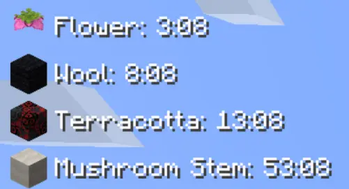
Timer Hud
Initially when you join the server, the timers will be disabled.
When the server sends the following message [MRL] RESOURCE has been reset automatically!, the Resource's timer will be enabled for the related resource.
Other people cannot start the timer. Only server messages can.
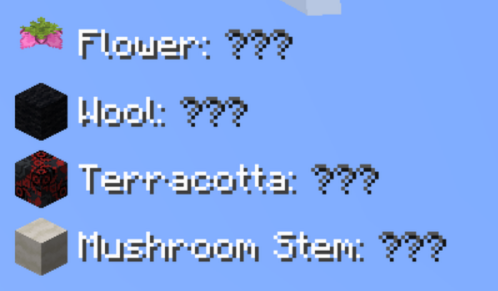
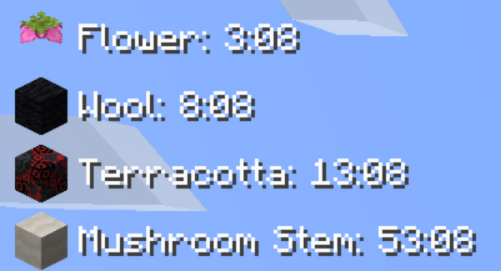
Note: I (Sling) have contacted the owner of AngyBox (xdle) and have confirmed that the owner doesn't have any issues with this feature.
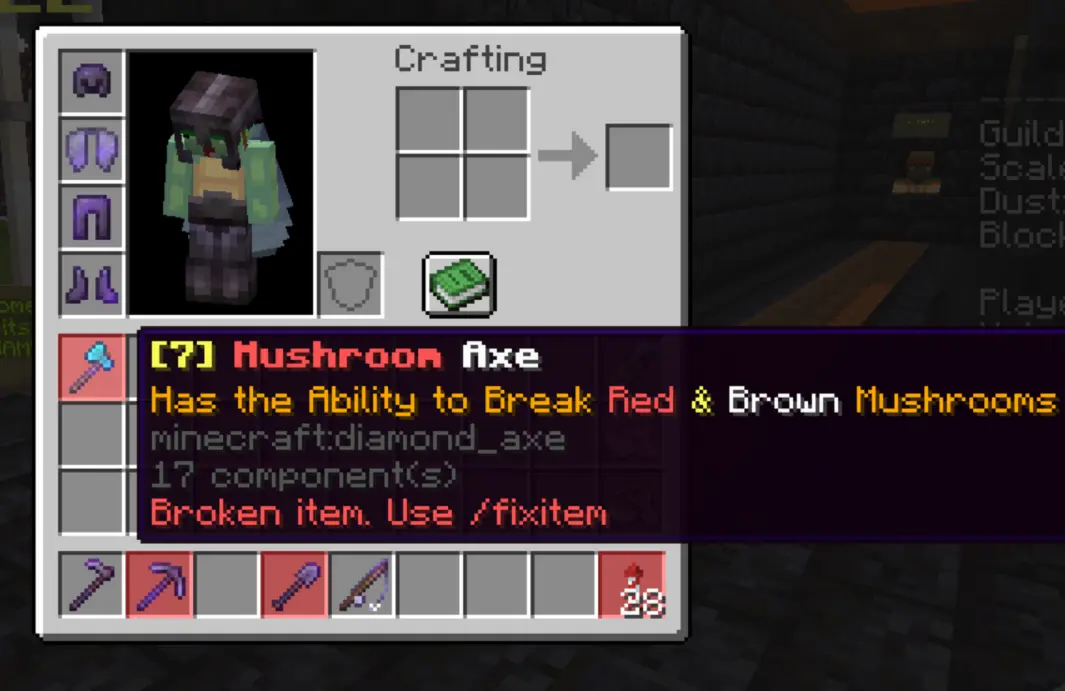
Highlight broken item
While playing, items can break. Since I am not apart of the server's dev team, I don't have an explanation. But by doing certain actions, the custom:{} nbt tag can be added onto items.
These items will not work for trades unless fixed with the /fixitem command.
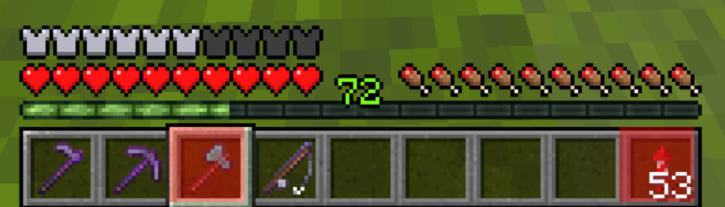
This mod introduces a highlight to any item with the custom:{} nbt tag in the hotbar, inventory, storage containers.
In the tooltip of a broken item, the mod lets you know in writing that its broken and to run /fixitem
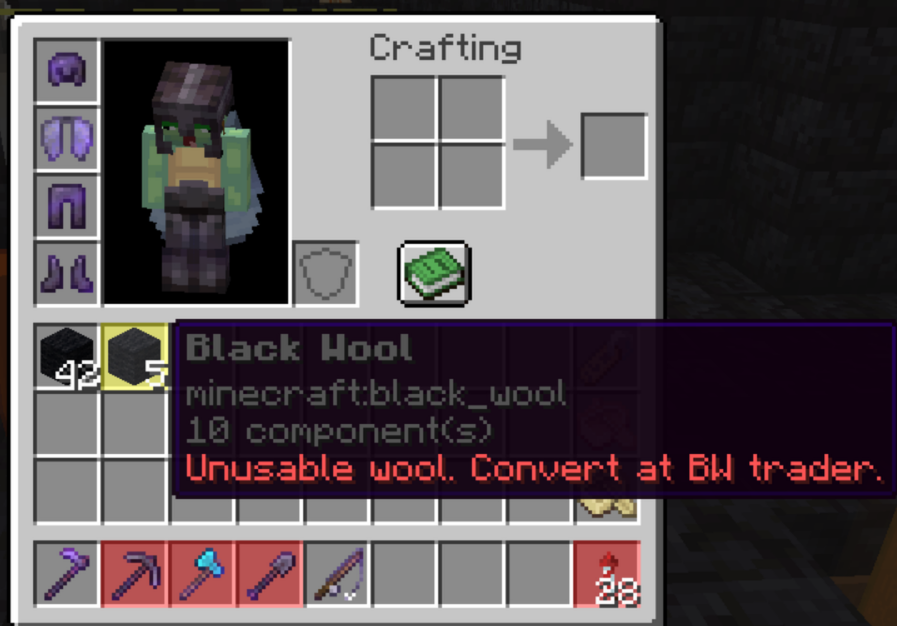
Highlight wool from /daily command.
The black wool you get from the /daily command won't work unless you fix it at its specific trader.
This mod highlights this unusable wool in yellow and advises the user to fix it at the Black Wool trader.
Hide server TIP's
Sometimes the server's tips can flood the chat and be annoying.
This mod can hide these tips.
Desert loot summary.
When in the desert, the chat can easily get spammed.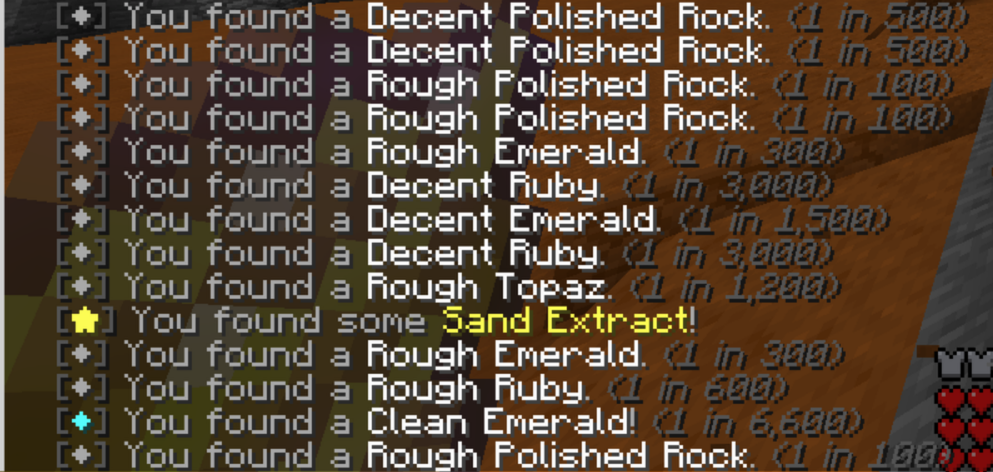
This mod hides these messages and shows a summary after a delay (Can be configured)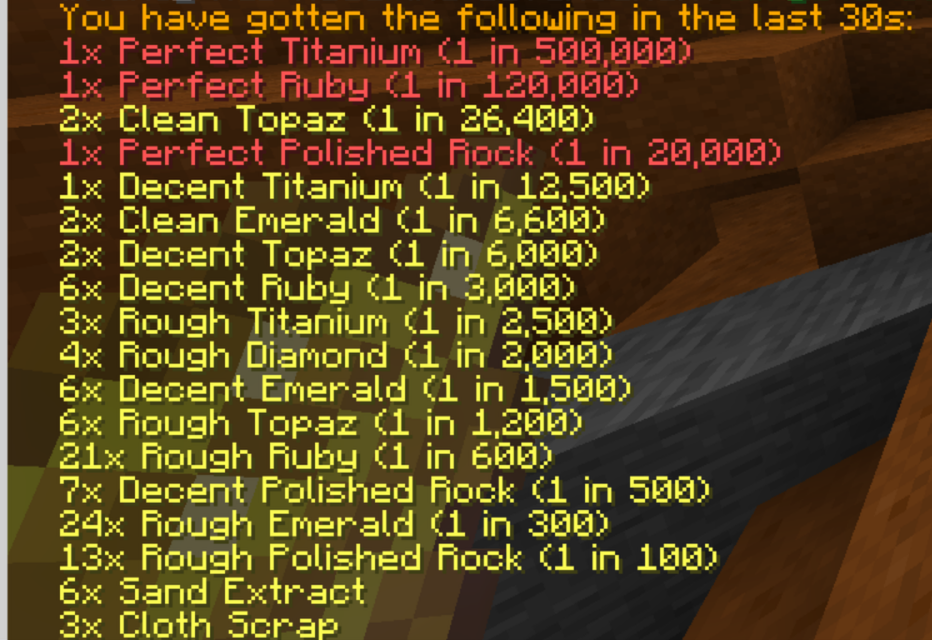
Configuration
We use Mod Menu and Cloth Config API for our configuration.
Things that can be configured
Chat
- Summarize mining loot chat | Yes / No
- Summarizes the Desert loot into a list
- Intercept GEM FIND messages | Yes / No
- Hide GEM FIND messages and include it into the summary list
- Intercept PET DROP messages | Yes / No
- Hide PET DROP messages and include it into the summary list
- Hide server TIP messages | Yes / No
- Hide the TIP messages
- Mining Loot summary seconds | Integer
- The delay set for
Timer
- Enabled | Yes / No
- Toggles the timer on and off
- HUD X | Integer
- Sets the X position of the timer
- HUD Y | Integer
- Sets the Y position of the timer
- Alignment | Left / Center / Right
- Sets the text position, When right is selected it flips how text is displayed
- Order | Submenu
- Sets the order of the timer list.
Inventory
- Highlight Broken Items | Yes / No
- Toggles the Red highlight for broken items and the broken tooltip
- Highlight Unusable Wool | Yes / No
- Toggles the Yellow highlight for unusable wool
Available Versions
How to Install AngyHelper on Your Server
Order Server
Order a Minecraft Java server with at least 3 GB RAM (4 GB recommended).
Set fabric Loader
In the panel under "Egg", select the fabric loader and matching Minecraft version (1.21.4).
Install Mod
Open the mod browser in the dashboard and search for "AngyHelper". Click "Install" – done! Alternatively, upload the .jar via SFTP to the /mods folder.
Compatibility
Mod Loaders
Minecraft Versions
1.21.4
Server-side
✗ UnsupportedRecommended RAM
4 GB(min. 3 GB)Frequently Asked Questions
AngyHelper server crashes on startup – what to do?
Most common cause: wrong fabric version or insufficient RAM. Check the server log (latest.log) for "OutOfMemoryError" or "Mixin" errors. With Mado Hosting: ensure at least 3 GB RAM is allocated and the loader matches the mod version (1.21.4). You can switch loaders with one click in the panel.
Is AngyHelper compatible with fabric?
AngyHelper officially supports fabric for Minecraft 1.21.4. The Mado dashboard automatically detects incompatible loader combinations.
Server lagging with AngyHelper – how to optimize performance?
Recommended RAM: 4 GB (per 8 players). Use /spark profiler to check if AngyHelper consumes the most tick time. Common fixes: reduce server view-distance to 8-10, install "performant" or "starlight" as supplementary mods on Forge. With Mado Hosting, your server runs on NVMe SSDs with dedicated CPU cores for minimal latency.
Similar Mods




![[ETF] Entity Texture Features](https://cdn.modrinth.com/data/BVzZfTc1/af683d206d50b05258d865b0d6e4aa2f2cee12f2_96.webp)
![[EMF] Entity Model Features](https://cdn.modrinth.com/data/4I1XuqiY/6e5bbd0d06b1741bfdab6c0cfab6de8fdaf0064c_96.webp)
Rent Modded Server
Install AngyHelper with just one click on your server.