
Animated GUI
Smooth, fully customizable animations for Minecraft's instant GUI: sliding menus, gliding item slots, smooth creative and list scrolling, and a flat settings screen. Client-side; the vanilla look is untouched.
Screenshots
About this Mod
Animated GUI
Animated GUI replaces Minecraft's instant, snappy interface transitions with smooth, fully customizable animations — without changing how any vanilla screen looks. Menus fade and slide, item stacks glide between slots, the creative menu scrolls by the pixel, and the hotbar selector slides instead of teleporting. Every animation has its own style, speed and easing curve, all tuned from a clean, flat settings screen.
What it animates
- Chat — new messages slide up smoothly as they arrive instead of popping in.
- Item slots — picked-up and moved stacks glide between slots with a configurable easing curve.
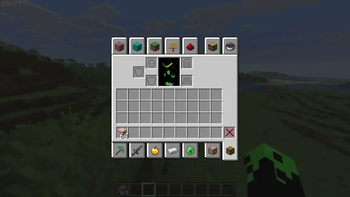
- Creative inventory — pixel-smooth scrolling instead of jumping a whole row at a time.
- Hotbar selector — slides between slots as you switch.
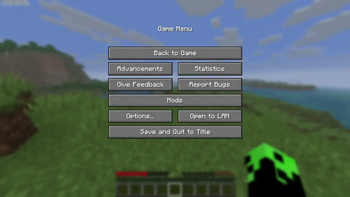
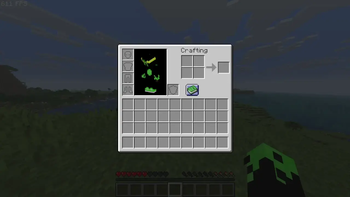
- Inventory & pause / menu screens — fade and scale on open and close, each with its own style and speed.
- Menu navigation — pick how moving between screens animates: Slide, Zoom, Fade or Swap.
- Smooth list scrolling — every vanilla-list screen (Options, Mod Menu, config screens and any mod that reuses the vanilla list) scrolls eased instead of snapping. No mod is hardcoded — it just works.
Fully customizable
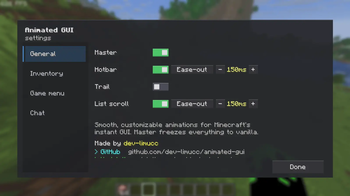
Open the settings from Mod Menu to reach a flat, Sodium-style tabbed screen (General / Inventory / Game menu / Chat). Every feature has its own toggle, duration and easing curve — Linear, Smooth, Ease-out, Overshoot, Elastic, Bounce and more. A single master switch instantly freezes everything back to vanilla.
Good to know
- This is a client-side mod. It changes only your own interface and is not required on servers.
- It does not restyle vanilla GUIs; it only animates their motion. Textures and layouts stay exactly as Minecraft draws them.
- Only the mod's own settings screen uses the custom flat style.
Requirements
- Minecraft 26.1.2
- Fabric Loader 0.19.2 or newer
- Fabric API
- Mod Menu (optional, to open the settings screen)
Licensed under MIT.
Available Versions
How to Install Animated GUI on Your Server
Order Server
Order a Minecraft Java server with at least 3 GB RAM (4 GB recommended).
Set fabric Loader
In the panel under "Egg", select the fabric loader and matching Minecraft version (26.1.2).
Install Mod
Open the mod browser in the dashboard and search for "Animated GUI". Click "Install" – done! Alternatively, upload the .jar via SFTP to the /mods folder.
Compatibility
Mod Loaders
Minecraft Versions
26.1.2
Server-side
✗ UnsupportedRecommended RAM
4 GB(min. 3 GB)Frequently Asked Questions
Animated GUI server crashes on startup – what to do?
Most common cause: wrong fabric version or insufficient RAM. Check the server log (latest.log) for "OutOfMemoryError" or "Mixin" errors. With Mado Hosting: ensure at least 3 GB RAM is allocated and the loader matches the mod version (26.1.2). You can switch loaders with one click in the panel.
Is Animated GUI compatible with fabric?
Animated GUI officially supports fabric for Minecraft 26.1.2. The Mado dashboard automatically detects incompatible loader combinations.
Server lagging with Animated GUI – how to optimize performance?
Recommended RAM: 4 GB (per 8 players). Use /spark profiler to check if Animated GUI consumes the most tick time. Common fixes: reduce server view-distance to 8-10, install "performant" or "starlight" as supplementary mods on Forge. With Mado Hosting, your server runs on NVMe SSDs with dedicated CPU cores for minimal latency.
Similar Mods




![[ETF] Entity Texture Features](https://cdn.modrinth.com/data/BVzZfTc1/af683d206d50b05258d865b0d6e4aa2f2cee12f2_96.webp)
![[EMF] Entity Model Features](https://cdn.modrinth.com/data/4I1XuqiY/6e5bbd0d06b1741bfdab6c0cfab6de8fdaf0064c_96.webp)
Rent Modded Server
Install Animated GUI with just one click on your server.