
Animaticam
a fully customizable mod for animations in the main menu, inventory, and chests, vanilla
Screenshots
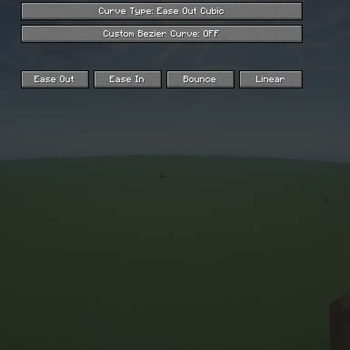
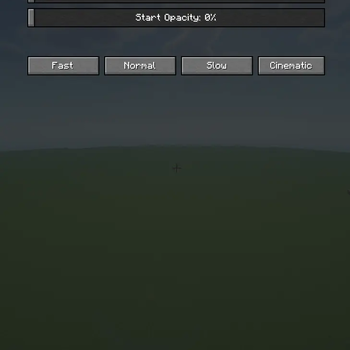
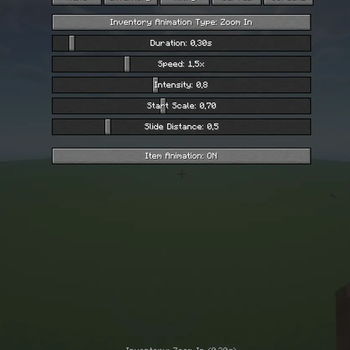
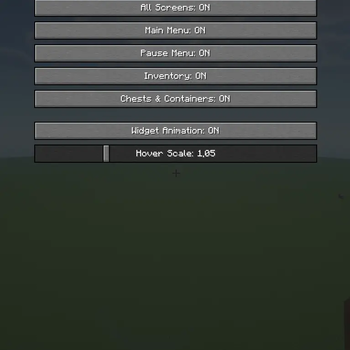
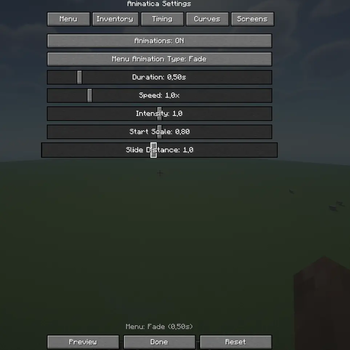
About this Mod
RU
Animatica - это клиентский мод для Fabric, который добавляет красивые, настраиваемые анимации для всех меню и экранов в Minecraft.
10 типов анимаций
Fade - плавное появление
Slide Up/Down - слайд снизу/сверху
Zoom In/Out - приближение/отдаление
Bounce - эффект отскока
Elastic - эластичная анимация
Fade + Slide - комбинированная анимация
Fade + Zoom - комбинированная анимация
None - без анимации
Настраиваемые параметры:Длительность (0.1-3.0 секунды)
Скорость (0.1x-5.0x)
Интенсивность
Начальный масштаб
Дистанция слайда
Задержка
Начальная прозрачность
✅ Анимация виджетов (кнопки, слайдеры)
✅ Эффект при наведении на кнопки
✅ Анимация предметов при перетаскивании
✅ Пресеты настроек (Быстро, Нормально, Медленно, Кино)
✅ Превью анимации прямо в настройках
✅ Сохранение настроек в конфиг файл
Как использовать
- Установи мод в папку
mods - Запусти Minecraft
- Нажми клавишу N в любой момент для открытия настроек
- Настрой анимации по своему вкусу
- Наслаждайся! Все меню теперь с красивыми анимациями
Требования
- Minecraft: 1.20.1
- Fabric Loader: 0.14.21+
- Fabric API: 0.92.6+1.20.1
- Java: 17+
ENG
Animatica is a client-side mod for Fabric that adds beautiful, customizable animations to all menus and screens in Minecraft.
10 types of animations
Fade - smooth appearance
Slide Up/Down - slide from bottom/top
Zoom In/Out - zoom in/out
Bounce - bounce effect
Elastic - elastic animation
Fade + Slide - combined animation
Fade + Zoom - combined animation
None - no animation
Customizable parameters:Duration (0.1-3.0 seconds)
Speed (0.1x-5.0x)
Intensity
Initial scale
Slide distance
Delay
Initial transparency
✅ Widget animation (buttons, sliders)
✅ Button hover effect
✅ Item animation when dragging
✅ Presets of settings (Fast, Normal, Slow, Movie)
✅ Preview of animations directly in the settings
✅ Saving settings to a config file
How to use
- Install the mod in the
modsfolder - Launch Minecraft
- Press the N key at any time to open the settings
- Customize the animations to your liking
Available Versions
How to Install Animaticam on Your Server
Order Server
Order a Minecraft Java server with at least 3 GB RAM (4 GB recommended).
Set fabric Loader
In the panel under "Egg", select the fabric loader and matching Minecraft version (1.20.1).
Install Mod
Open the mod browser in the dashboard and search for "Animaticam". Click "Install" – done! Alternatively, upload the .jar via SFTP to the /mods folder.
Compatibility
Mod Loaders
Minecraft Versions
1.20.1
Server-side
✗ UnsupportedRecommended RAM
4 GB(min. 3 GB)Frequently Asked Questions
Animaticam server crashes on startup – what to do?
Most common cause: wrong fabric version or insufficient RAM. Check the server log (latest.log) for "OutOfMemoryError" or "Mixin" errors. With Mado Hosting: ensure at least 3 GB RAM is allocated and the loader matches the mod version (1.20.1). You can switch loaders with one click in the panel.
Is Animaticam compatible with fabric?
Animaticam officially supports fabric for Minecraft 1.20.1. The Mado dashboard automatically detects incompatible loader combinations.
Server lagging with Animaticam – how to optimize performance?
Recommended RAM: 4 GB (per 8 players). Use /spark profiler to check if Animaticam consumes the most tick time. Common fixes: reduce server view-distance to 8-10, install "performant" or "starlight" as supplementary mods on Forge. With Mado Hosting, your server runs on NVMe SSDs with dedicated CPU cores for minimal latency.
Similar Mods




Rent Modded Server
Install Animaticam with just one click on your server.