
Screenshots

About this Mod
AnimeSpeedLines
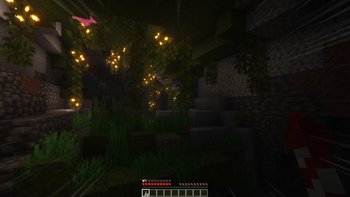
Is your experience playing Minecraft too slow ? Do you find riding ice-boat nether highways boring? Would you like to *feel* like you're moving faster without actually moving faster? If so, take a look at this!*
*Effect is exaggerated in the demo—it's slightly less obtrusive in-game! Shaders used in demo are Complementary Shaders.Features
...This mod is basically built around a single shader I made (lol), but care has been taken to change how the effect interacts with the game environment beyond speed scaling—specifically:
- Opacity Modulation (the opacity of the effect is adjusted based on the brightness of the current image).
- This results in a uniform contrast in different environments (e.g., day vs night) reducing obtrusiveness.
- Velocity Correction (effect takes into account the difference between the direction of velocity and camera direction).
- While not perfect, it mitigates the issue of moving in a direction that is not forward (e.g., looking sideways on a forward moving boat).
Originally, I made this mod just to learn/practice glsl, but I figured some may find it fun to use. If you have any suggestions, please let me know!
See Also
- My other mods (profile):
- Mods/resources used in image previews:
- Mod not used in image preview, but I think pairs nicely for those who don't get motion sick:
Available Versions
How to Install AnimeSpeedLines on Your Server
Order Server
Order a Minecraft Java server with at least 3 GB RAM (4 GB recommended).
Set fabric Loader
In the panel under "Egg", select the fabric loader and matching Minecraft version (1.20.4).
Install Mod
Open the mod browser in the dashboard and search for "AnimeSpeedLines". Click "Install" – done! Alternatively, upload the .jar via SFTP to the /mods folder.
Compatibility
Mod Loaders
Minecraft Versions
1.20.4, 1.20.3, 1.20.2
Server-side
✗ UnsupportedRecommended RAM
4 GB(min. 3 GB)Frequently Asked Questions
AnimeSpeedLines server crashes on startup – what to do?
Most common cause: wrong fabric version or insufficient RAM. Check the server log (latest.log) for "OutOfMemoryError" or "Mixin" errors. With Mado Hosting: ensure at least 3 GB RAM is allocated and the loader matches the mod version (1.20.4). You can switch loaders with one click in the panel.
Is AnimeSpeedLines compatible with fabric?
AnimeSpeedLines officially supports fabric for Minecraft 1.20.4, 1.20.3, 1.20.2. The Mado dashboard automatically detects incompatible loader combinations.
Server lagging with AnimeSpeedLines – how to optimize performance?
Recommended RAM: 4 GB (per 8 players). Use /spark profiler to check if AnimeSpeedLines consumes the most tick time. Common fixes: reduce server view-distance to 8-10, install "performant" or "starlight" as supplementary mods on Forge. With Mado Hosting, your server runs on NVMe SSDs with dedicated CPU cores for minimal latency.
Similar Mods




Rent Modded Server
Install AnimeSpeedLines with just one click on your server.