
Anti Snowballs
Anti Snowballs is a Minecraft 1.21 client-side utility mod designed to combat the devastating lag caused by snowball generating machines, such as snow golem-based exponential lag farms.
Screenshots
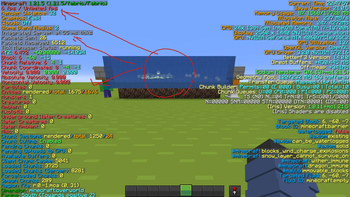
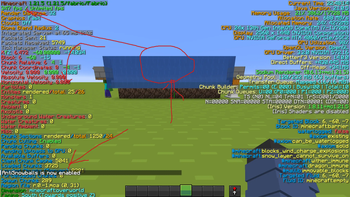
About this Mod
Anti Snowballs Mod
Anti Snowballs is a lightweight client-side Fabric mod for Minecraft 1.21 that automatically removes snowballs near the player. It's designed to reduce visual clutter and improve client performance by deleting unnecessary snowball entities.
How it Works
The mod checks for snowball entities within a 100-block radius of the player every game tick. If any are found, they are removed client-side using the entity discard method. This happens automatically while the mod is enabled.
Commands
This mod adds a client-side command: /antisnowballs
/antisnowballs toggle – Enables or disables the snowball removal feature.
/antisnowballs count – Shows how many snowballs were deleted in the last tick and in total.
/antisnowballs reset – Resets the total deleted count to zero.
things to note:
This is a client-only mod. Snowballs are still visible to the server and other players.
Snowballs may be counted twice if chunks are reloaded.
Available Versions
How to Install Anti Snowballs on Your Server
Order Server
Order a Minecraft Java server with at least 3 GB RAM (4 GB recommended).
Set fabric Loader
In the panel under "Egg", select the fabric loader and matching Minecraft version (1.21.5).
Install Mod
Open the mod browser in the dashboard and search for "Anti Snowballs". Click "Install" – done! Alternatively, upload the .jar via SFTP to the /mods folder.
Compatibility
Mod Loaders
Minecraft Versions
1.21.5, 1.21
Server-side
✗ UnsupportedRecommended RAM
4 GB(min. 3 GB)Frequently Asked Questions
Anti Snowballs server crashes on startup – what to do?
Most common cause: wrong fabric version or insufficient RAM. Check the server log (latest.log) for "OutOfMemoryError" or "Mixin" errors. With Mado Hosting: ensure at least 3 GB RAM is allocated and the loader matches the mod version (1.21.5). You can switch loaders with one click in the panel.
Is Anti Snowballs compatible with fabric?
Anti Snowballs officially supports fabric for Minecraft 1.21.5, 1.21. The Mado dashboard automatically detects incompatible loader combinations.
Server lagging with Anti Snowballs – how to optimize performance?
Recommended RAM: 4 GB (per 8 players). Use /spark profiler to check if Anti Snowballs consumes the most tick time. Common fixes: reduce server view-distance to 8-10, install "performant" or "starlight" as supplementary mods on Forge. With Mado Hosting, your server runs on NVMe SSDs with dedicated CPU cores for minimal latency.
Similar Mods


Rent Modded Server
Install Anti Snowballs with just one click on your server.