
ApertureMapsLib
ApertureMapsLib — a library for Minecraft Forge 1.12.2 that allows safely using large rectangular textures in the vanilla atlas.
Screenshots
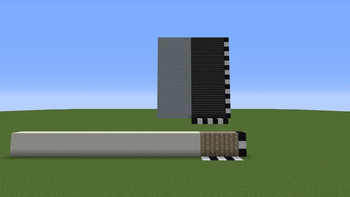
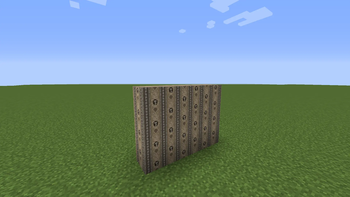
About this Mod
ApertureMapsLib is a library for Minecraft Forge 1.12.2 that allows large rectangular textures to be used safely in the vanilla atlas.
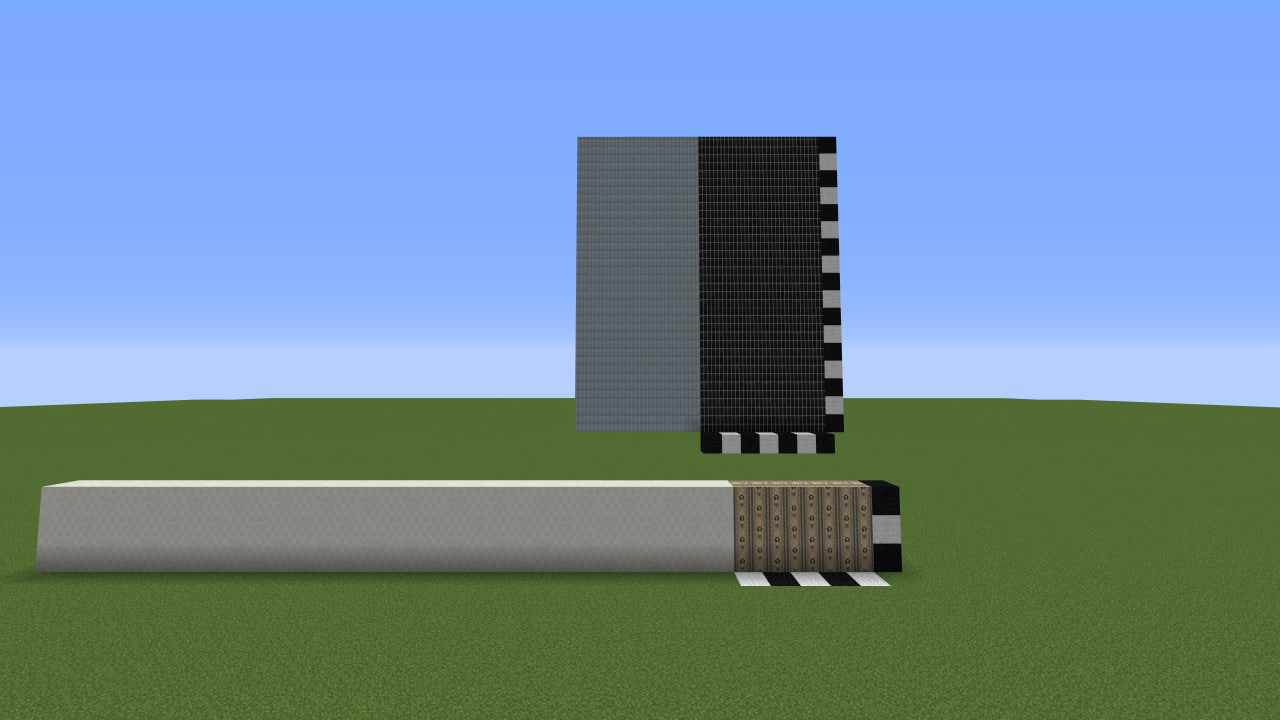
If you create wallpapers, panels, tiles, or other patterns that span multiple blocks at once (for example 7×4 or 20×12), you may have run into issues like these:
- texture loading crashes
- cropped or corrupted textures in the atlas
- visual seams and artifacts
- incorrect behavior with CTM
This library is designed specifically to solve those cases.
How does it work?
The library does not require any code integration.
You only need to place a .png.mcmeta file next to the texture:
{
  "aperturemapslib": true
}
Example with ConnectedTexturesMod (CTM) Pattern size: 10×5 blocks
{
  "ctm": {
    "ctm_version": 1,
    "type": "pattern",
    "extra": {
      "width": 10,
      "height": 5
    }
  },
  "aperturemapslib": {
    "enabled": true
  }
}
After that, the fixes are applied automatically only to the textures that need them.
What does the library do?
- Allows rectangular textures to be used without errors
- Protects them from cropping and atlas conflicts
- Disables problematic transformations such as rotation and scaling
- Fixes pattern-rendering issues when CTM is present
Requirements
- Minecraft 1.12.2
- Forge 14.23.x
- CTM (ConnectedTexturesMod)
Who is this for?
Modders working with non-standard textures and creating their own block mods with CTM support.
Important
- Use the library only where it is actually needed
- Texture dimensions must be divisible by 16
- The atlas may become larger in size — this is the normal tradeoff for correct rendering
Credits
Special thanks to the Chisel Team for ConnectedTexturesMod (CTM), which inspired part of the solution and made pattern textures possible in the first place.
About the project
This library was created with the support of the KharkivTiles 1:1 project — a project focused on recreating the city of Kharkiv in Minecraft at a 1:1 scale using LittleTiles.
Project Telegram channel: KharkivTiles 1:1
If this library helps your project, I would be glad if you mention it in your description or give a shout-out to the project =)
Thanks to everyone who follows my project and helps me not burn out. <3
GitHub: Github/ApertureMapsLib
Перевод на русский:
ApertureMapsLib — библиотека для Minecraft Forge 1.12.2, которая позволяет безопасно использовать большие прямоугольные текстуры в ванильном атласе.
Если вы делаете обои, панели, плитку или другие паттерны, которые покрывают сразу несколько блоков (например 7×4, 20×12), вы могли сталкиваться с такими проблемами:
- вылеты при загрузке текстур
- обрезка или повреждение текстуры в атласе
- визуальные швы и артефакты
- некорректная работа с CTM
Эта библиотека решает именно такие случаи.
Как это работает?
Библиотека не требует интеграции в код.
Достаточно добавить рядом с текстурой файл .png.mcmeta:
{
  "aperturemapslib": true
}
Пример с ConnectedTexturesMod (CTM) Патерн 10×5 блоков
{
  "ctm": {
    "ctm_version": 1,
    "type": "pattern",
    "extra": {
      "width": 10,
      "height": 5
    }
  },
  "aperturemapslib": {
    "enabled": true
  }
}
После этого исправления применяются автоматически только к нужным текстурам.
Что делает библиотека?
Разрешает использование прямоугольных текстур без ошибок
защищает их от обрезки и конфликтов в атласе
отключает проблемные трансформации (повороты и масштабирование)
при наличии CTM исправляет ошибки отображения паттернов
Требования:
- Minecraft 1.12.2
- Forge 14.23.x
- CTM (ConnectedTexturesMod)
Для кого это?
Моддеры, работающие с нестандартными текстурами, делающие собственные моды на блоки с использованием CTM
Важно
Используйте библиотеку только там, где это действительно нужно
размеры текстур должны быть кратны 16
атлас может увеличиться в размере — это нормальная плата за корректную работу
Благодарности:
Отдельная благодарность команде Chisel Team за ConnectedTexturesMod (CTM), который вдохновил часть решений и дал возможность использовать паттерн-текстуры.
О проекте:
Библиотека создана при поддержке проекта KharkivTiles 1:1 — проекта по воссозданию города Харьков в Minecraft в масштабе 1:1 с использованием мода LittleTiles.
Телеграм канал проекта: KharkivTiles 1:1
Если библиотека помогла вашему проекту буду рад — если вы укажете её в описании или упомянете о проекте =)
Спасибо всем тем, кто активно следит за моим проектом и помогает мне не выгореть. <3
Ссылка на гитхаб: Github/ApetrureMapLib
Available Versions
How to Install ApertureMapsLib on Your Server
Order Server
Order a Minecraft Java server with at least 3 GB RAM (4 GB recommended).
Set forge Loader
In the panel under "Egg", select the forge loader and matching Minecraft version (1.12.2).
Install Mod
Open the mod browser in the dashboard and search for "ApertureMapsLib". Click "Install" – done! Alternatively, upload the .jar via SFTP to the /mods folder.
Compatibility
Mod Loaders
Minecraft Versions
1.12.2
Server-side
~ OptionalRecommended RAM
4 GB(min. 3 GB)Frequently Asked Questions
ApertureMapsLib server crashes on startup – what to do?
Most common cause: wrong forge version or insufficient RAM. Check the server log (latest.log) for "OutOfMemoryError" or "Mixin" errors. With Mado Hosting: ensure at least 3 GB RAM is allocated and the loader matches the mod version (1.12.2). You can switch loaders with one click in the panel.
Is ApertureMapsLib compatible with forge?
ApertureMapsLib officially supports forge for Minecraft 1.12.2. The Mado dashboard automatically detects incompatible loader combinations.
Server lagging with ApertureMapsLib – how to optimize performance?
Recommended RAM: 4 GB (per 8 players). Use /spark profiler to check if ApertureMapsLib consumes the most tick time. Common fixes: reduce server view-distance to 8-10, install "performant" or "starlight" as supplementary mods on Forge. With Mado Hosting, your server runs on NVMe SSDs with dedicated CPU cores for minimal latency.
Similar Mods

![[ETF] Entity Texture Features](https://cdn.modrinth.com/data/BVzZfTc1/af683d206d50b05258d865b0d6e4aa2f2cee12f2_96.webp)
![[EMF] Entity Model Features](https://cdn.modrinth.com/data/4I1XuqiY/6e5bbd0d06b1741bfdab6c0cfab6de8fdaf0064c_96.webp)



Rent Modded Server
Install ApertureMapsLib with just one click on your server.