
Aquila - Complete Edition
Decoration mod for Fabric.
About this Mod
Aquila Mod
Warning!
Latest version named "Aquila-1.2.0-1.20.1-complete" is incompatible with the all other Aquila modules as they are integrated in this edition.
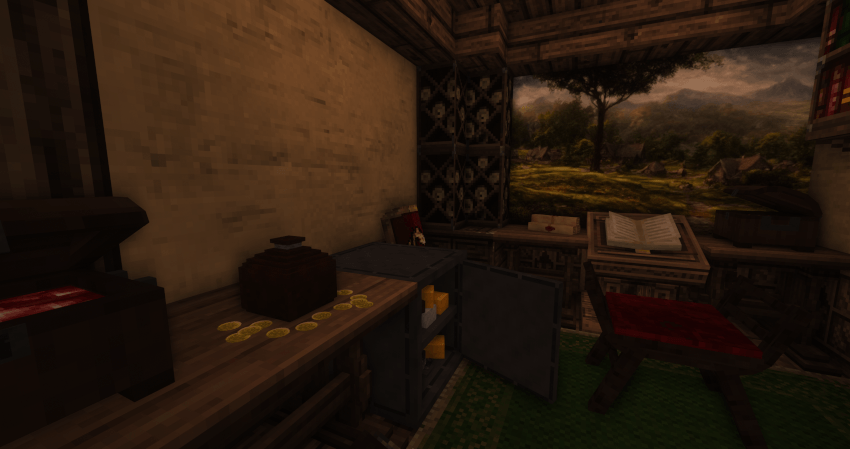
The Aquila mod adds a great variety of building blocks and furniture to your beloved Minecraft world. It is designed to enhance immersion in your medieval / fantasy worlds.
From new floor blocks to new furniture Aquila will help you to create your vision.
You can find older versions here.
This mod currently supports Fabric 1.20.1. A Forge version is under development by Vaex.
Content
Spoiler
Furniture:
- Many different furniture objects, including chairs, beds, tables and others.
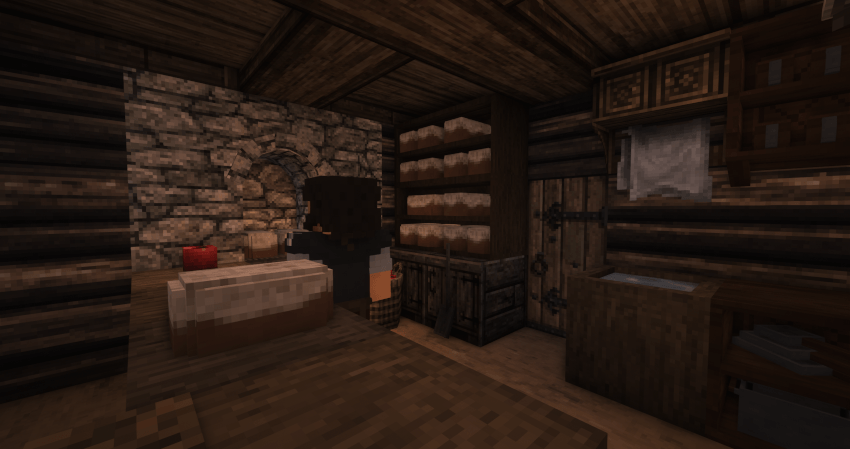
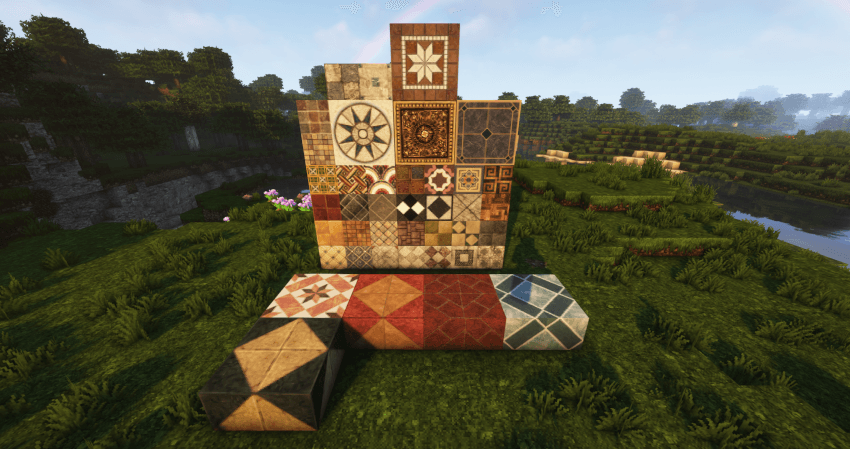
Building Blocks:
- New building blocks in different variants.
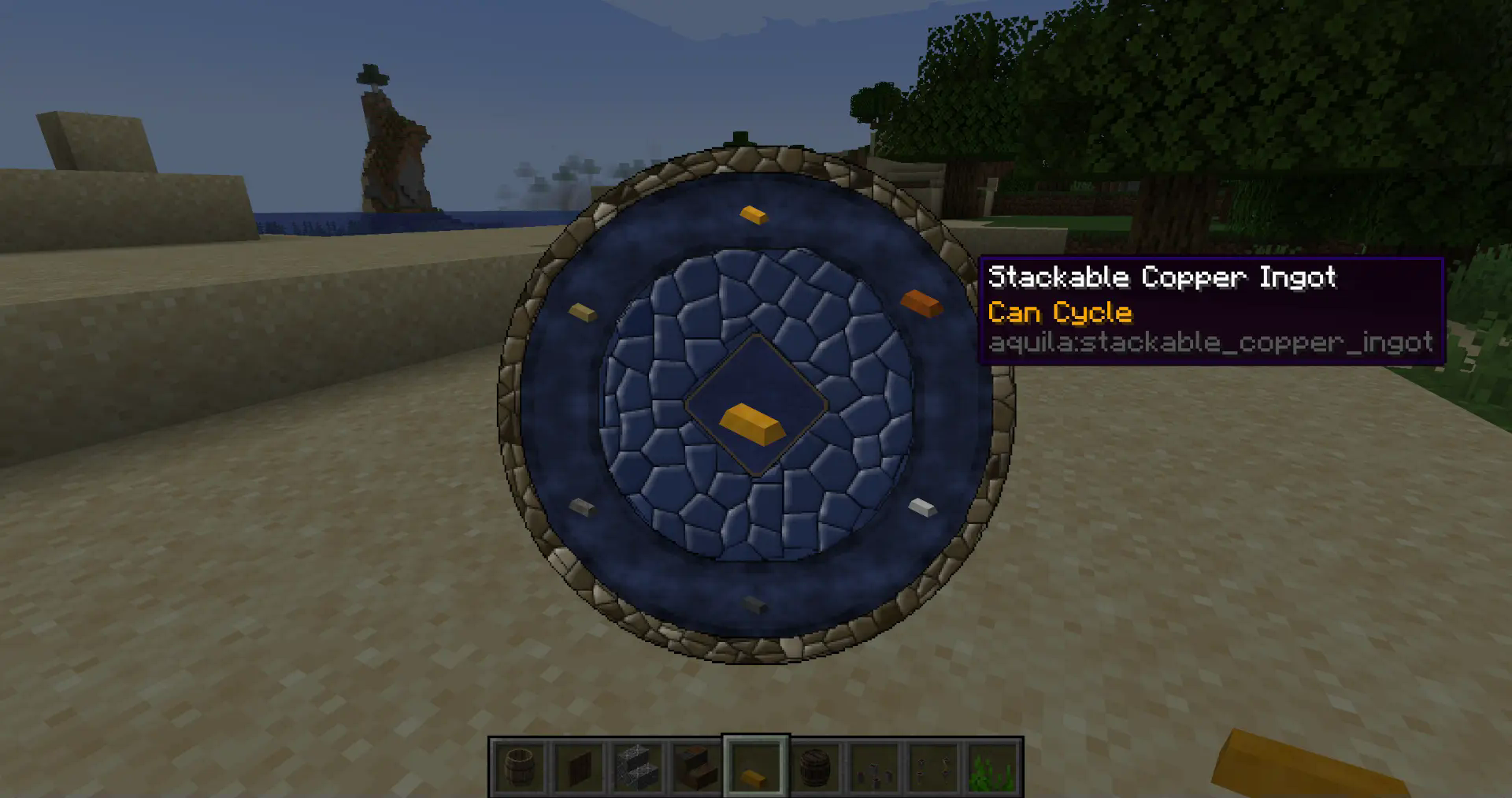
Aquila Palette Wheel
- Provided by the library mod Aquila Core this wheel allows you to access block variants of certain blocks by pressing "C" (default - can be changed) while in creative mode. This will greatly enhance your options to swap between different block options without effort.
Cycle & Shelf Interaction
- Some blocks now have the following tooltips: "Can Cycle" or "Cycle and Shelf Interaction".
- Blocks that can cycle change their "cycle" blockstate when right clicked with the same block in hand.
- Blocks with shelf interaction can be placed "into" shelves. Just place those blocks in front of a shelf by clicking on the upper part just as you would place a slab block on top.
Ore Generation
- Ores added by Aquila can generate in the world. By default this is set to false. You can find the config through Mod Menu or in your configs folder.
Installation
Ensure you are using Fabric Loader 0.16.5 or higher to experience all features Aquila Mod has to offer. The latest version - 1.2.0 - no longer requires Aquila Core and also integrates Aquila Paintings. Make also sure to download Continuity for connected textures.
Mod recommendations
While Aquila is already great on its own these mods are highly recommended:
- JEI
- KeybindsGalore Plus to manage double keybindings, especially if using Aquila together with Conquest Reforged.
- Or another key binding alternative: Keybind Fix
Socials:
Credits:
Check out the Co-developer Vex.
This mod wouldn't have been possible with the amazing tutorials from TurtyWurty and Kaupenjoe.
Also great thanks to Triliton and Monsterfish for providing assistance.
Available Versions
How to Install Aquila - Complete Edition on Your Server
Order Server
Order a Minecraft Java server with at least 3 GB RAM (4 GB recommended).
Set fabric Loader
In the panel under "Egg", select the fabric loader and matching Minecraft version (1.20.1).
Install Mod
Open the mod browser in the dashboard and search for "Aquila - Complete Edition". Click "Install" – done! Alternatively, upload the .jar via SFTP to the /mods folder.
Compatibility
Mod Loaders
Minecraft Versions
1.20.1
Server-side
✓ RequiredRecommended RAM
4 GB(min. 3 GB)Frequently Asked Questions
Aquila - Complete Edition server crashes on startup – what to do?
Most common cause: wrong fabric version or insufficient RAM. Check the server log (latest.log) for "OutOfMemoryError" or "Mixin" errors. With Mado Hosting: ensure at least 3 GB RAM is allocated and the loader matches the mod version (1.20.1). You can switch loaders with one click in the panel.
Is Aquila - Complete Edition compatible with fabric?
Aquila - Complete Edition officially supports fabric for Minecraft 1.20.1. The Mado dashboard automatically detects incompatible loader combinations.
Server lagging with Aquila - Complete Edition – how to optimize performance?
Recommended RAM: 4 GB (per 8 players). Use /spark profiler to check if Aquila - Complete Edition consumes the most tick time. Common fixes: reduce server view-distance to 8-10, install "performant" or "starlight" as supplementary mods on Forge. With Mado Hosting, your server runs on NVMe SSDs with dedicated CPU cores for minimal latency.
Similar Mods

![[ETF] Entity Texture Features](https://cdn.modrinth.com/data/BVzZfTc1/af683d206d50b05258d865b0d6e4aa2f2cee12f2_96.webp)
![[EMF] Entity Model Features](https://cdn.modrinth.com/data/4I1XuqiY/6e5bbd0d06b1741bfdab6c0cfab6de8fdaf0064c_96.webp)



Rent Modded Server
Install Aquila - Complete Edition with just one click on your server.