
ArcadiaGuard
Standalone zone protection mod with in-game GUI, wand tool, 60+ configurable flags, 3D zone rendering, and third-party mod integration
Screenshots
About this Mod

ArcadiaGuard
Standalone zone protection mod for NeoForge 1.21.1 — define protected zones with an in-game GUI, a wand selection tool, 60+ configurable flags, and 3D zone boundary rendering.
Features
Full In-Game GUI
Everything is managed from the GUI — no commands needed for daily use:
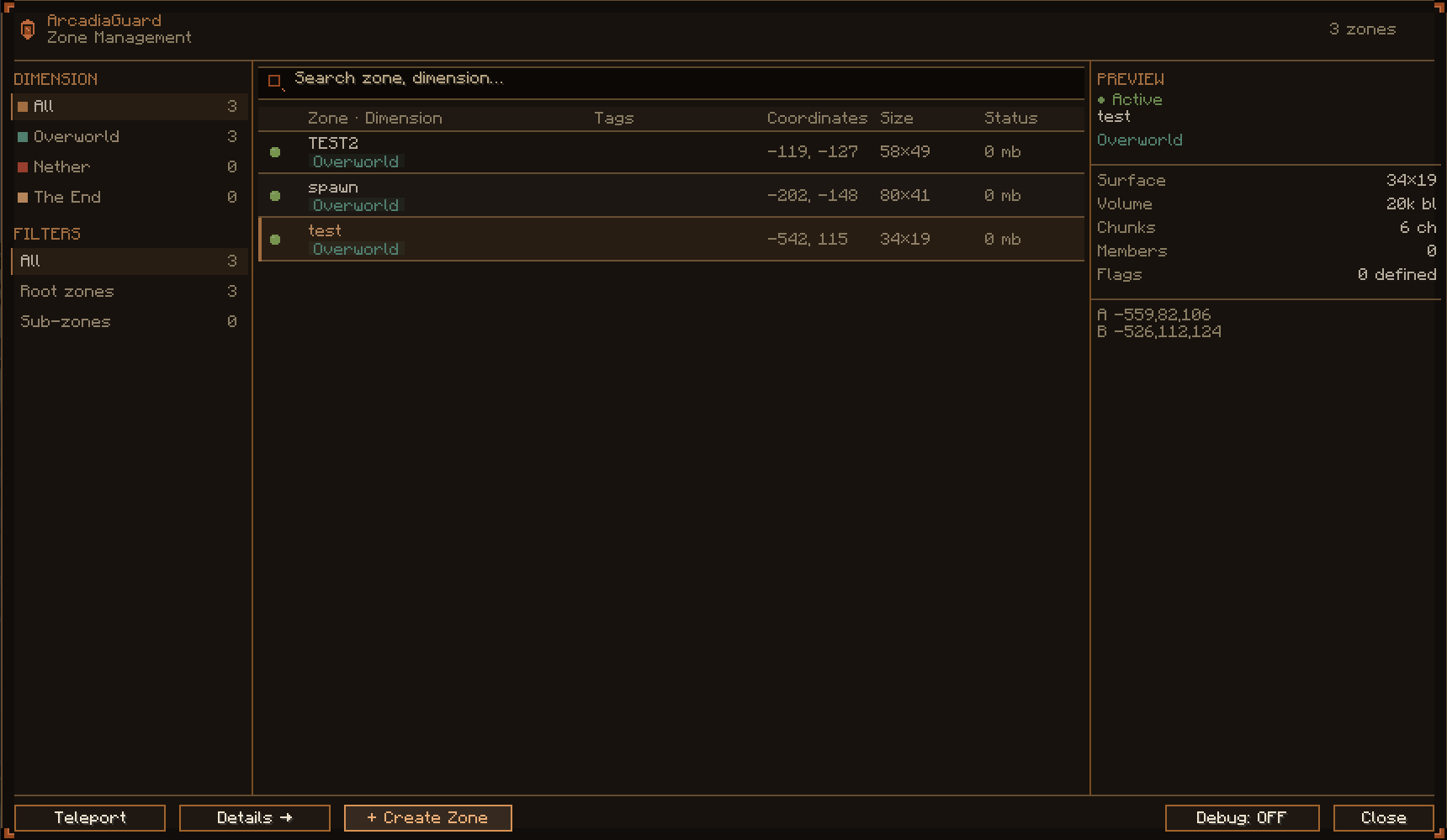
- Zone List — tabular view with dimension filters, search, pagination, and live preview
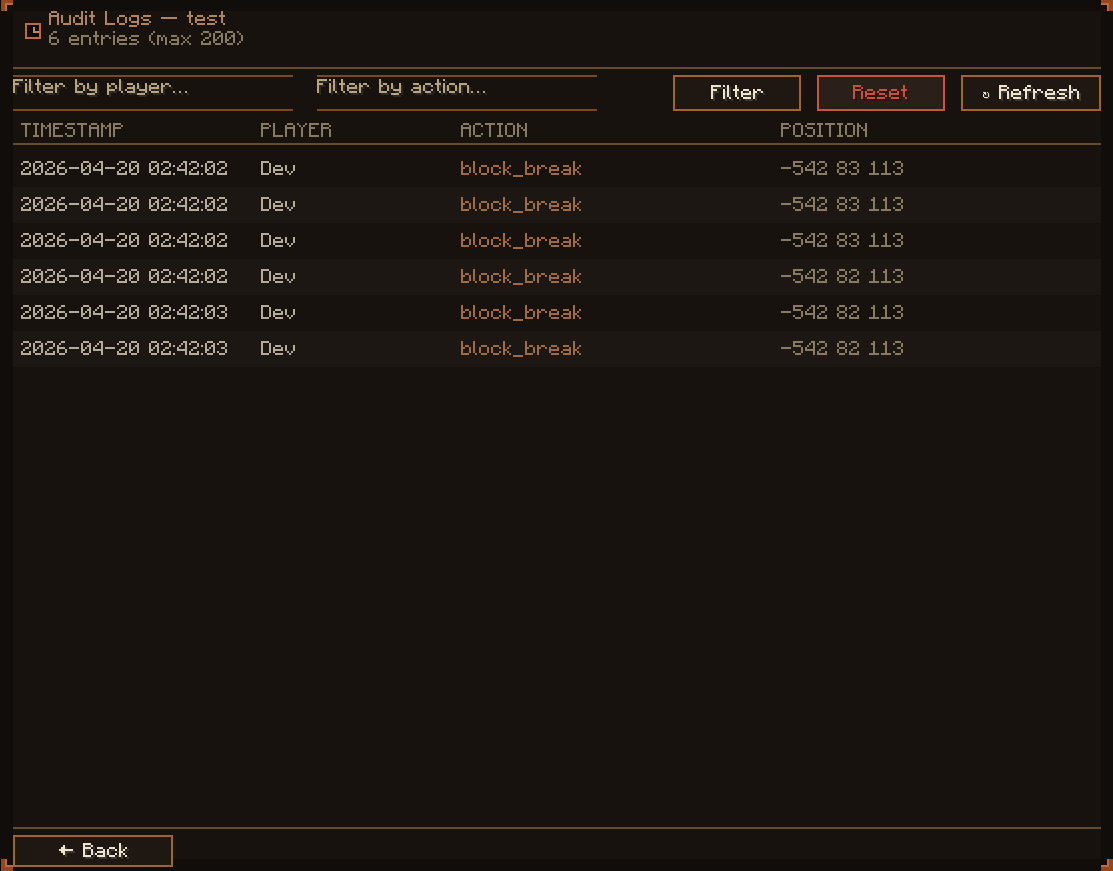
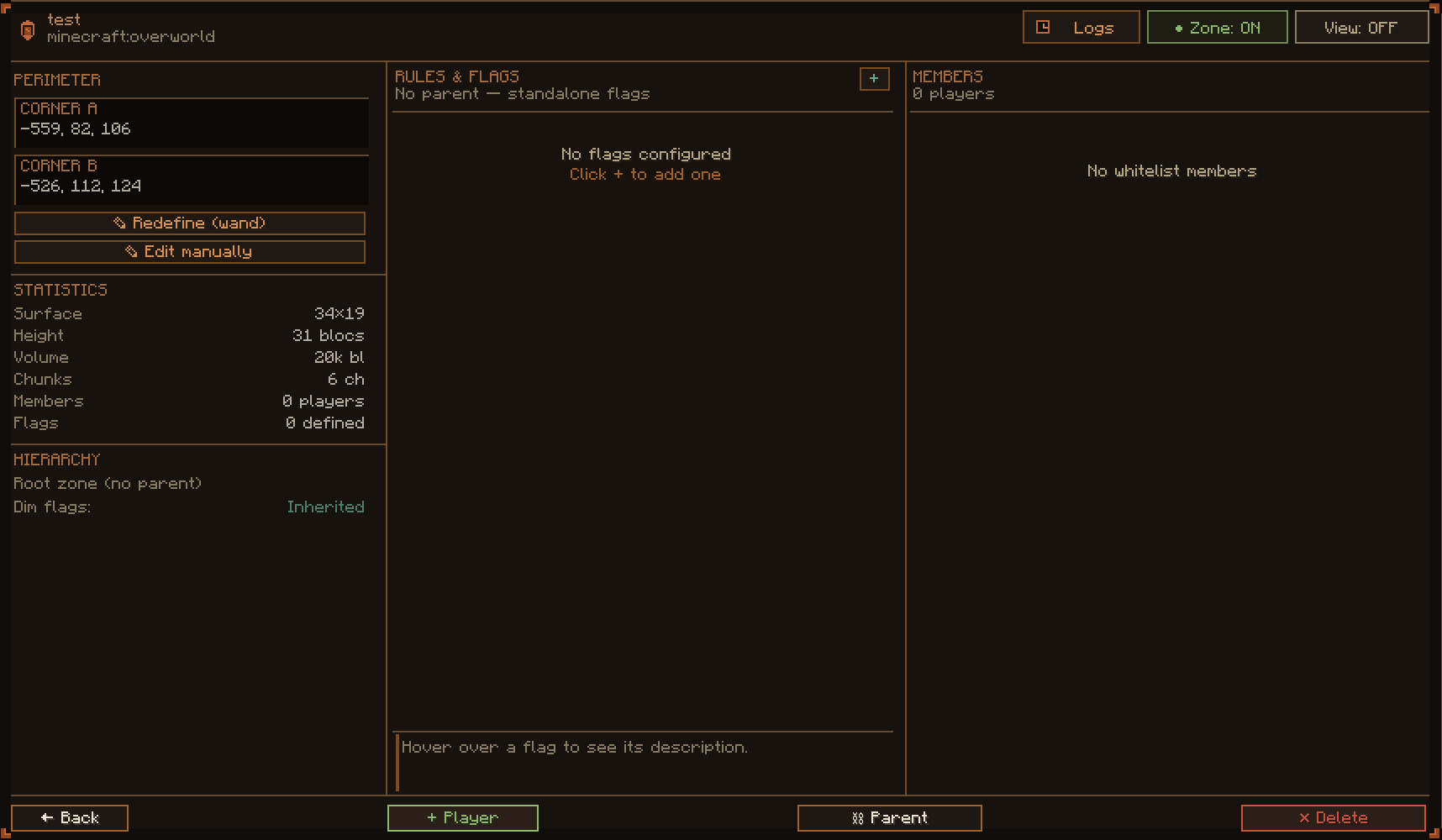
- Zone Detail — configure flags, manage members, edit coordinates, view audit logs
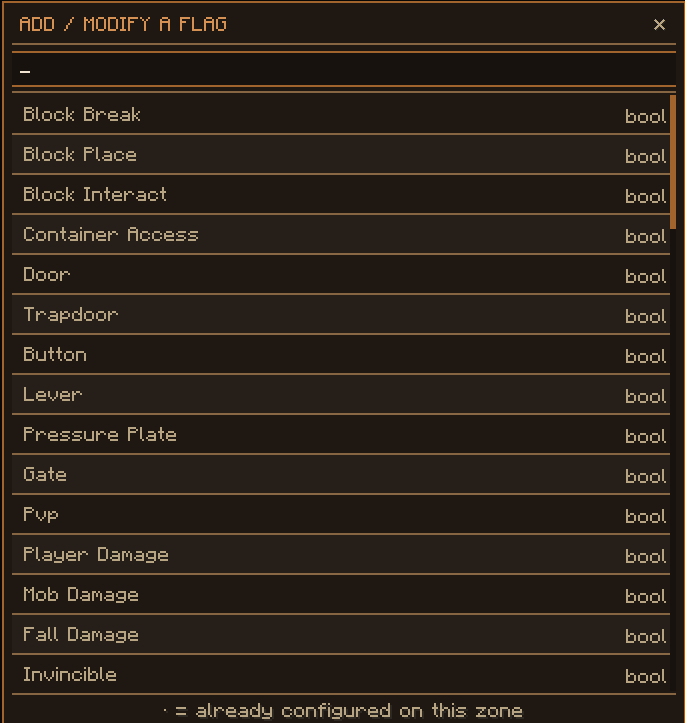
- Flag Picker — add/remove flags with search, toggle booleans, edit int/list values
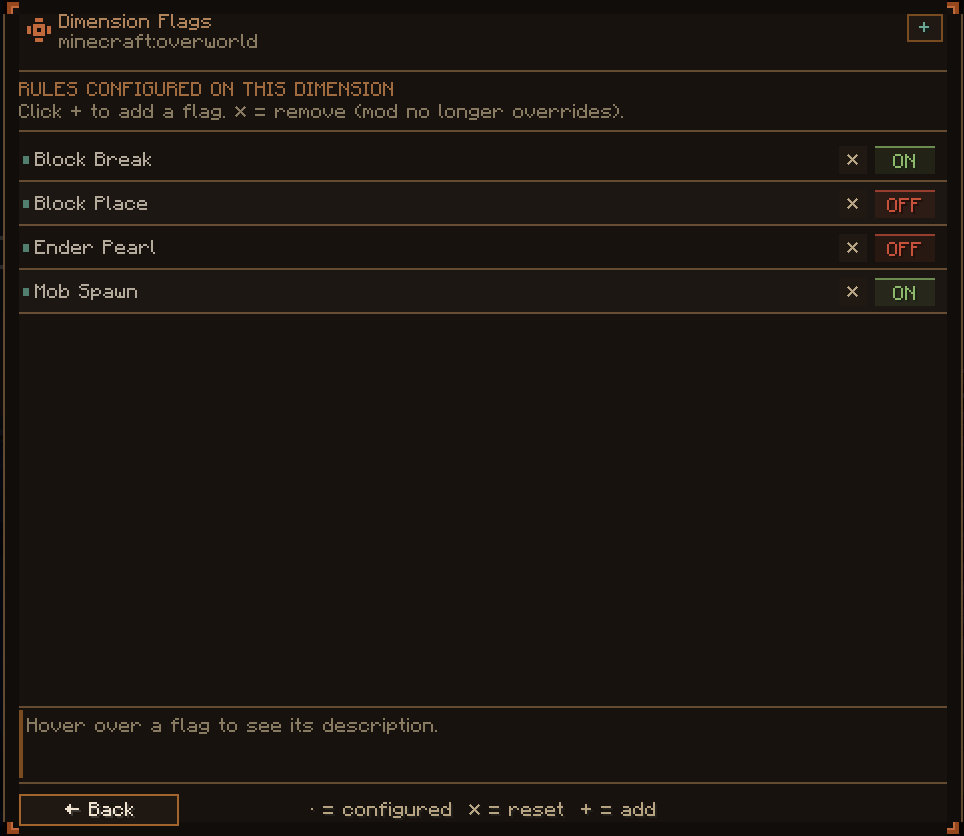
- Dimension Editor — set default flags per dimension
- Zone Creation — form with real-time stats (surface, volume, chunks)
Wand Selection Tool
- Edit Mode: left click = corner A, right click = corner B
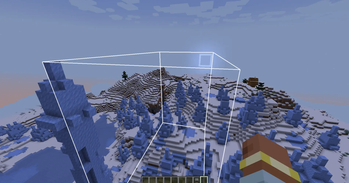
- View Mode: passive 3D wireframe rendering of zone boundaries
- HUD display of selected positions above the XP bar
60+ Protection Flags
Granular control over:
- Block interactions (break, place, interact, containers)
- PvP, entity damage, mob spawning
- Spells and magic abilities (per mod)
- Item usage (leads, spawn eggs, books, dynamic blocking)
- Fluid/fire/explosion propagation
- And more — extensible via the public API
Sub-Zones & Inheritance
- Create child zones inside parent zones
- Flags inherit from parent to child automatically
- Dimension-level flag defaults
- Conflict resolution: priority > volume > name
Mod Compatibility
Each integration is independent and toggleable:
| Mod | What's Blocked |
|---|---|
| Iron's Spells 'n Spellbooks | Spell casting |
| Ars Nouveau | Spells, warp scroll teleportation, portals |
| Simply Swords | Special weapon abilities |
| Occultism | Rituals and magic |
| Supplementaries | Throwable items |
| Apotheosis | Tunneling, Enlightened affix |
| Better Archeology | Tunneling enchantment |
All mods are optional — ArcadiaGuard works regardless of which mods are installed.
Dynamic Item Blocking
Block any item in protected zones at runtime via command — no restart needed:
/arcadiaguard item block <item>
/arcadiaguard item unblock <item>
Audit Logging
Every blocked action is logged with player name, action type, zone, and position. Daily log rotation with configurable retention.
LuckPerms Integration
Zone roles (MEMBER, MODERATOR, OWNER) can be assigned via LuckPerms permission nodes — no in-game whitelist management required.
Public API
Third-party mods can register custom flags and query zone permissions:
ArcadiaGuardAPI.get().registerFlag(
    new BooleanFlag("mymod:teleport", true, "Allow teleportation"));

ZoneCheckResult result = ArcadiaGuardAPI.get()
    .checkFlag(player, pos, MY_FLAG);
Full API guide: docs/api-guide.md
Datapack Extensibility
Item lists are driven by overridable tags — no recompilation needed:
arcadiaguard:banned_leadsarcadiaguard:banned_spawn_eggsarcadiaguard:spawn_banned_books
Installation
- Download the
.jarfrom the Files tab - Place it in the
mods/folder (server AND client) - Start the server to generate config
- Give yourself the wand:
/give @s arcadiaguard:zone_editor - Select two corners and open the GUI to create your first zone
Requires: NeoForge 1.21.1 (any 21.1.x version) — Java 21
Commands
Most actions are available directly from the GUI. Commands remain available for automation and console use.
/arcadiaguard gui
/arcadiaguard zone add <name> <x1> <y1> <z1> <x2> <y2> <z2>
/arcadiaguard zone remove <name>
/arcadiaguard flag set <zone> <flag> <value>
/arcadiaguard flag list
/arcadiaguard item block <item>
/arcadiaguard reload
/arcadiaguard debug
Links
ArcadiaGuard
Mod de protection de zones standalone pour NeoForge 1.21.1 — definissez des zones protegees avec une interface graphique en jeu, un outil de selection (wand), plus de 60 flags configurables et un rendu 3D des limites de zones.
Fonctionnalites
Interface graphique complete
Tout se gere depuis le GUI — aucune commande necessaire pour l'utilisation courante :
- Liste des zones — vue tabulaire avec filtres par dimension, recherche, pagination et apercu
- Detail de zone — configuration des flags, gestion des membres, edition des coordonnees, consultation des logs
- Flag picker — ajout/suppression de flags avec recherche, toggle des booleens, editeur int/liste
- Editeur de dimension — flags par defaut par dimension
- Creation de zone — formulaire avec stats en temps reel (surface, volume, chunks)
Wand de selection
- Mode Edit : clic gauche = coin A, clic droit = coin B
- Mode View : rendu 3D passif des limites de zones en wireframe
- Affichage HUD des positions au-dessus de la barre d'XP
60+ flags de protection
Controle granulaire sur :
- Interactions blocs (casse, pose, interaction, conteneurs)
- PvP, degats d'entites, spawn de mobs
- Sorts et capacites magiques (par mod)
- Utilisation d'items (laisses, oeufs de spawn, livres, blocage dynamique)
- Propagation de fluides, feu, explosions
- Et plus encore — extensible via l'API publique
Sous-zones et heritage
- Creez des zones enfants a l'interieur de zones parentes
- Heritage automatique des flags parent vers enfant
- Flags par defaut au niveau dimension
- Resolution des conflits : priorite > volume > nom
Compatibilite mods
Chaque integration est independante et desactivable :
| Mod | Ce qui est bloque |
|---|---|
| Iron's Spells 'n Spellbooks | Lancement de sorts |
| Ars Nouveau | Sorts, teleportation warp scroll, portails |
| Simply Swords | Capacites speciales des armes |
| Occultism | Rituels et magie |
| Supplementaries | Lancer d'objets |
| Apotheosis | Tunneling, affix Enlightened |
| Better Archeology | Enchantement Tunneling |
Tous les mods sont optionnels — ArcadiaGuard fonctionne quel que soit l'environnement.
Blocage dynamique d'items
Bloquez n'importe quel item en zone protegee en temps reel via commande — sans redemarrage :
/arcadiaguard item block <item>
/arcadiaguard item unblock <item>
Logs d'audit
Chaque action bloquee est enregistree avec le nom du joueur, le type d'action, la zone et la position. Rotation journaliere des logs.
Integration LuckPerms
Les roles de zone (MEMBER, MODERATOR, OWNER) peuvent etre attribues via les noeuds de permission LuckPerms.
API publique
Les mods tiers peuvent enregistrer des flags custom et verifier les permissions de zone :
ArcadiaGuardAPI.get().registerFlag(
    new BooleanFlag("mymod:teleport", true, "Autorise la teleportation"));

ZoneCheckResult result = ArcadiaGuardAPI.get()
    .checkFlag(player, pos, MY_FLAG);
Guide complet : docs/api-guide.md
Installation
- Telecharger le
.jardepuis l'onglet Files - Placer dans le dossier
mods/(serveur ET client) - Lancer le serveur pour generer la config
- Se donner le wand :
/give @s arcadiaguard:zone_editor - Selectionner deux coins et ouvrir le GUI pour creer une zone
Requis : NeoForge 1.21.1 (toutes versions 21.1.x) — Java 21
Liens
Available Versions
How to Install ArcadiaGuard on Your Server
Order Server
Order a Minecraft Java server with at least 3 GB RAM (4 GB recommended).
Set neoforge Loader
In the panel under "Egg", select the neoforge loader and matching Minecraft version (1.21.1).
Install Mod
Open the mod browser in the dashboard and search for "ArcadiaGuard". Click "Install" – done! Alternatively, upload the .jar via SFTP to the /mods folder.
Compatibility
Mod Loaders
Minecraft Versions
1.21.1
Server-side
✓ RequiredRecommended RAM
4 GB(min. 3 GB)Frequently Asked Questions
ArcadiaGuard server crashes on startup – what to do?
Most common cause: wrong neoforge version or insufficient RAM. Check the server log (latest.log) for "OutOfMemoryError" or "Mixin" errors. With Mado Hosting: ensure at least 3 GB RAM is allocated and the loader matches the mod version (1.21.1). You can switch loaders with one click in the panel.
Is ArcadiaGuard compatible with neoforge?
ArcadiaGuard officially supports neoforge for Minecraft 1.21.1. The Mado dashboard automatically detects incompatible loader combinations.
Server lagging with ArcadiaGuard – how to optimize performance?
Recommended RAM: 4 GB (per 8 players). Use /spark profiler to check if ArcadiaGuard consumes the most tick time. Common fixes: reduce server view-distance to 8-10, install "performant" or "starlight" as supplementary mods on Forge. With Mado Hosting, your server runs on NVMe SSDs with dedicated CPU cores for minimal latency.
Similar Mods




Rent Modded Server
Install ArcadiaGuard with just one click on your server.