
Area Protection
Protect anything you wish easily in one single command
Screenshots
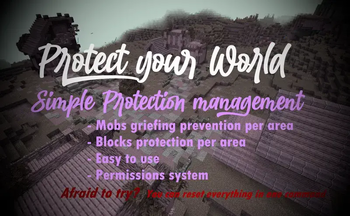
About this Mod
If you don't want to read all this, you can just go in game and do /function, the commands will automatically be highlighted
FAQ:
Q: How to protect an area?
A: With one command that you can find below. It will claim a 30 blocks radius area, and you can use the command as much as you want for each 30 blocks radius you want to claim! It can also easily be unclaimed.
Q: How does the protection work, what does it protect?
A: Once entering a protected area, mobs with griefable abilities will be killed (creeper, ravager, enderman, ender dragon, wither, phantom, warden) along with their loots.
TNT & minecart tnt are disabled in a protected area.
Armor stands, item frames & glowing item frames, painting, are automatically set to invincible in a protected area. They are switching back to destroyable once the area get unclaimed.
Q: Will the datapack change something in my world if I install it?
A: It will only change the gamerule sendCommandFeedback to false to prevent the spam of the gamemode change message in the chat. Nothing else is changed
Q: If I uninstall the datapack, will the protections be gone?
A: Yes, but they will be saved in case you reinstall the datapack later, unless you run /function area_protection:reset_all.
Q: If I use this as a mod in singleplayer and then upload the world on my server, will the areas I protected still be protected?
A: No, unless you install the datapack or the mod on the server!
The datapack only uses tags, not teams, so if your world has teams enabled, the datapack is compatible with it.
How to use:
Simply run the first command to protect an area! If you don't want to read all this, you can just go in game and do /function, the commands will automatically be highlighted
/function area_protection:protect_this ----> Set a 30 blocks spherical protection around you.
/function area_protection:reset_this -----> Remove the protection(s) applied at your position up to 40 blocks around you.
/function area_protection:reset_all ------> Remove all the protections of your world (No undo).
/function area_protection:view_protection_borders -----> Allows you to briefly see with particles the spherical protection of the area you are in.
/function area_protection:get_admin_permission_level ----> Allows you to bypass protection. A message will notify you when you are in a protected area, and you will be set in creative mode when running the command.
/function area_protection:get_player_permission_level ------> Reset your permission to default: You can't bypass protection
Wish to give a player permission to build in every protected area, but not wanting to op him? Just do /execute as "name of the player" run function area_protection:get_admin_permission_level. He will be set in creative mode and will be able to build in every protected area.
Available Versions
How to Install Area Protection on Your Server
Order Server
Order a Minecraft Java server with at least 3 GB RAM (4 GB recommended).
Set datapack Loader
In the panel under "Egg", select the datapack loader and matching Minecraft version (26.2).
Install Mod
Open the mod browser in the dashboard and search for "Area Protection". Click "Install" – done! Alternatively, upload the .jar via SFTP to the /mods folder.
Compatibility
Mod Loaders
Minecraft Versions
26.2, 26.2-snapshot-7, 26.1.2 (+15 more)
Server-side
✓ RequiredRecommended RAM
4 GB(min. 3 GB)Frequently Asked Questions
Area Protection server crashes on startup – what to do?
Most common cause: wrong datapack version or insufficient RAM. Check the server log (latest.log) for "OutOfMemoryError" or "Mixin" errors. With Mado Hosting: ensure at least 3 GB RAM is allocated and the loader matches the mod version (26.2). You can switch loaders with one click in the panel.
Is Area Protection compatible with datapack and fabric and forge and neoforge and quilt?
Area Protection officially supports datapack, fabric, forge, neoforge, quilt for Minecraft 26.2, 26.2-snapshot-7, 26.1.2. Note: Forge and Fabric mods are NOT cross-compatible – pick one loader and stick with it. The Mado dashboard automatically detects incompatible loader combinations.
Server lagging with Area Protection – how to optimize performance?
Recommended RAM: 4 GB (per 8 players). Use /spark profiler to check if Area Protection consumes the most tick time. Common fixes: reduce server view-distance to 8-10, install "performant" or "starlight" as supplementary mods on Forge. With Mado Hosting, your server runs on NVMe SSDs with dedicated CPU cores for minimal latency.
Similar Mods




![[ETF] Entity Texture Features](https://cdn.modrinth.com/data/BVzZfTc1/af683d206d50b05258d865b0d6e4aa2f2cee12f2_96.webp)
![[EMF] Entity Model Features](https://cdn.modrinth.com/data/4I1XuqiY/6e5bbd0d06b1741bfdab6c0cfab6de8fdaf0064c_96.webp)
Rent Modded Server
Install Area Protection with just one click on your server.