Arlecchino: Customize armor/weapon's colours!
Arlecchino is a customization mod that allows players to permanently recolor equipment through a dedicated workbench.
Screenshots
About this Mod
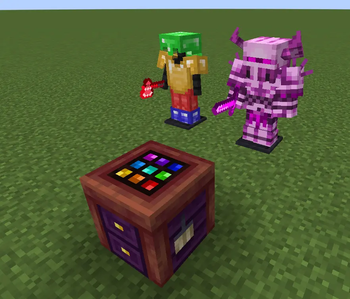
Arlecchino is a customization-focused mod that lets players give their equipment a truly personal look. Using the Arlecchino Workbench, weapons, tools, and armor can be recolored to create unique visual variants while preserving their original functionality.
Rather than relying on predefined skins or fixed color options, Arlecchino allows players to freely adjust the appearance of their gear, making it possible to match equipment to a character, faction, build theme, or personal style. Recolored items retain their customized appearance wherever they are used, allowing players to build a consistent visual identity throughout their adventures.
Rather than relying on predefined skins or fixed color options, Arlecchino allows players to freely adjust the appearance of their gear, making it possible to match equipment to a character, faction, build theme, or personal style. Recolored items retain their customized appearance wherever they are used, allowing players to build a consistent visual identity throughout their adventures.
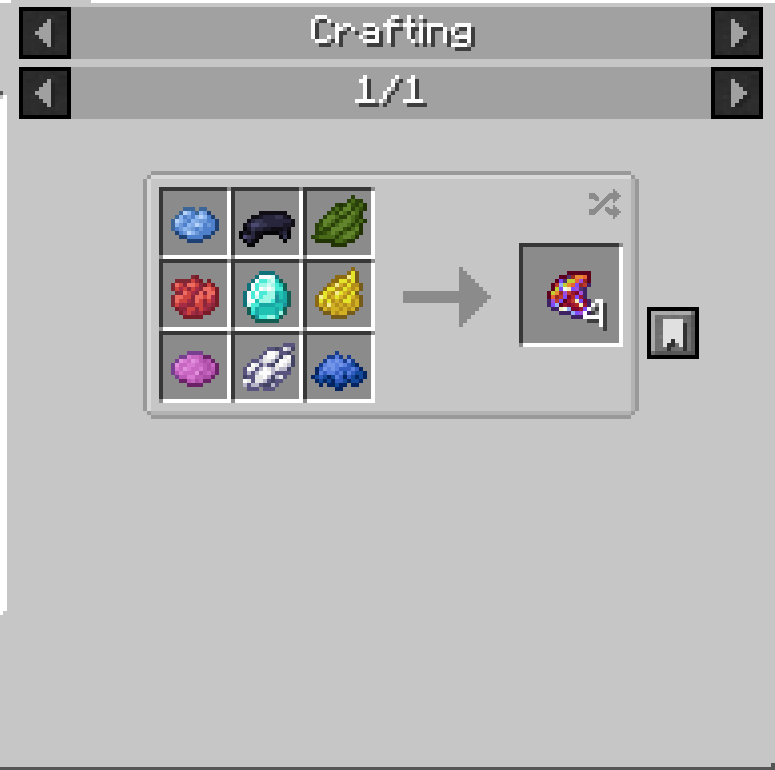
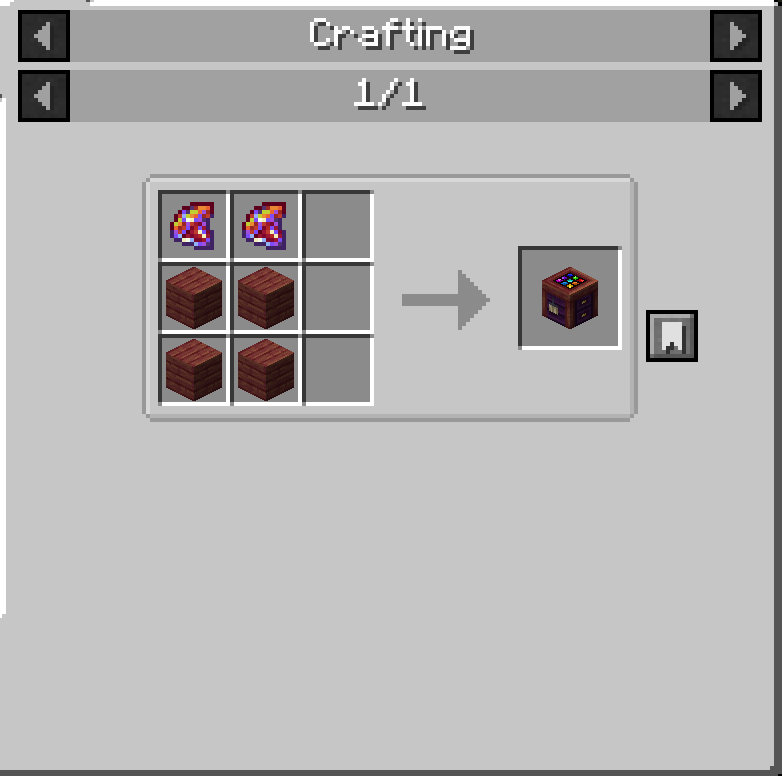
To recolor an item, place a piece of equipment and a Chroma inside the Arlecchino Workbench, then open the color editor. Select the color you want to modify, adjust the desired color settings, and apply the changes. Once satisfied with the result, finalize the customization to create the modified item. Multiple recoloring passes can be performed on the same piece of equipment, allowing for increasingly refined designs.
Whether you want subtle adjustments, themed equipment sets, or completely new color schemes, Arlecchino provides a flexible way to make your gear stand out without changing gameplay balance.
Available Versions
How to Install Arlecchino: Customize armor/weapon's colours! on Your Server
Order Server
Order a Minecraft Java server with at least 3 GB RAM (4 GB recommended).
Set forge Loader
In the panel under "Egg", select the forge loader and matching Minecraft version (1.20.1).
Install Mod
Open the mod browser in the dashboard and search for "Arlecchino: Customize armor/weapon's colours!". Click "Install" – done! Alternatively, upload the .jar via SFTP to the /mods folder.
Compatibility
Mod Loaders
Minecraft Versions
1.20.1
Server-side
✓ RequiredRecommended RAM
4 GB(min. 3 GB)Frequently Asked Questions
Arlecchino: Customize armor/weapon's colours! server crashes on startup – what to do?
Most common cause: wrong forge version or insufficient RAM. Check the server log (latest.log) for "OutOfMemoryError" or "Mixin" errors. With Mado Hosting: ensure at least 3 GB RAM is allocated and the loader matches the mod version (1.20.1). You can switch loaders with one click in the panel.
Is Arlecchino: Customize armor/weapon's colours! compatible with forge?
Arlecchino: Customize armor/weapon's colours! officially supports forge for Minecraft 1.20.1. The Mado dashboard automatically detects incompatible loader combinations.
Server lagging with Arlecchino: Customize armor/weapon's colours! – how to optimize performance?
Recommended RAM: 4 GB (per 8 players). Use /spark profiler to check if Arlecchino: Customize armor/weapon's colours! consumes the most tick time. Common fixes: reduce server view-distance to 8-10, install "performant" or "starlight" as supplementary mods on Forge. With Mado Hosting, your server runs on NVMe SSDs with dedicated CPU cores for minimal latency.
Similar Mods

![[ETF] Entity Texture Features](https://cdn.modrinth.com/data/BVzZfTc1/af683d206d50b05258d865b0d6e4aa2f2cee12f2_96.webp)
![[EMF] Entity Model Features](https://cdn.modrinth.com/data/4I1XuqiY/6e5bbd0d06b1741bfdab6c0cfab6de8fdaf0064c_96.webp)



Rent Modded Server
Install Arlecchino: Customize armor/weapon's colours! with just one click on your server.