
ArrowBlockDeployer
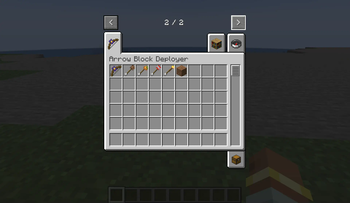
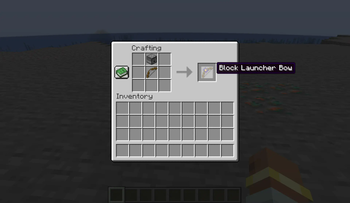
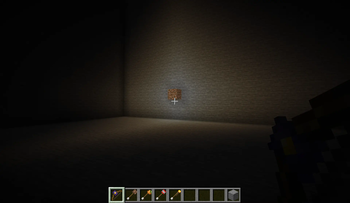
Introducing the ArrowBlockDeployer mod! This handy mod features the Block Launcher Bow, a unique item that lets you place blocks from a distance.
Screenshots
About this Mod
Introducing the ArrowBlockDeployer mod! This handy mod features the Block Launcher Bow, a unique item that lets you place blocks from a distance. With four distinct types of arrows, you can enhance your gameplay in useful ways:
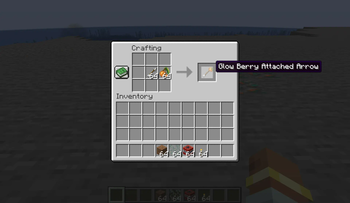
Glow Berry Attached Arrow - Perfect for illuminating ceilings.
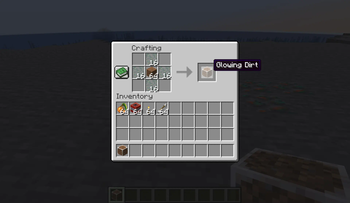
Glowing Dirt Attached Arrow - Versatile lighting for ceilings, underwater areas, and anywhere else you need.
TNT Attached Arrow - Place TNT blocks remotely (requires separate activation).
Torch Attached Arrow - Cost-effective solution for lighting up distant areas.
Whether you're lighting up ceilings, underwater areas, or setting up remote explosives, the ArrowBlockDeployer mod is designed to support your Minecraft adventures. Enjoy a new level of convenience and creativity with the Block Launcher Bow!
このModでは、ブロック射出弓という弓と、四種のカスタム矢によって、ブロックを遠隔で配置することができます。 矢の種類は以下の通りです。
グロウベリー付きの矢 - 天井を明るくするのに最適です。
発光する土付きの矢 - 天井、水中など、どこでも汎用的に明るくできます。
TNT付きの矢 - TNTを遠隔で置くことができます(起爆は別途必要)。
松明付きの矢 - 低コストで遠くを明るくしたいときに最適です。
バニラでは明るくしづらい天井や水中を、簡単に明るくすることができます。 暗いところが苦手な方におすすめです。
Available Versions
How to Install ArrowBlockDeployer on Your Server
Order Server
Order a Minecraft Java server with at least 3 GB RAM (4 GB recommended).
Set forge Loader
In the panel under "Egg", select the forge loader and matching Minecraft version (1.20.2).
Install Mod
Open the mod browser in the dashboard and search for "ArrowBlockDeployer". Click "Install" – done! Alternatively, upload the .jar via SFTP to the /mods folder.
Compatibility
Mod Loaders
Minecraft Versions
1.20.2
Server-side
✓ RequiredRecommended RAM
4 GB(min. 3 GB)Frequently Asked Questions
ArrowBlockDeployer server crashes on startup – what to do?
Most common cause: wrong forge version or insufficient RAM. Check the server log (latest.log) for "OutOfMemoryError" or "Mixin" errors. With Mado Hosting: ensure at least 3 GB RAM is allocated and the loader matches the mod version (1.20.2). You can switch loaders with one click in the panel.
Is ArrowBlockDeployer compatible with forge?
ArrowBlockDeployer officially supports forge for Minecraft 1.20.2. The Mado dashboard automatically detects incompatible loader combinations.
Server lagging with ArrowBlockDeployer – how to optimize performance?
Recommended RAM: 4 GB (per 8 players). Use /spark profiler to check if ArrowBlockDeployer consumes the most tick time. Common fixes: reduce server view-distance to 8-10, install "performant" or "starlight" as supplementary mods on Forge. With Mado Hosting, your server runs on NVMe SSDs with dedicated CPU cores for minimal latency.
Similar Mods




![[ETF] Entity Texture Features](https://cdn.modrinth.com/data/BVzZfTc1/af683d206d50b05258d865b0d6e4aa2f2cee12f2_96.webp)
![[EMF] Entity Model Features](https://cdn.modrinth.com/data/4I1XuqiY/6e5bbd0d06b1741bfdab6c0cfab6de8fdaf0064c_96.webp)
Rent Modded Server
Install ArrowBlockDeployer with just one click on your server.