
Ars Artifice
An addon for Ars Nouveau to add an event based casting system
Screenshots
About this Mod


Ars Artifice is an addon to the popular magic mod Ars Nouveau.
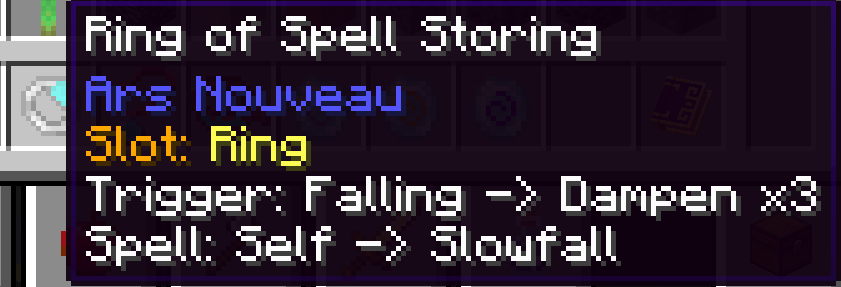
Ars Artifice focuses primarily on a new Artificing mechanic, allowing players to create curios that automatically cast spells when certain events effect the player.
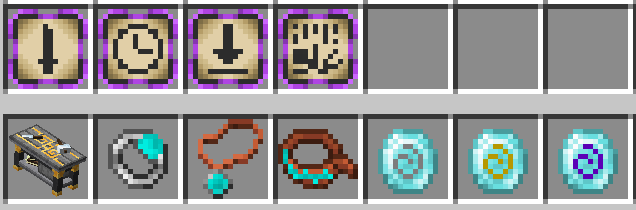
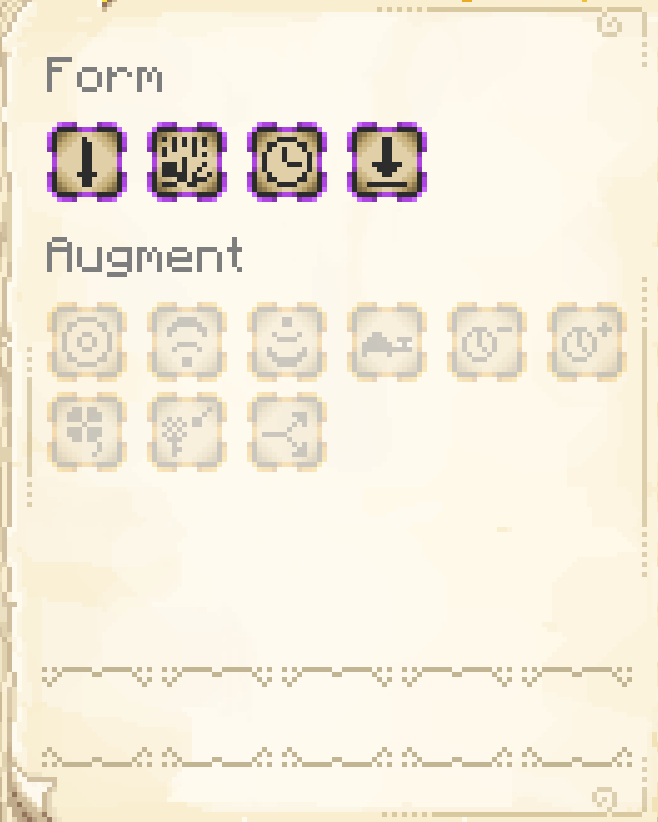
There's currently 4 artifice methods introduced:
- Anguish - Triggers when taking a modifiable amount of damage
- Falling - Triggers when falling a modifiable distance
- Landing - Triggers after falling a modifiable distance
- Interval - Triggers on a loop after a modifiable amount of time
There are also 3 new curios introduced that allow Artifice methods to be inscribed:
- Ring, Amulet and Belt of Spell Storing
To get started with Artificing:
- Craft an Artificer's Workbench
- Learn the glyphs for the artifice methods using the Scribe's Table
- Craft a Curio of Spell Storing and use it on the Artificer's Workbench, this will allow you to program in the event for when a spell should trigger.
- Take the Curio of Spell Storing and place it inside the Scribe's Table to scribe the spell you want to be cast into it.
Once you equip the Curio it should all start working.
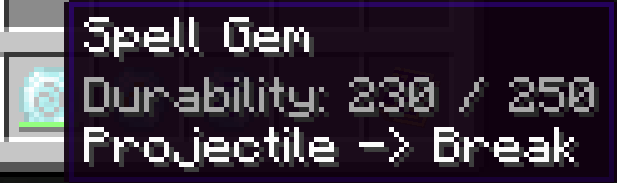
Finally Ars Artifice introduces a consumable spell casting item called a Spell Gem. Spell Gems allow you to cast spells without consuming your own mana bar. Spell Gems have 3 tiers, increasing the amount of mana available within each Spell Gem before they break.
Available Versions
How to Install Ars Artifice on Your Server
Order Server
Order a Minecraft Java server with at least 3 GB RAM (4 GB recommended).
Set forge Loader
In the panel under "Egg", select the forge loader and matching Minecraft version (1.20.1).
Install Mod
Open the mod browser in the dashboard and search for "Ars Artifice". Click "Install" – done! Alternatively, upload the .jar via SFTP to the /mods folder.
Compatibility
Mod Loaders
Minecraft Versions
1.20.1, 1.19.2
Server-side
✓ RequiredRecommended RAM
4 GB(min. 3 GB)Frequently Asked Questions
Ars Artifice server crashes on startup – what to do?
Most common cause: wrong forge version or insufficient RAM. Check the server log (latest.log) for "OutOfMemoryError" or "Mixin" errors. With Mado Hosting: ensure at least 3 GB RAM is allocated and the loader matches the mod version (1.20.1). You can switch loaders with one click in the panel.
Is Ars Artifice compatible with forge?
Ars Artifice officially supports forge for Minecraft 1.20.1, 1.19.2. The Mado dashboard automatically detects incompatible loader combinations.
Server lagging with Ars Artifice – how to optimize performance?
Recommended RAM: 4 GB (per 8 players). Use /spark profiler to check if Ars Artifice consumes the most tick time. Common fixes: reduce server view-distance to 8-10, install "performant" or "starlight" as supplementary mods on Forge. With Mado Hosting, your server runs on NVMe SSDs with dedicated CPU cores for minimal latency.
Similar Mods





Rent Modded Server
Install Ars Artifice with just one click on your server.