
Asylum Engine
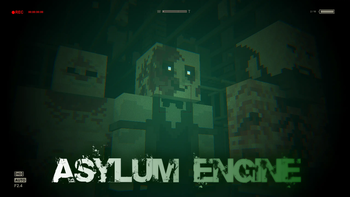
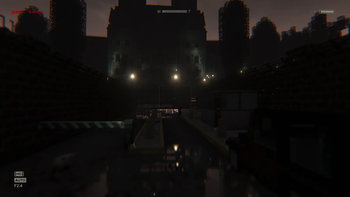
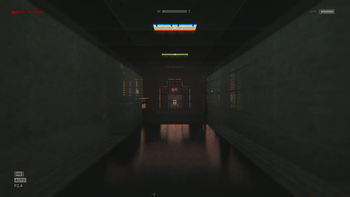
Asylum Engine is a mod that brings the Outlast I experience to Minecraft! Successor to the AsylumZ mod, Asylum Engine lets you create high quality Outlast levels.
Screenshots
About this Mod
Asylum Engine is a mod that brings the Outlast I experience to Minecraft!
Successor to the AsylumZ mod, Asylum Engine lets you create high quality Outlast levels.
Added Gameplay Mechanics:
- Crawling/Hiding
- Climbing Over Tall Obstacles
- Squeezing Between Obstacles
- Chase Scenes
- Enemies
- Savepoints
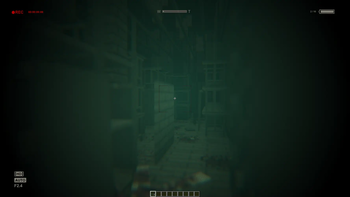
- Infrared Camcorder
Other Features:
- Accurate Sound Design to simulate Outlast
- Custom Blocks
- Custom Furniture
- More
For The Best Experience:
- Use Complementary Shaders v4.6 with the Provided Settings
[Or another shader that allows for dynamic lighting and complete darkness] - Makes sure "Mod Resources" is on top in the Resource Pack Settings
- Music volume should be 0%
- Ambient volume should be around 30%
- FOV set to Normal or 60
- View Bobbing On
[Connected textures OFF if you notice any weird textures!]
Tips on creating your own levels:
- Don't wear Miles' Clothes as they force you into Adventure Mode
- Equip the Developer View in your Off-Hand to see and interact with the Function Blocks
- You can right-click on a function block to delete it
- Look around the Demo World to see how the Function Blocks are being used
Function Blocks:
- Key to creating and playing levels, these entities let you bring the gameplay of Outlast to your world.
Useful Information:
- Save Functions, Enemy Trigger Functions and Enemy Spawn Functions should be kept close for things to work properly.
- Always place Enemy Triggers before the Enemy Spawn Function, if the Enemy Spawn function is out of range it will spawn the enemy regardless.
- All Functions can be reset by dying.
Thanks for reading and have fun!
Available Versions
How to Install Asylum Engine on Your Server
Order Server
Order a Minecraft Java server with at least 3 GB RAM (4 GB recommended).
Set forge Loader
In the panel under "Egg", select the forge loader and matching Minecraft version (1.20.1).
Install Mod
Open the mod browser in the dashboard and search for "Asylum Engine". Click "Install" – done! Alternatively, upload the .jar via SFTP to the /mods folder.
Compatibility
Mod Loaders
Minecraft Versions
1.20.1, 1.19.4, 1.19.2
Server-side
✓ RequiredRecommended RAM
4 GB(min. 3 GB)Frequently Asked Questions
Asylum Engine server crashes on startup – what to do?
Most common cause: wrong forge version or insufficient RAM. Check the server log (latest.log) for "OutOfMemoryError" or "Mixin" errors. With Mado Hosting: ensure at least 3 GB RAM is allocated and the loader matches the mod version (1.20.1). You can switch loaders with one click in the panel.
Is Asylum Engine compatible with forge and neoforge?
Asylum Engine officially supports forge, neoforge for Minecraft 1.20.1, 1.19.4, 1.19.2. The Mado dashboard automatically detects incompatible loader combinations.
Server lagging with Asylum Engine – how to optimize performance?
Recommended RAM: 4 GB (per 8 players). Use /spark profiler to check if Asylum Engine consumes the most tick time. Common fixes: reduce server view-distance to 8-10, install "performant" or "starlight" as supplementary mods on Forge. With Mado Hosting, your server runs on NVMe SSDs with dedicated CPU cores for minimal latency.
Similar Mods

![[ETF] Entity Texture Features](https://cdn.modrinth.com/data/BVzZfTc1/af683d206d50b05258d865b0d6e4aa2f2cee12f2_96.webp)
![[EMF] Entity Model Features](https://cdn.modrinth.com/data/4I1XuqiY/6e5bbd0d06b1741bfdab6c0cfab6de8fdaf0064c_96.webp)



Rent Modded Server
Install Asylum Engine with just one click on your server.