
Attract to Chat – Mob Attraction by Chat Messages
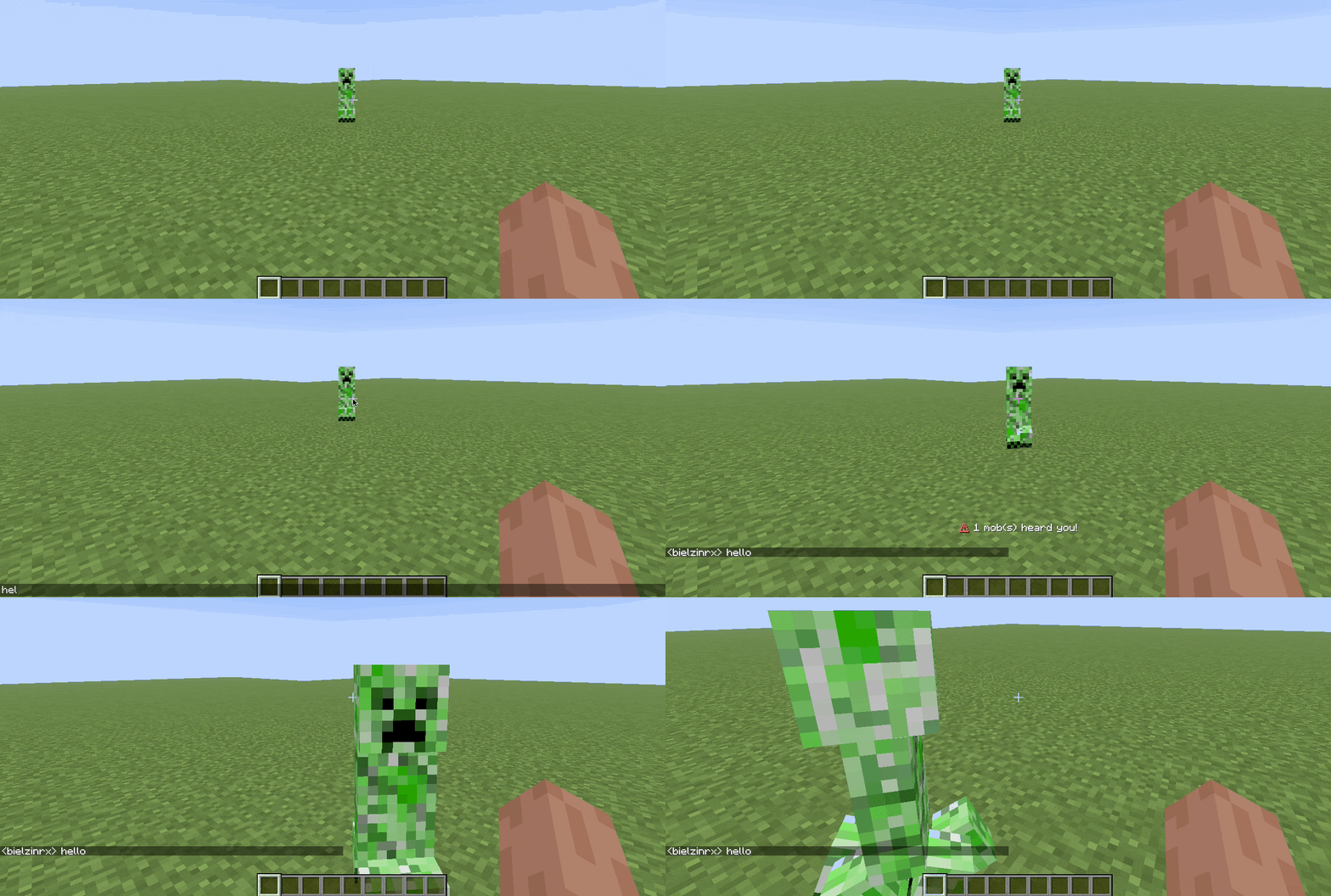
Mobs are attracted to the exact spot where you send a chat message.
Screenshots
About this Mod
Attract to Chat introduces a new layer of difficulty and immersion: Mobs can hear your chat messages.
Typing in chat triggers a vibration event, causing nearby entities to investigate your location. Perfect for Hardcore servers, Roleplay, and "Don't Scream" challenges.




• Core Features
- Chat Detection AI: When you type, zombies, skeletons, and other mobs pathfind to your exact position.
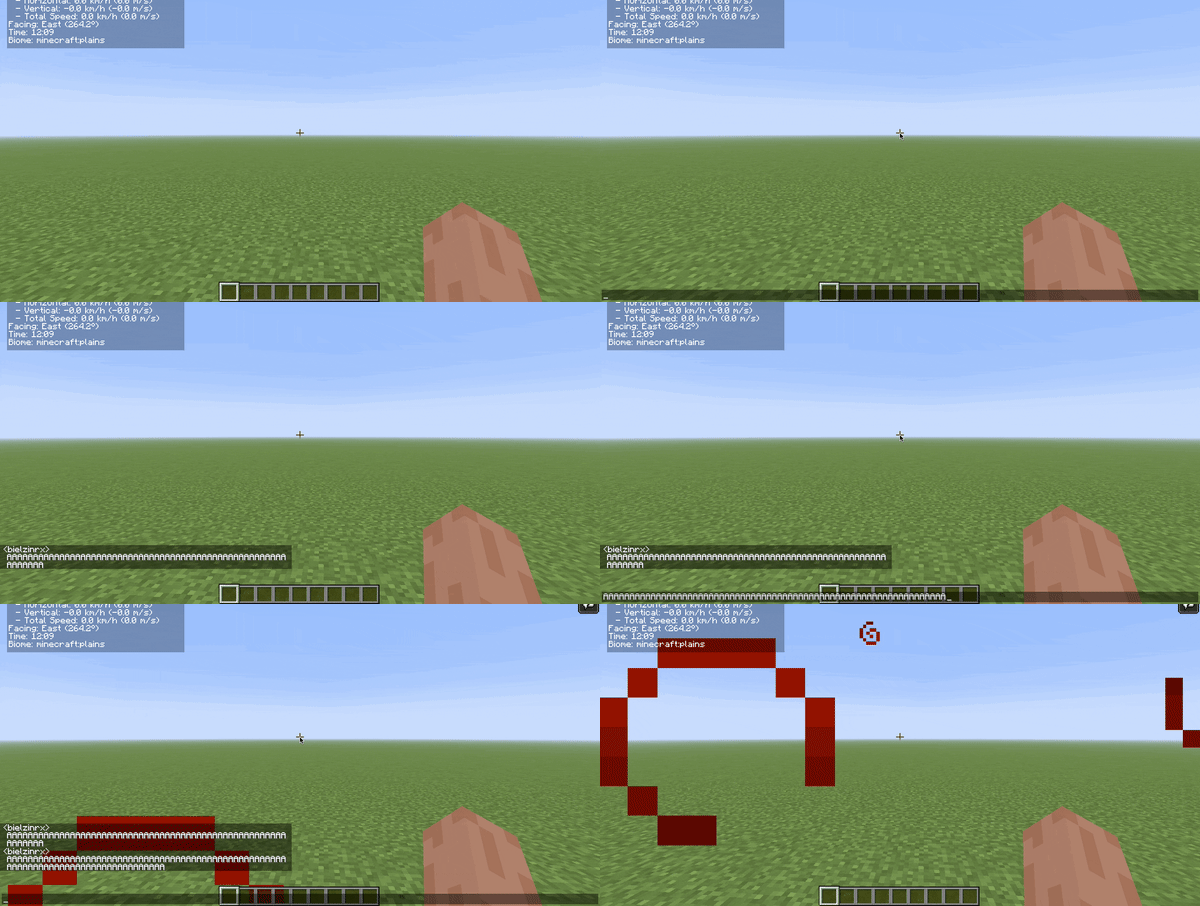
- Dynamic Volume (CAPS LOCK):
- lowercase = Small range
- UPPERCASE = Huge range + Faster Mobs
- Visual Feedback: Particles appear when a mob "hears" you, giving you visual cues of danger.
- Highly Configurable: Control hearing range, cooldowns, whitelist mobs, and more via
attracttochat-common.toml(found in yourconfigfolder).
• Vocal Fatigue System
Spamming the chat (CAPS LOCK) too much triggers Vocal Fatigue.
- 🚫 Effect: You cannot type/speak in chat while fatigued.
- 🤢 Penalty: Extreme spamming causes Nausea.
- 🧪 The Cure:
- 🍯 Honey: Strong Relief (60s)
- 🥛 Milk: Instant Cure
- 💧 Water: Slight Relief (10s)
- 🍲 Soups/Stews: Moderate relief (15s)
• Commands & Permissions
| Command | Permission | Function |
|---|---|---|
/attracthelp |
Everyone | Shows help and information |
/attractstats |
Everyone | Shows your session statistics |
/attractlist |
OP | Lists enabled mobs |
/attractreload |
OP | Reloads config |
/attractdebug |
OP | Toggle debug mode |
• Compatibility & Notes
- Modpack Friendly: Works with modded mobs (Alex's Mobs, etc.)
- Server-Side Only: Clients do NOT need to install the mod. Drop it in the
modsfolder of your server and play. - Performance: Optimized code. Checks only occur on chat events (Zero tick lag when idle).
• Support the Project
Click here to Rent a Server with 25% OFF!
Support the development by using the link above!
• Links
Report Bug (GitHub) | Source Code | CurseForge | Planet Minecraft
Available Versions
How to Install Attract to Chat – Mob Attraction by Chat Messages on Your Server
Order Server
Order a Minecraft Java server with at least 3 GB RAM (4 GB recommended).
Set forge Loader
In the panel under "Egg", select the forge loader and matching Minecraft version (1.20.1).
Install Mod
Open the mod browser in the dashboard and search for "Attract to Chat – Mob Attraction by Chat Messages". Click "Install" – done! Alternatively, upload the .jar via SFTP to the /mods folder.
Compatibility
Mod Loaders
Minecraft Versions
1.20.1
Server-side
✓ RequiredRecommended RAM
4 GB(min. 3 GB)Frequently Asked Questions
Attract to Chat – Mob Attraction by Chat Messages server crashes on startup – what to do?
Most common cause: wrong forge version or insufficient RAM. Check the server log (latest.log) for "OutOfMemoryError" or "Mixin" errors. With Mado Hosting: ensure at least 3 GB RAM is allocated and the loader matches the mod version (1.20.1). You can switch loaders with one click in the panel.
Is Attract to Chat – Mob Attraction by Chat Messages compatible with forge?
Attract to Chat – Mob Attraction by Chat Messages officially supports forge for Minecraft 1.20.1. The Mado dashboard automatically detects incompatible loader combinations.
Server lagging with Attract to Chat – Mob Attraction by Chat Messages – how to optimize performance?
Recommended RAM: 4 GB (per 8 players). Use /spark profiler to check if Attract to Chat – Mob Attraction by Chat Messages consumes the most tick time. Common fixes: reduce server view-distance to 8-10, install "performant" or "starlight" as supplementary mods on Forge. With Mado Hosting, your server runs on NVMe SSDs with dedicated CPU cores for minimal latency.
Similar Mods




Rent Modded Server
Install Attract to Chat – Mob Attraction by Chat Messages with just one click on your server.