
AttributeSetter
A lightweight mod that changes entities' and items' default attributes through datapacks
About this Mod
Summary
Attribute Setter Is a simple lightweight mod that can change the default attributes of any living entity or item through datapacks, inspired by Jackiecrazy's Attributizer and Custom Item Attributes(CIA).
This mod was created for modpack creators and server owners to easily balance entities and items, changing their health, damage, follow range, etc...
Supports CuriosAPI
Although we(I) don't support trinkets yet(it's harder to implement, trinkets doesn't have the event that I use in Curios), if you want to add attributes to any curios, just set the slot to the appropriate name.
Server Side Only Required
If you are a server owner, your players DO NOT need to download this mod. Simply put it into your mods folder and configure it as you wish. Of course it works on singleplayer as it has an integrated server running. Although keep in mind that your players won't see the changed attributes, they'll still work, but the items will appear with their vanilla attributes.
Client Side Optional
If installed in client-side, besides showing the changed attributes, this mod also collapses item attributes into vanilla "green attributes" if they're already present
| Vanilla Behaviour | AttributeSetter |
|---|---|
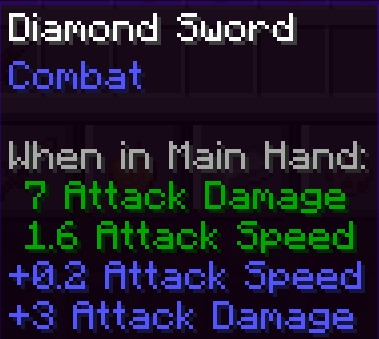 |
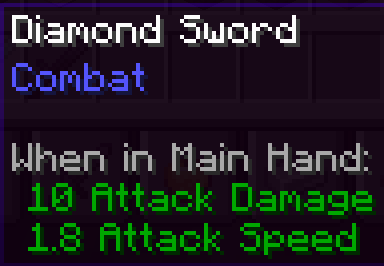 |
Example
The following file attributes.json will change all creepers' health to 100, instead of the normal 20.
{
    "minecraft:creeper": [
        {
            "attribute": "minecraft:generic.max_health",
            "value": 100,
            "operation": "BASE"
        }
    ]
}
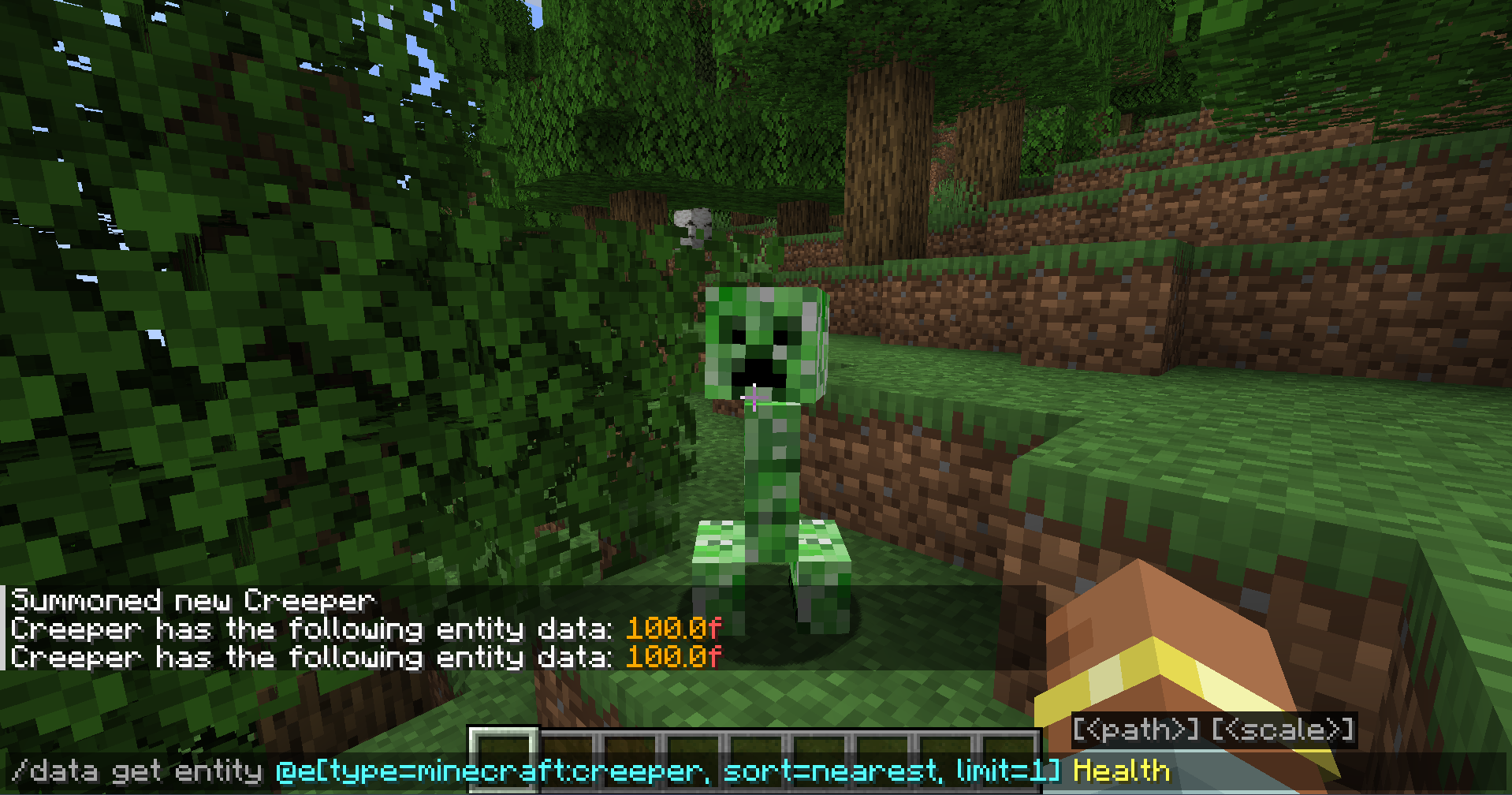
For more info on how to configure AttributeSetter, visit the github page or the discord
Available Versions
How to Install AttributeSetter on Your Server
Order Server
Order a Minecraft Java server with at least 3 GB RAM (4 GB recommended).
Set fabric Loader
In the panel under "Egg", select the fabric loader and matching Minecraft version (1.21.8).
Install Mod
Open the mod browser in the dashboard and search for "AttributeSetter". Click "Install" – done! Alternatively, upload the .jar via SFTP to the /mods folder.
Compatibility
Mod Loaders
Minecraft Versions
1.21.8, 1.21.7, 1.21.6 (+12 more)
Server-side
✓ RequiredRecommended RAM
4 GB(min. 3 GB)Frequently Asked Questions
AttributeSetter server crashes on startup – what to do?
Most common cause: wrong fabric version or insufficient RAM. Check the server log (latest.log) for "OutOfMemoryError" or "Mixin" errors. With Mado Hosting: ensure at least 3 GB RAM is allocated and the loader matches the mod version (1.21.8). You can switch loaders with one click in the panel.
Is AttributeSetter compatible with fabric and forge and neoforge and quilt?
AttributeSetter officially supports fabric, forge, neoforge, quilt for Minecraft 1.21.8, 1.21.7, 1.21.6. Note: Forge and Fabric mods are NOT cross-compatible – pick one loader and stick with it. The Mado dashboard automatically detects incompatible loader combinations.
Server lagging with AttributeSetter – how to optimize performance?
Recommended RAM: 4 GB (per 8 players). Use /spark profiler to check if AttributeSetter consumes the most tick time. Common fixes: reduce server view-distance to 8-10, install "performant" or "starlight" as supplementary mods on Forge. With Mado Hosting, your server runs on NVMe SSDs with dedicated CPU cores for minimal latency.
Similar Mods




Rent Modded Server
Install AttributeSetter with just one click on your server.