
Authentic Adventure Lite
Basic Fabric port of the main features from Authentic Adventure to newer versions of the game
Screenshots
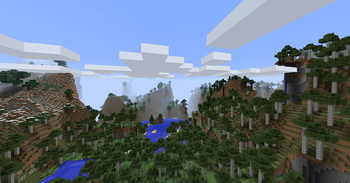
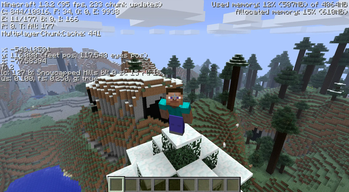
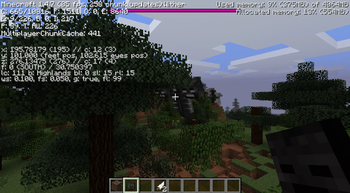
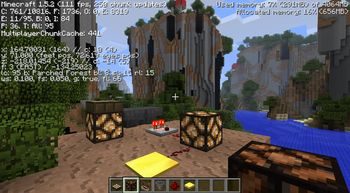
About this Mod
Minecraft Authentic Adventure Lite is a minimalistic mod for Minecraft 1.3.2 to 1.8.9 that tweaks primary aspects to be more Beta-esque. It is a smaller version of the Authentic Adventure mod which features many more customisation options and gameplay tweaks.
Installation
Authentic Adventure Lite makes use of the Ornithe project to allow for easy porting between versions as well as compatibility with other mods. Simply install Ornithe then download the respective version of the mod and move it to your mods folder. Ornithe standard libraries are not required.
Features
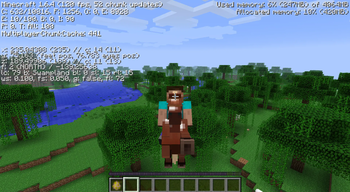
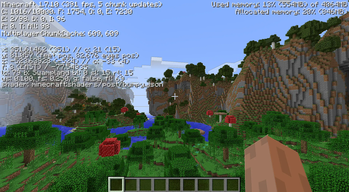
- Overhauled world generation, making it more hilly and Beta-esque (mostly identical to the original mod)
- Reworked hunger system (hunger only decreases with sprinting, starvation has been removed and food directly heals health)
- Restored old passive mob spawning
- Enchantments cost one quarter of the level requirement
- Ability to safely upgrade to later Minecraft versions
Extra Features (Full Mod)
These features can be found in the full version of the mod for 1.2.5
- Plenty of customisation options for world generation, gameplay and visuals to fine tune your experience
- New classic mode for a truly beta-like experience
- Extra challenging hardcore mode
- Plenty of minor gameplay and visual tweaks
Available Versions
How to Install Authentic Adventure Lite on Your Server
Order Server
Order a Minecraft Java server with at least 4 GB RAM (6 GB recommended).
Set ornithe Loader
In the panel under "Egg", select the ornithe loader and matching Minecraft version (1.8.9).
Install Mod
Open the mod browser in the dashboard and search for "Authentic Adventure Lite". Click "Install" – done! Alternatively, upload the .jar via SFTP to the /mods folder.
Compatibility
Mod Loaders
Minecraft Versions
1.8.9, 1.7.10, 1.6.4 (+3 more)
Server-side
✓ RequiredRecommended RAM
6 GB(min. 4 GB)Frequently Asked Questions
Authentic Adventure Lite server crashes on startup – what to do?
Most common cause: wrong ornithe version or insufficient RAM. Check the server log (latest.log) for "OutOfMemoryError" or "Mixin" errors. With Mado Hosting: ensure at least 4 GB RAM is allocated and the loader matches the mod version (1.8.9). You can switch loaders with one click in the panel.
Is Authentic Adventure Lite compatible with ornithe?
Authentic Adventure Lite officially supports ornithe for Minecraft 1.8.9, 1.7.10, 1.6.4. The Mado dashboard automatically detects incompatible loader combinations.
Server lagging with Authentic Adventure Lite – how to optimize performance?
Recommended RAM: 6 GB (per 5 players). Use /spark profiler to check if Authentic Adventure Lite consumes the most tick time. Common fixes: reduce server view-distance to 8-10, install "performant" or "starlight" as supplementary mods on Forge. With Mado Hosting, your server runs on NVMe SSDs with dedicated CPU cores for minimal latency.
Similar Mods




Rent Modded Server
Install Authentic Adventure Lite with just one click on your server.