
Auto 1e-7 Stepping
Little mod that helps using 1e-7 stepping mechanics!
Screenshots
About this Mod
Auto 1e-7 Stepping
Little utility mod to make 1e-7 stepping mechanics easier to use
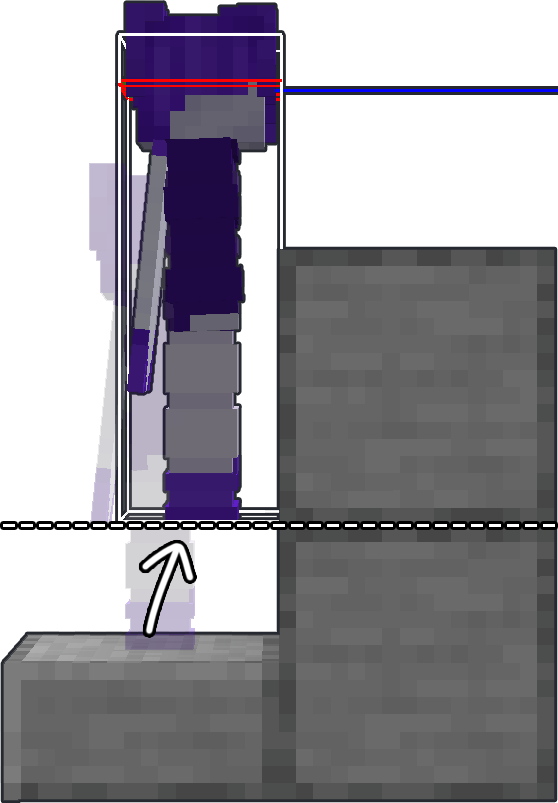
If you don't know what 1e-7 stepping is, here's quick (and not the most accurate) explanation to understand the basic principals of this mechanic:
|
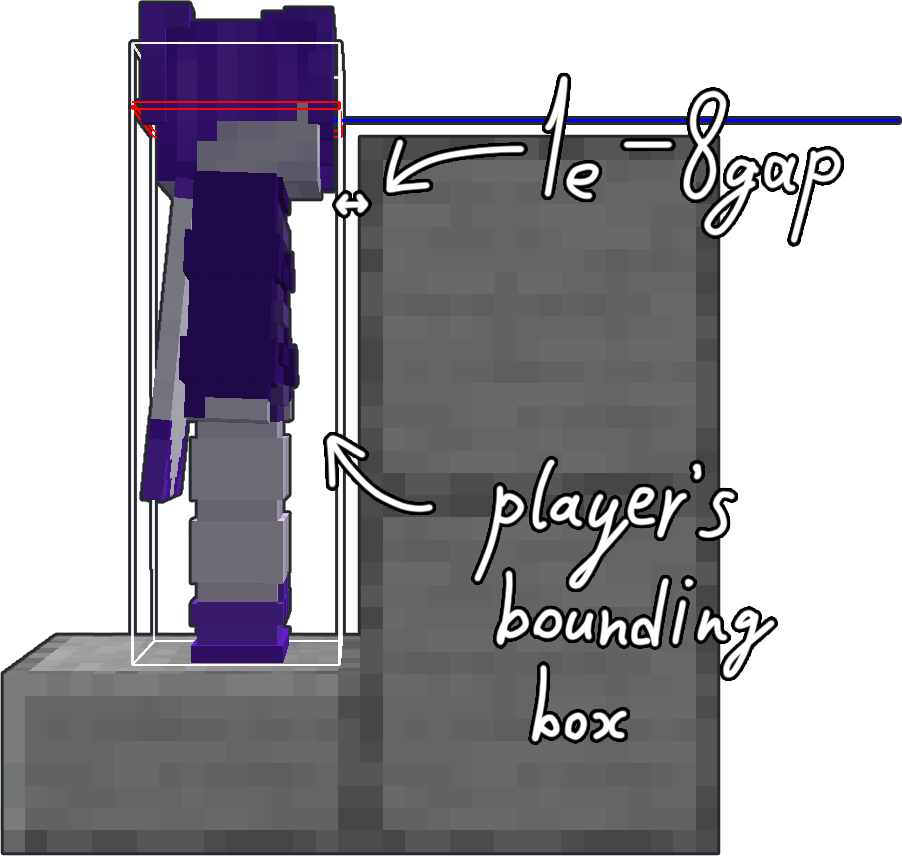
If you move along any axis less than the hardcoded value of 1e-7 (or 0.0000001) — the movement gets canceled. This brings us to the collision checks. When you're about to collide with a block — Minecraft doesn't let you do it and sets your position next to the edge of a block so the distance to it is about 1e-8. Then the game squares the movement vector and if the result is less than 1e-7 — movement gets canceled.
Here you can find more detailed explanation of how this mechanics works (*click*). |
|
ATTENTION
This mod requires Fabric API and Yet Another Config Lib to work correctly!
HOW TO USE
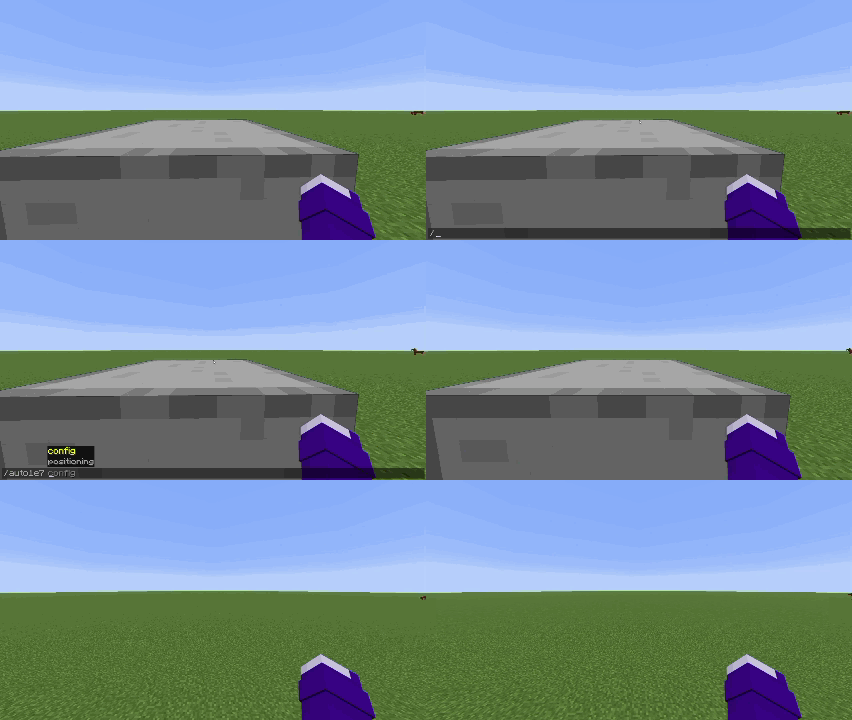
To position yourself you have to hit a wall first.
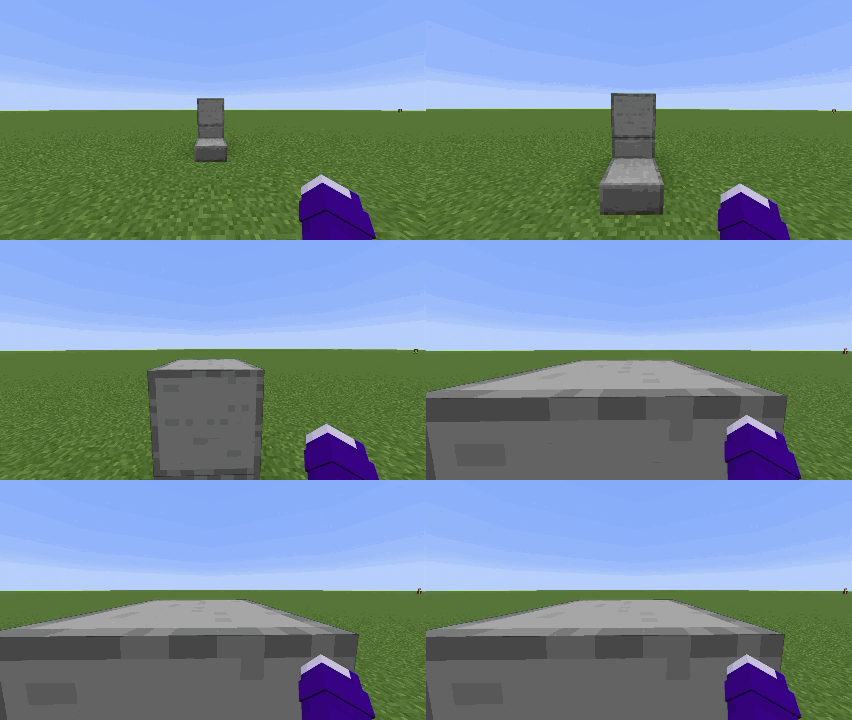
Then press positioning key
By default keybind is set to "O"
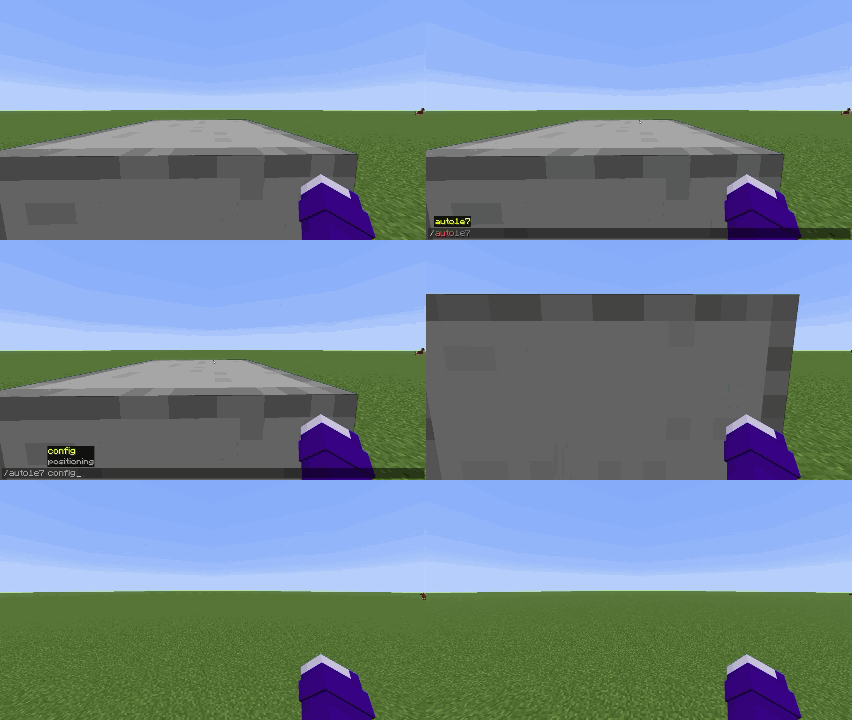
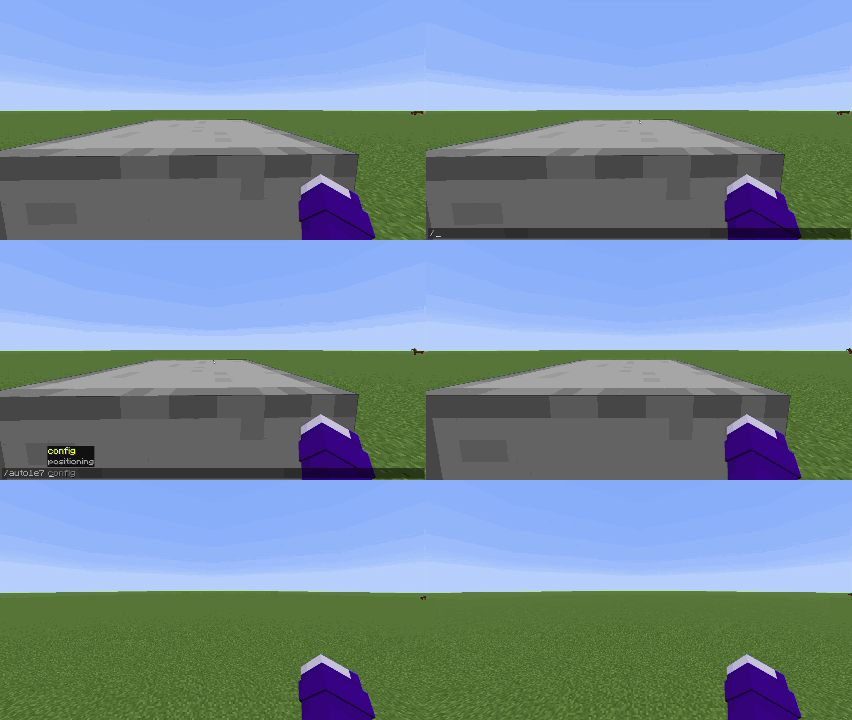
Or run the command
/auto1e7 positioning
|
|
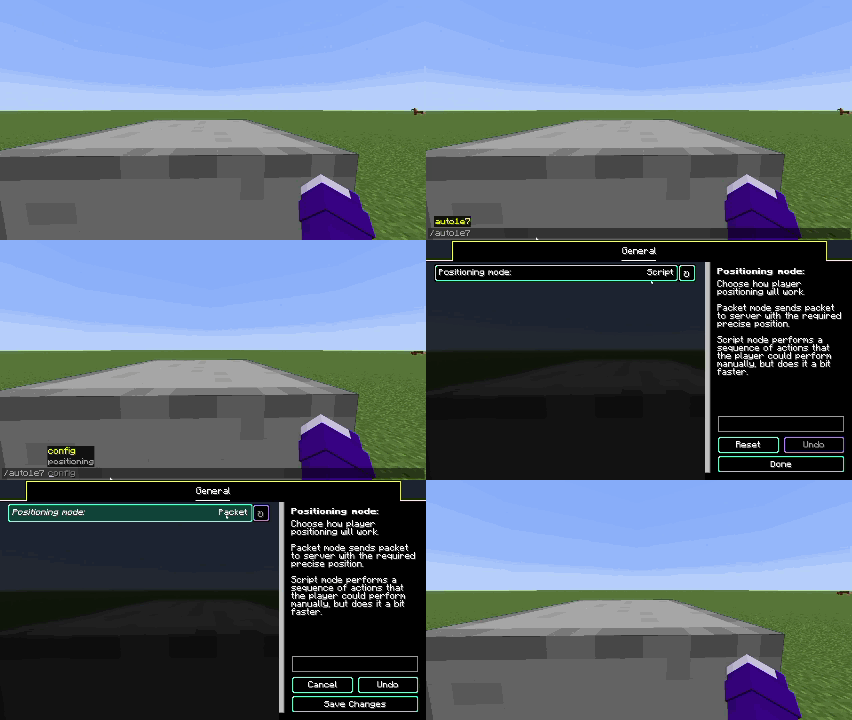
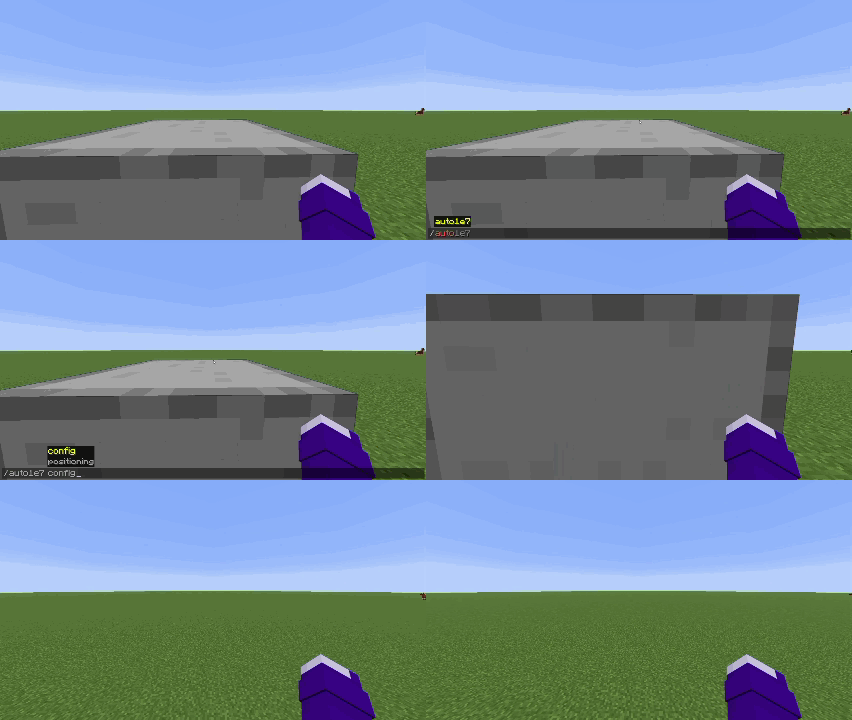
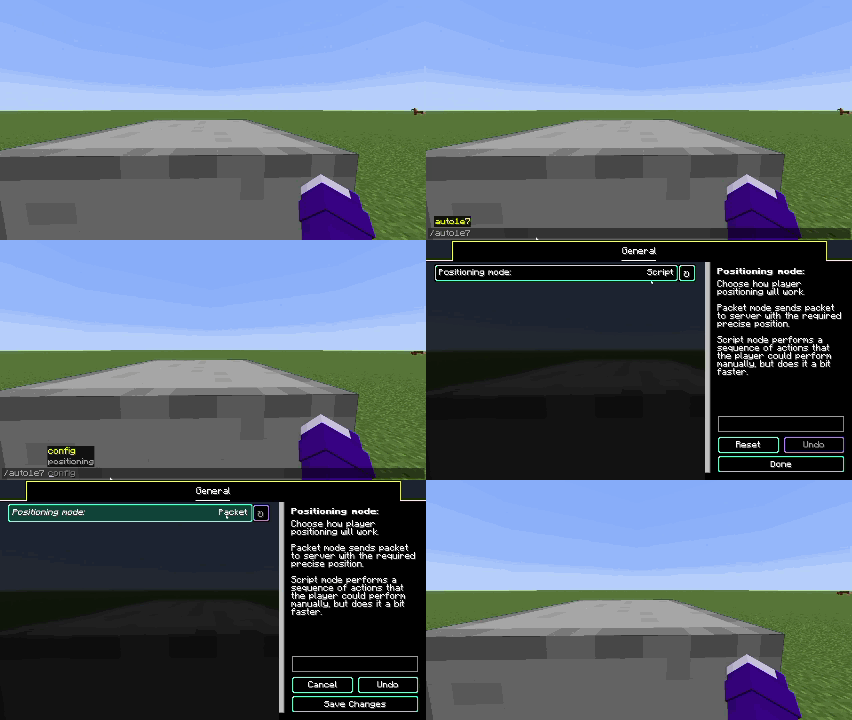
| First positioning mode | Second positioning mode |
You have two positioning modes:
- Packet (sends packet on server with exact position you need to be moved)
- Script (performs series of actions that player can perform manually, but does it a bit faster)
You can switch between positioning modes by opening the config screen in modmenu tab or by using the command
/auto1e7 config
Languages supported
- English
- Russian (may be not 100% accurate)
- Simplified Chinese (may be not 100% accurate)
If you want to help with mod translation — you can contact me on discord scany_alt
If you found a bug — please report it on GitHub's Issues page
Available Versions
How to Install Auto 1e-7 Stepping on Your Server
Order Server
Order a Minecraft Java server with at least 3 GB RAM (4 GB recommended).
Set fabric Loader
In the panel under "Egg", select the fabric loader and matching Minecraft version (1.21.11).
Install Mod
Open the mod browser in the dashboard and search for "Auto 1e-7 Stepping". Click "Install" – done! Alternatively, upload the .jar via SFTP to the /mods folder.
Compatibility
Mod Loaders
Minecraft Versions
1.21.11, 1.21.10, 1.21.9 (+7 more)
Server-side
✗ UnsupportedRecommended RAM
4 GB(min. 3 GB)Frequently Asked Questions
Auto 1e-7 Stepping server crashes on startup – what to do?
Most common cause: wrong fabric version or insufficient RAM. Check the server log (latest.log) for "OutOfMemoryError" or "Mixin" errors. With Mado Hosting: ensure at least 3 GB RAM is allocated and the loader matches the mod version (1.21.11). You can switch loaders with one click in the panel.
Is Auto 1e-7 Stepping compatible with fabric?
Auto 1e-7 Stepping officially supports fabric for Minecraft 1.21.11, 1.21.10, 1.21.9. The Mado dashboard automatically detects incompatible loader combinations.
Server lagging with Auto 1e-7 Stepping – how to optimize performance?
Recommended RAM: 4 GB (per 8 players). Use /spark profiler to check if Auto 1e-7 Stepping consumes the most tick time. Common fixes: reduce server view-distance to 8-10, install "performant" or "starlight" as supplementary mods on Forge. With Mado Hosting, your server runs on NVMe SSDs with dedicated CPU cores for minimal latency.
Similar Mods




![[ETF] Entity Texture Features](https://cdn.modrinth.com/data/BVzZfTc1/af683d206d50b05258d865b0d6e4aa2f2cee12f2_96.webp)
![[EMF] Entity Model Features](https://cdn.modrinth.com/data/4I1XuqiY/6e5bbd0d06b1741bfdab6c0cfab6de8fdaf0064c_96.webp)
Rent Modded Server
Install Auto 1e-7 Stepping with just one click on your server.