
AutoAfkSleep
Automatically sleep when AFK! Features chat monitoring, disconnect phrases, and customizable failure actions. Perfect for AFK farms and idle players.
Screenshots
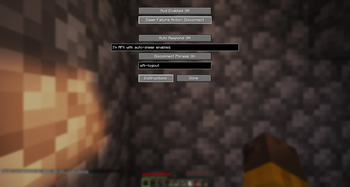
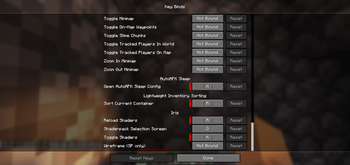
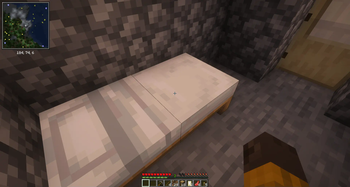
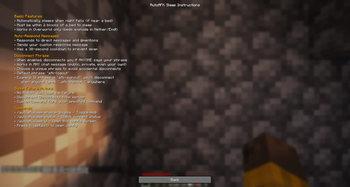
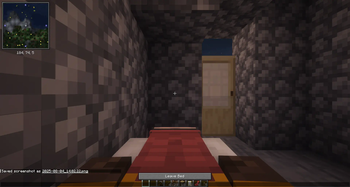
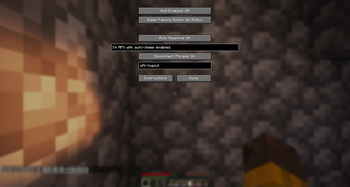
About this Mod
AutoAFK Sleep - Automatic Bed Usage & Hunger Management for AFK Players (v1.2.1)
Never worry about surviving the night or starving while AFK again! This client-side mod automatically uses nearby beds when night falls and manages your hunger, keeping you safe and fed while you're away from your keyboard.
✨ Key Features
🛏️ Smart Auto-Sleep System
- Automatically detects nighttime and attempts to sleep
- Must be within 2 blocks of a bed (Minecraft's interaction range)
- Only works in the Overworld for safety (beds explode in other dimensions!)
- Intelligent timing system with optimized performance - checks more frequently as night approaches
🍖 Auto-Eat Feature (New in v1.2.0, Fixed in v1.2.1)
- Automatically eats food when hunger drops below configurable threshold
- Smart food selection algorithm:
- Prioritizes safe, non-magical food (bread, meat, vegetables)
- Avoids poisonous items (rotten flesh, spider eyes, poisonous potatoes)
- Saves magical food (golden apples, enchanted items) for manual use
- Configurable settings:
- Hunger threshold (default: 14/20)
- Minimum food value filter
- Option to include stews and soups
- Auto-disconnect when critically hungry with no safe food available
- v1.2.1 Fix: Resolved critical slot selection issue - AutoEat now works reliably
💬 Chat Monitoring & Auto-Response
- Responds to direct messages and @mentions while you're AFK
- Fully customizable response message
- Built-in 30-second cooldown to prevent spam
- Automatically informs players how to make you disconnect if needed
🚪 Remote Disconnect Feature
- Set a custom phrase that allows trusted players to disconnect you
- Works with ANY chat message type (public, private, or even your own!)
- Perfect for server admins or friends who need to reach you urgently
- Default phrase: "afk-logout" (fully customizable)
⚙️ Flexible Failure Handling
When unable to sleep, choose your preferred action:
- No Action - Simply logs the failure
- Auto-Disconnect - Safely disconnects from the server
- Custom Command - Executes any command (e.g.,
/spawn,/home,/warp afkspot)
⚡ Performance Optimized (v1.1.0+)
- Intelligent scheduling reduces CPU usage by up to 90%
- Non-blocking operations ensure smooth gameplay
- Configurable timing parameters for all features
- Minimal server impact with smart polling intervals
📋 Requirements
- Minecraft: 1.21.8+
- Fabric Loader: 0.16.0+
- Fabric API: Required (install separately)
- Environment: Client-side only (no server installation needed)
🎮 Quick Start
- Install the mod with Fabric API
- Join your world/server
- Press K to open settings or use
/autoafksleep enable - Place a bed within 2 blocks of your AFK spot
- Configure your preferences and go AFK with confidence!
🔧 Commands
/autoafksleep enable- Enable the mod/autoafksleep disable- Disable the mod/autoafksleep status- Check current status/autoafksleep ui- Open configuration GUI/autoafksleep help- View all commands
🤝 Compatibility
This mod is client-side only and works on:
- Single-player worlds
- Multiplayer servers (no server-side installation required)
- Realms (where you have permission to sleep)
- Works alongside other mods
📝 License
Licensed under Apache 2.0 - You're free to use, modify, and redistribute with attribution.
🙏 Acknowledgments
Special thanks to the players at MCVerse City for testing and providing valuable feedback during development!
Perfect for AFK farms, long building sessions, or any time you need to step away from the game! Stay safe from mobs and hunger while maintaining your server presence. Version 1.2.1 brings reliable AutoEat functionality to keep you fed during those long AFK sessions!
Available Versions
How to Install AutoAfkSleep on Your Server
Order Server
Order a Minecraft Java server with at least 3 GB RAM (4 GB recommended).
Set fabric Loader
In the panel under "Egg", select the fabric loader and matching Minecraft version (1.21.10).
Install Mod
Open the mod browser in the dashboard and search for "AutoAfkSleep". Click "Install" – done! Alternatively, upload the .jar via SFTP to the /mods folder.
Compatibility
Mod Loaders
Minecraft Versions
1.21.10, 1.21.9, 1.21.8 (+8 more)
Server-side
✗ UnsupportedRecommended RAM
4 GB(min. 3 GB)Frequently Asked Questions
AutoAfkSleep server crashes on startup – what to do?
Most common cause: wrong fabric version or insufficient RAM. Check the server log (latest.log) for "OutOfMemoryError" or "Mixin" errors. With Mado Hosting: ensure at least 3 GB RAM is allocated and the loader matches the mod version (1.21.10). You can switch loaders with one click in the panel.
Is AutoAfkSleep compatible with fabric?
AutoAfkSleep officially supports fabric for Minecraft 1.21.10, 1.21.9, 1.21.8. The Mado dashboard automatically detects incompatible loader combinations.
Server lagging with AutoAfkSleep – how to optimize performance?
Recommended RAM: 4 GB (per 8 players). Use /spark profiler to check if AutoAfkSleep consumes the most tick time. Common fixes: reduce server view-distance to 8-10, install "performant" or "starlight" as supplementary mods on Forge. With Mado Hosting, your server runs on NVMe SSDs with dedicated CPU cores for minimal latency.
Similar Mods




![[ETF] Entity Texture Features](https://cdn.modrinth.com/data/BVzZfTc1/af683d206d50b05258d865b0d6e4aa2f2cee12f2_96.webp)
![[EMF] Entity Model Features](https://cdn.modrinth.com/data/4I1XuqiY/6e5bbd0d06b1741bfdab6c0cfab6de8fdaf0064c_96.webp)
Rent Modded Server
Install AutoAfkSleep with just one click on your server.