
Autocrafters
Adds Crafter-style counterparts for other manual workbenches, e.g. loom and grindstone.
Screenshots
About this Mod
AutoCrafters
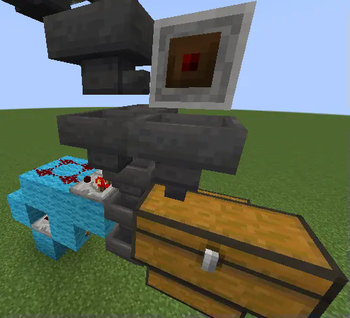
This mod adds new redstone components, that can automate various workbenches, just like a Crafter can be used to automate the crafting table. They behave just like the Crafter in every way:
- Hoppers, droppers and other item transfer methods can insert items into AutoCrafters.
- Hoppers and other item extraction methods can extract input items.
- Hoppers and droppers can interact with all sides of the block.
- Resulting items are crafted on redstone signal. You can not craft manually, even if you really wanted to.
- After crafting an item, it is inserted in an inventory in front of the AutoCrafter. If the inventory does not accept the item, the rest is dropped on the ground.
- Redstone Comparators can interact with AutoCrafters - by default they output amount of non-empty slots.
- Multiple players can access GUI at once.
And yes, you are more than welcome to use this mod in modpacks. For example, AutoCrafters integrate nicely with AE2.
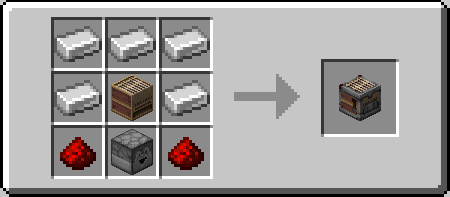
Weaver
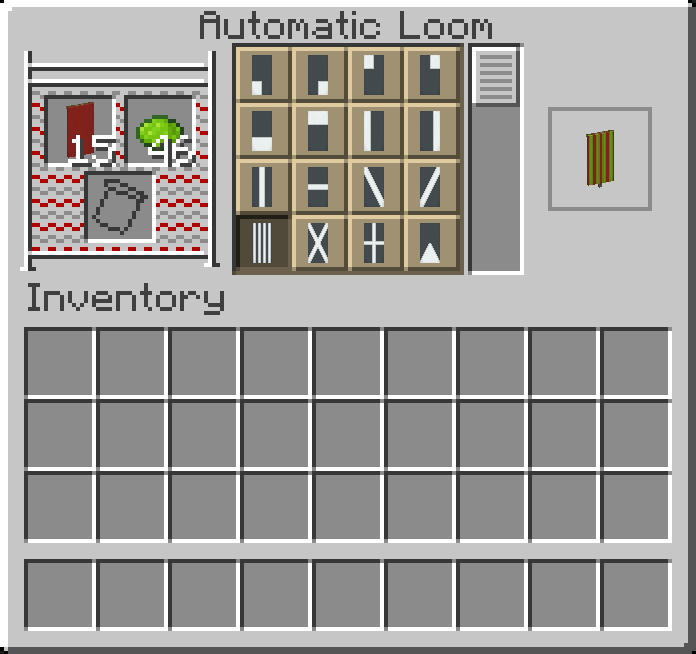
This AutoCrafter dyes banners.
- Precise machine work can apply more layers than doing so by hand (15 by default)!
- Only dyes and banners can be input via automation.
- Banner pattern item can only be inserted using GUI.
- Dyeing pattern has to be selected manually to configure the machine.
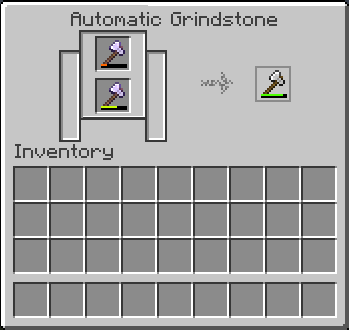
Grinder
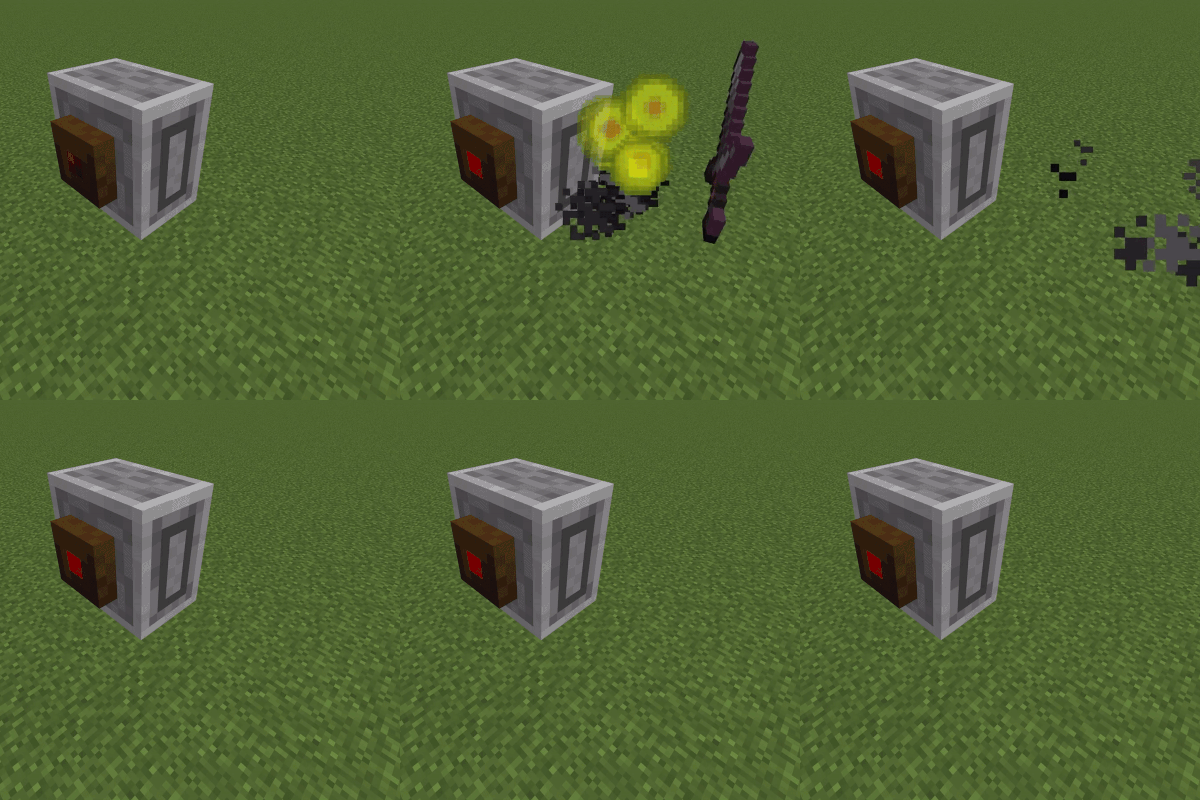
Recipe output corresponds exactly to a Grindstone.
- Mods that affect vanilla Grindstone will affect the Grinder as well.
- Has 2 inventory slots, both accessible via automation.
- Only grindeable items can be input.
- The difference from vanilla grindstone: its second slot must have the same type of item as the first. This quirk can be used to build sorting systems.
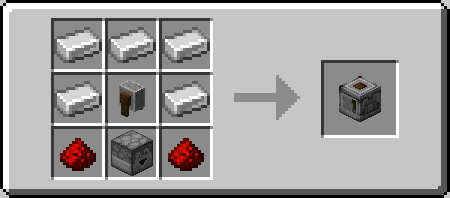
Stonecarver
This block does everything a Stonecutter does.
- The recipe has to be selected in the gui manually, once.
- Has 1 inventory slot, which only accepts cuttable items.
- Synergizes with other other mods/datapacks that add more recipes to the Stonecutter.
Available Versions
How to Install Autocrafters on Your Server
Order Server
Order a Minecraft Java server with at least 3 GB RAM (4 GB recommended).
Set fabric Loader
In the panel under "Egg", select the fabric loader and matching Minecraft version (1.21.4).
Install Mod
Open the mod browser in the dashboard and search for "Autocrafters". Click "Install" – done! Alternatively, upload the .jar via SFTP to the /mods folder.
Compatibility
Mod Loaders
Minecraft Versions
1.21.4, 1.21.3, 1.21.1 (+3 more)
Server-side
✓ RequiredRecommended RAM
4 GB(min. 3 GB)Frequently Asked Questions
Autocrafters server crashes on startup – what to do?
Most common cause: wrong fabric version or insufficient RAM. Check the server log (latest.log) for "OutOfMemoryError" or "Mixin" errors. With Mado Hosting: ensure at least 3 GB RAM is allocated and the loader matches the mod version (1.21.4). You can switch loaders with one click in the panel.
Is Autocrafters compatible with fabric?
Autocrafters officially supports fabric for Minecraft 1.21.4, 1.21.3, 1.21.1. The Mado dashboard automatically detects incompatible loader combinations.
Server lagging with Autocrafters – how to optimize performance?
Recommended RAM: 4 GB (per 8 players). Use /spark profiler to check if Autocrafters consumes the most tick time. Common fixes: reduce server view-distance to 8-10, install "performant" or "starlight" as supplementary mods on Forge. With Mado Hosting, your server runs on NVMe SSDs with dedicated CPU cores for minimal latency.
Similar Mods




Rent Modded Server
Install Autocrafters with just one click on your server.