
AutoInventorySorter
Smart inventory & hotbar organizer for Fabric. Press R to sort, lock hotbar slots, auto-refill items, and sort chests — client-side, multiplayer safe.
Screenshots
About this Mod
🗂️ AutoInventorySorter
A client-side Fabric mod that instantly organizes your Minecraft inventory with one keypress.
No clutter. No digging. Just press R and everything is in its place.





📸 Screenshots
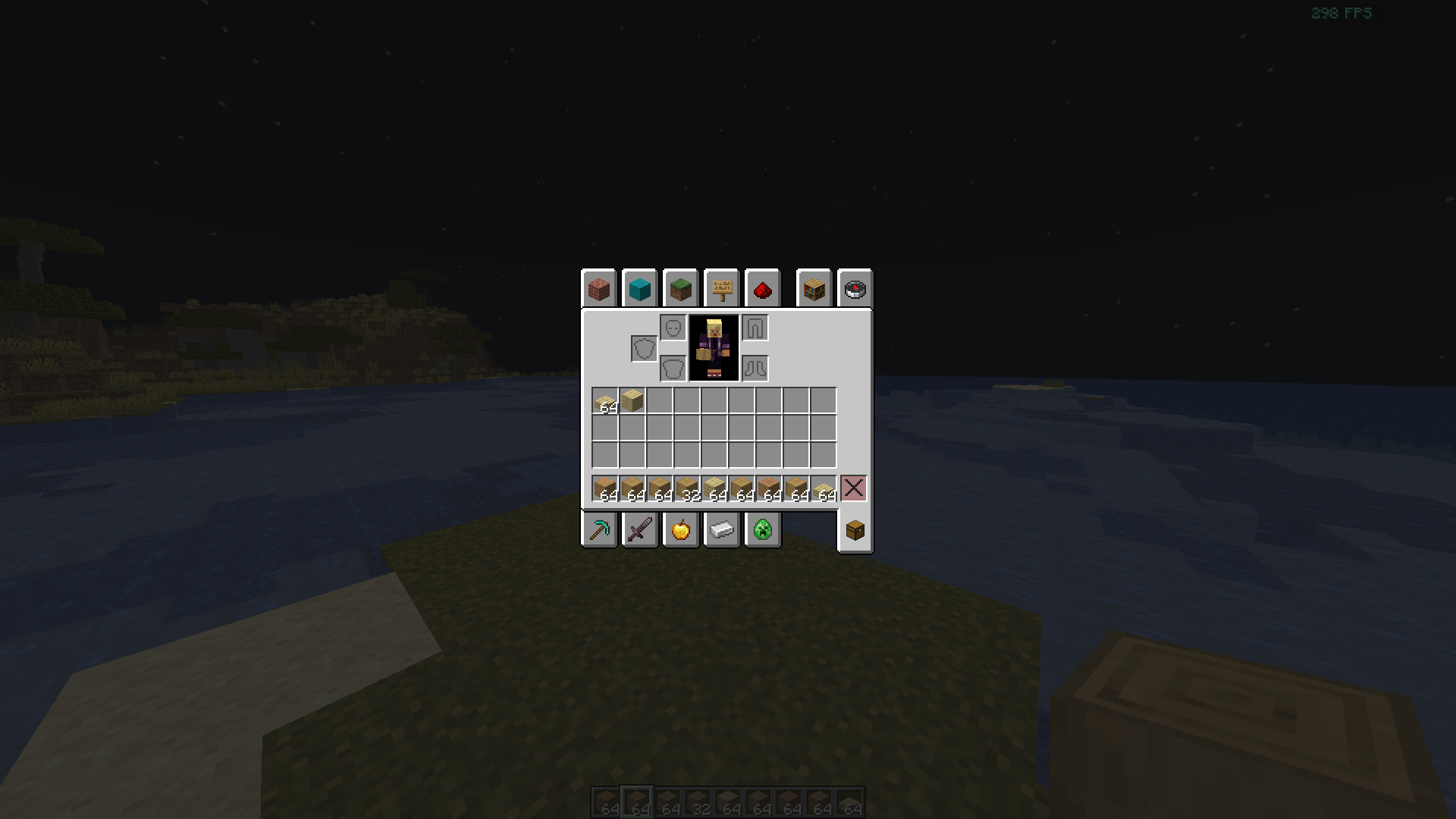
Press R to instantly sort your inventory. Blocks, tools, and food grouped automatically.
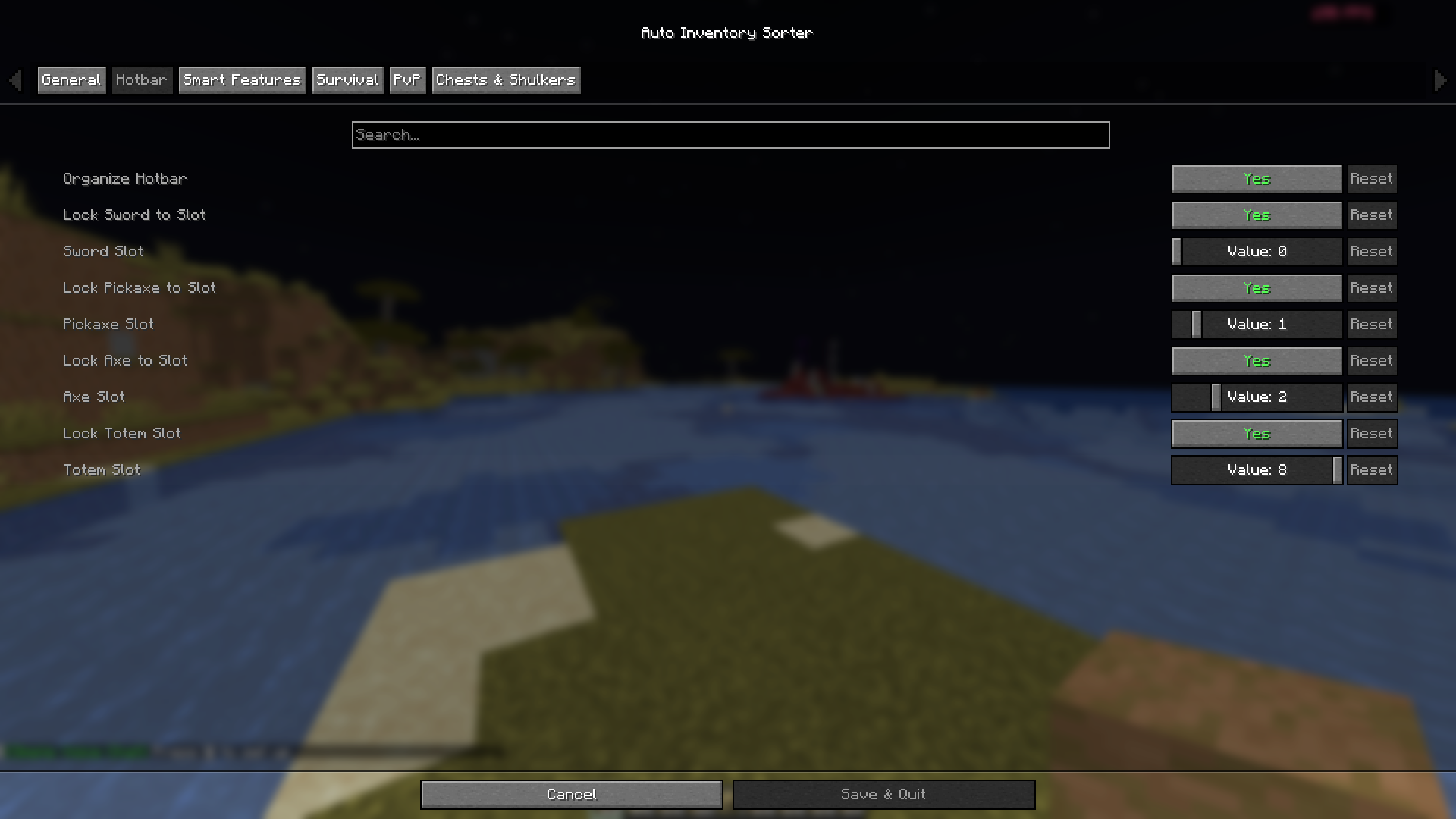
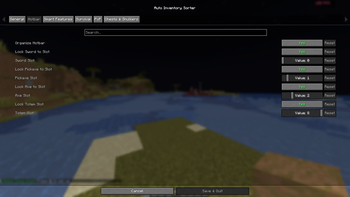
Lock Sword, Pickaxe, Axe, and Totem to fixed hotbar slots — configurable inside the game.
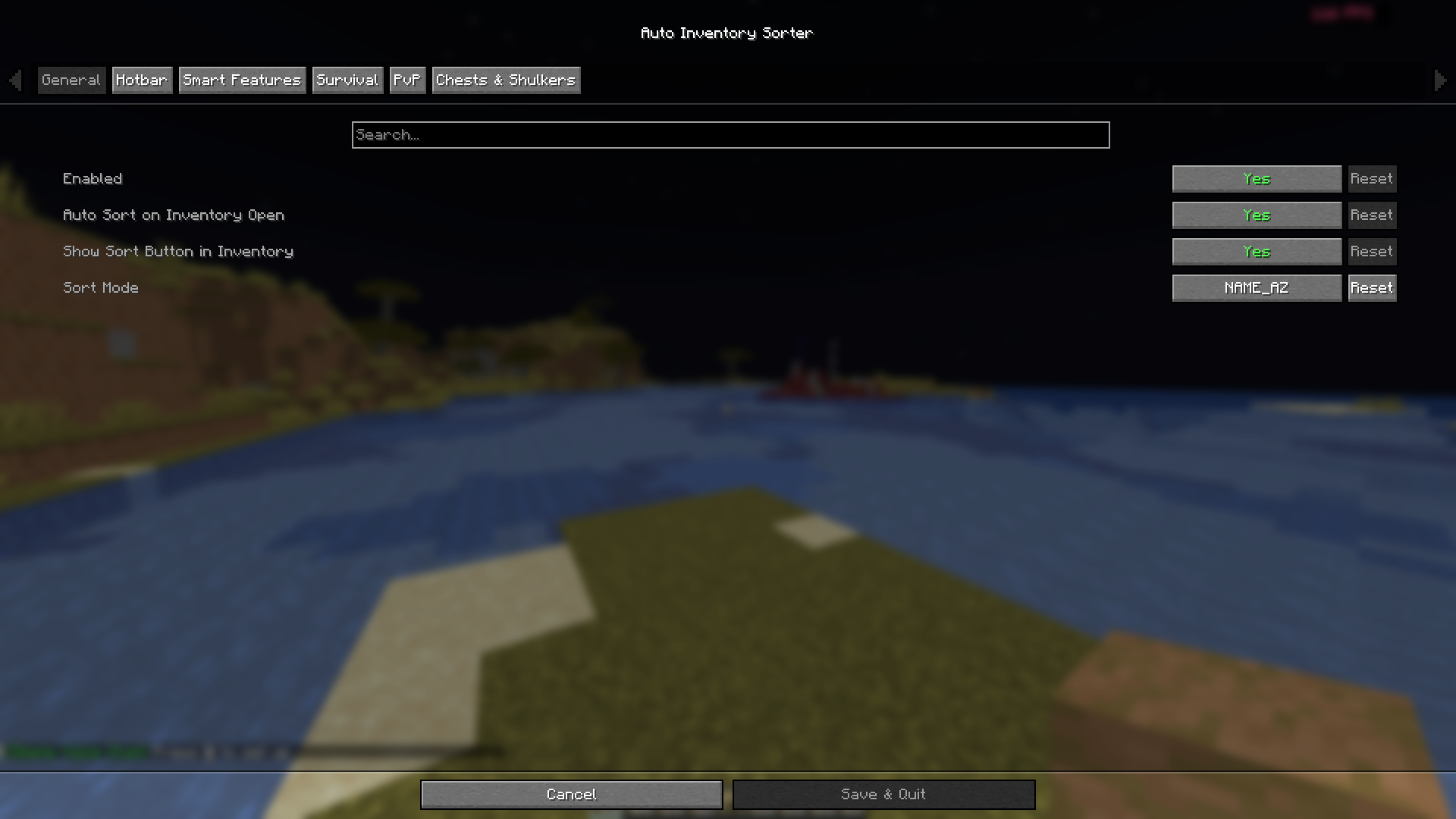
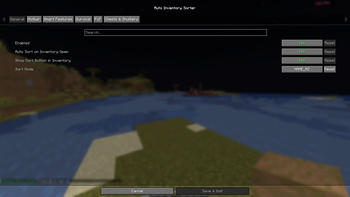
Control sort mode, auto-sort on open, and the in-inventory sort button — no file editing needed.
🤔 What does this mod do?
AutoInventorySorter automatically organizes your Minecraft inventory. Press R to sort everything — items are grouped by type, rarity, name, quantity, or durability depending on the mode you choose. It also locks specific hotbar slots so your sword and pickaxe never get displaced, and automatically refills consumed items like food, torches, and arrows.
It runs entirely on the client side — no server installation needed. Works on any server including vanilla, Paper, and Fabric.
✨ Features
🎯 One-Key Sorting
Press R to instantly sort your inventory or any open chest/container. Works on personal inventory, chests, barrels, shulker boxes, and more.
📂 5 Sort Modes
| Mode | What it does |
|---|---|
ITEM_TYPE |
Groups by category — weapons, tools, food, blocks, misc |
RARITY |
Common → Uncommon → Rare → Epic → Legendary |
NAME_AZ |
Alphabetical by item name |
QUANTITY |
Largest stacks appear first |
DURABILITY |
Best-condition tools sorted to the top |
Switch modes from inside the game via Mod Menu.
🔒 Hotbar Slot Locking
Lock specific hotbar slots to always hold certain item types. Defaults:
- Slot 1 → Sword
- Slot 2 → Pickaxe
- Slot 3 → Axe
- Slot 9 → Totem of Undying
Configure each slot and toggle locking on/off from the Hotbar tab in Mod Menu.
🔄 Auto-Refill
When you consume the last item from a hotbar slot, AutoInventorySorter pulls a replacement from your inventory automatically. Supports:
- Food
- Blocks
- Torches
- Arrows
🚫 Blacklist System
Exclude specific items or inventory slots from sorting. Useful for maps, compasses, named items, or any item you want pinned in place.
👤 Profile System
| Profile | Best for |
|---|---|
| Survival | General play — balanced layout |
| PvP | Combat — weapons and potions prioritized |
| Mining | Pickaxes, torches, shovels, ores up front |
| Building | Blocks sorted by type and quantity |
📥 How to Install
Required
| Dependency | Version |
|---|---|
| Minecraft | 1.21.5 – 1.21.x |
| Fabric Loader | 0.16.9+ |
| Fabric API | 0.136.1+1.21.8 or matching |
| Java | 21+ |
Optional (Recommended)
| Mod | Purpose |
|---|---|
| Mod Menu | In-game settings GUI |
| Cloth Config | Advanced config interface |
Steps
- Install Fabric Loader
- Download Fabric API for your Minecraft version
- Download AutoInventorySorter from the Versions tab
- Place both
.jarfiles in your.minecraft/mods/folder - Launch Minecraft
🎮 How to Use
| Action | How |
|---|---|
| Sort inventory | Press R |
| Sort an open chest | Open chest → press R |
| Auto-sort on open | General tab → Auto Sort on Inventory Open |
| Change sort mode | General tab → Sort Mode |
| Lock a hotbar slot | Hotbar tab → toggle + set slot number |
| Protect an item | Add to blacklistedItems in config JSON |
⚙️ Configuration
All settings are available in-game via Mod Menu.
For manual editing, config file is at: .minecraft/config/autoinventorysorter.json
{
  "enabled": true,
  "sortMode": "ITEM_TYPE",
  "sortKey": "R",
  "enableSlotLocking": true,
  "autoRefillHotbar": true,
  "enableChestSorting": true,
  "enableBlacklist": true,
  "autoSortOnOpen": false,
  "refillFood": true,
  "refillBlocks": true,
  "refillTorches": true,
  "refillArrows": true,
  "lockSword": true,
  "swordSlot": 0,
  "lockPickaxe": true,
  "pickaxeSlot": 1,
  "lockAxe": true,
  "axeSlot": 2,
  "lockTotem": true,
  "totemSlot": 8,
  "blacklistedItems": [
    "minecraft:compass",
    "minecraft:filled_map"
  ],
  "blacklistedSlots": []
}
🌐 Multiplayer
100% client-side. No server installation required. Works with:
- Vanilla servers
- Fabric servers
- Spigot and Paper servers
- Large networks like Hypixel
Always check a server's specific rules on client mods before using.
❓ FAQ
Does this work with Forge or NeoForge?
Not yet — Fabric only. A Forge/NeoForge port is on the roadmap.
Does it support modded items?
Yes. Works with any item, vanilla or modded.
Can I change the sort key from R?
Yes. Edit sortKey in the config file or use Mod Menu.
Will this cause issues in multiplayer?
No. The mod only reorganizes your local inventory and sends no extra packets.
🐛 Bugs & Feedback
Report bugs on GitHub Issues with:
- Minecraft version
- Fabric Loader and Fabric API version
- AutoInventorySorter version
- Steps to reproduce
- Crash log from
.minecraft/logs/latest.logif applicable
🔗 Links
| Source Code | github.com/devxkamlesh/autoinventorysorter |
| Bug Tracker | GitHub Issues |
| Developer | @devxkamlesh |
| Portfolio | devxkamlesh.vercel.app |
☕ Support
If AutoInventorySorter saves you time, consider buying me a coffee!

📜 License
MIT — free to use, fork, and include in modpacks. Credit appreciated but not required.
Made with ❤️ for the Minecraft community
Available Versions
How to Install AutoInventorySorter on Your Server
Order Server
Order a Minecraft Java server with at least 3 GB RAM (4 GB recommended).
Set fabric Loader
In the panel under "Egg", select the fabric loader and matching Minecraft version (1.21.11).
Install Mod
Open the mod browser in the dashboard and search for "AutoInventorySorter". Click "Install" – done! Alternatively, upload the .jar via SFTP to the /mods folder.
Compatibility
Mod Loaders
Minecraft Versions
1.21.11, 1.21.10, 1.21.9 (+4 more)
Server-side
✗ UnsupportedRecommended RAM
4 GB(min. 3 GB)Frequently Asked Questions
AutoInventorySorter server crashes on startup – what to do?
Most common cause: wrong fabric version or insufficient RAM. Check the server log (latest.log) for "OutOfMemoryError" or "Mixin" errors. With Mado Hosting: ensure at least 3 GB RAM is allocated and the loader matches the mod version (1.21.11). You can switch loaders with one click in the panel.
Is AutoInventorySorter compatible with fabric?
AutoInventorySorter officially supports fabric for Minecraft 1.21.11, 1.21.10, 1.21.9. The Mado dashboard automatically detects incompatible loader combinations.
Server lagging with AutoInventorySorter – how to optimize performance?
Recommended RAM: 4 GB (per 8 players). Use /spark profiler to check if AutoInventorySorter consumes the most tick time. Common fixes: reduce server view-distance to 8-10, install "performant" or "starlight" as supplementary mods on Forge. With Mado Hosting, your server runs on NVMe SSDs with dedicated CPU cores for minimal latency.
Similar Mods




Rent Modded Server
Install AutoInventorySorter with just one click on your server.