
AutoPalette
A modern, automated painter for the ArtMap plugin. Automatically prints images pixel-by-pixel.
Screenshots
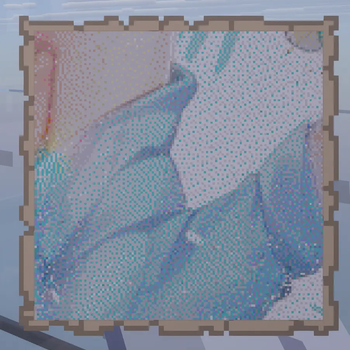

About this Mod
AutoPalette (Client-Side)




Tired of sitting at an easel for hours, clicking pixel-by-pixel with dyes, just to paint a custom image in Minecraft?
ArtMap Auto Draw is a lightweight, client-side Fabric mod for Minecraft 1.21.x that automates painting custom images on server-side ArtMap (or DFArt) easels. Simply select your image, check the automatically generated shopping list of dyes, sit down, and let the mod paint for you!
Features
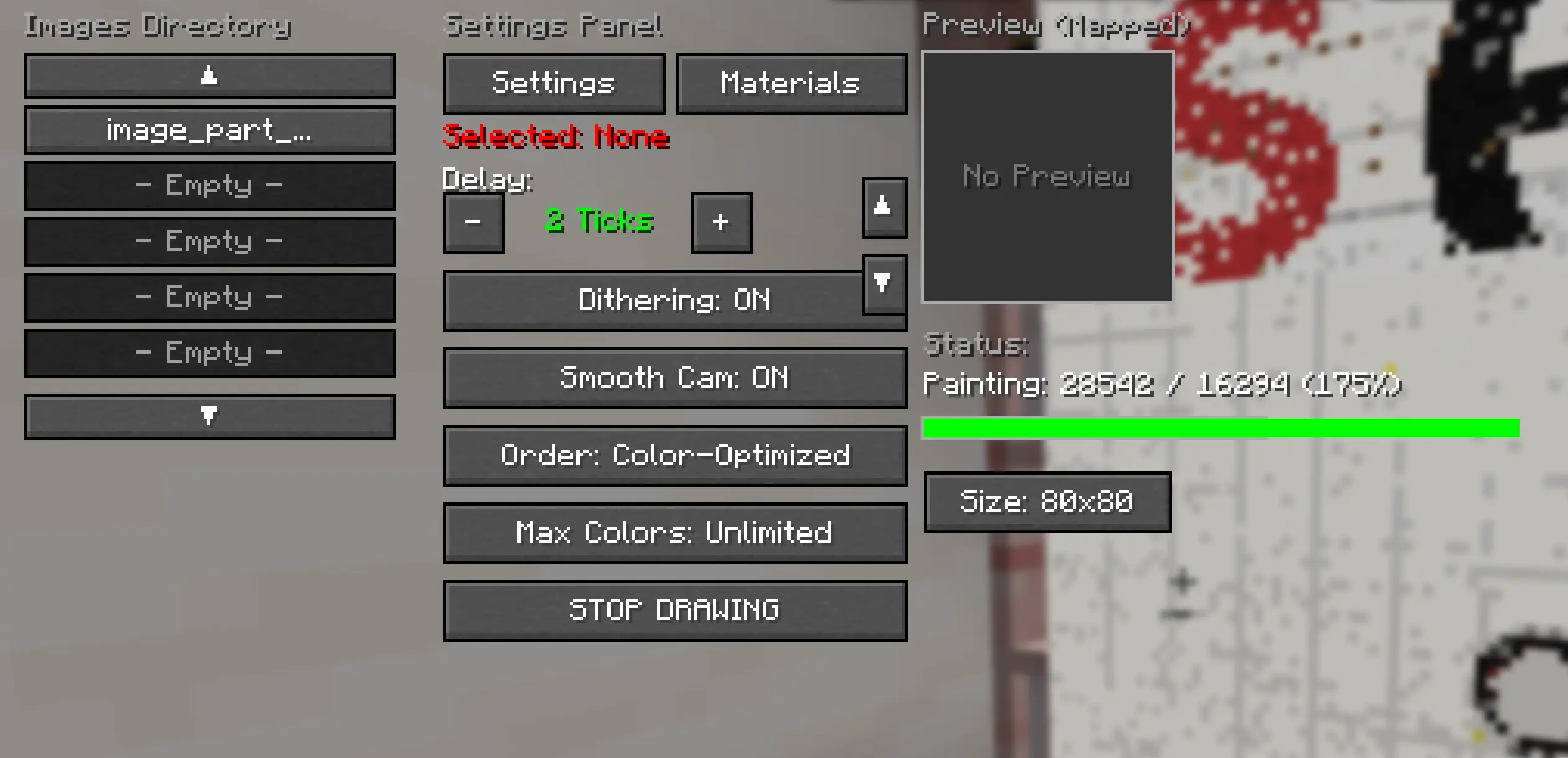
- Intuitive In-Game GUI: Press H (customizable) to open a control dashboard inside the game. Browse local images, tweak settings, and watch your image preview change in real-time.
- Quantization and Dithering: Choose between direct nearest-color matching or high-fidelity Floyd-Steinberg dithering to make pictures look incredibly crisp on the map.
- Max Colors Palette Limiter: Restrict your image's palette to the top Unlimited, 32, 16, or 8 most frequent colors. The GUI preview re-renders instantly to reflect your choice.
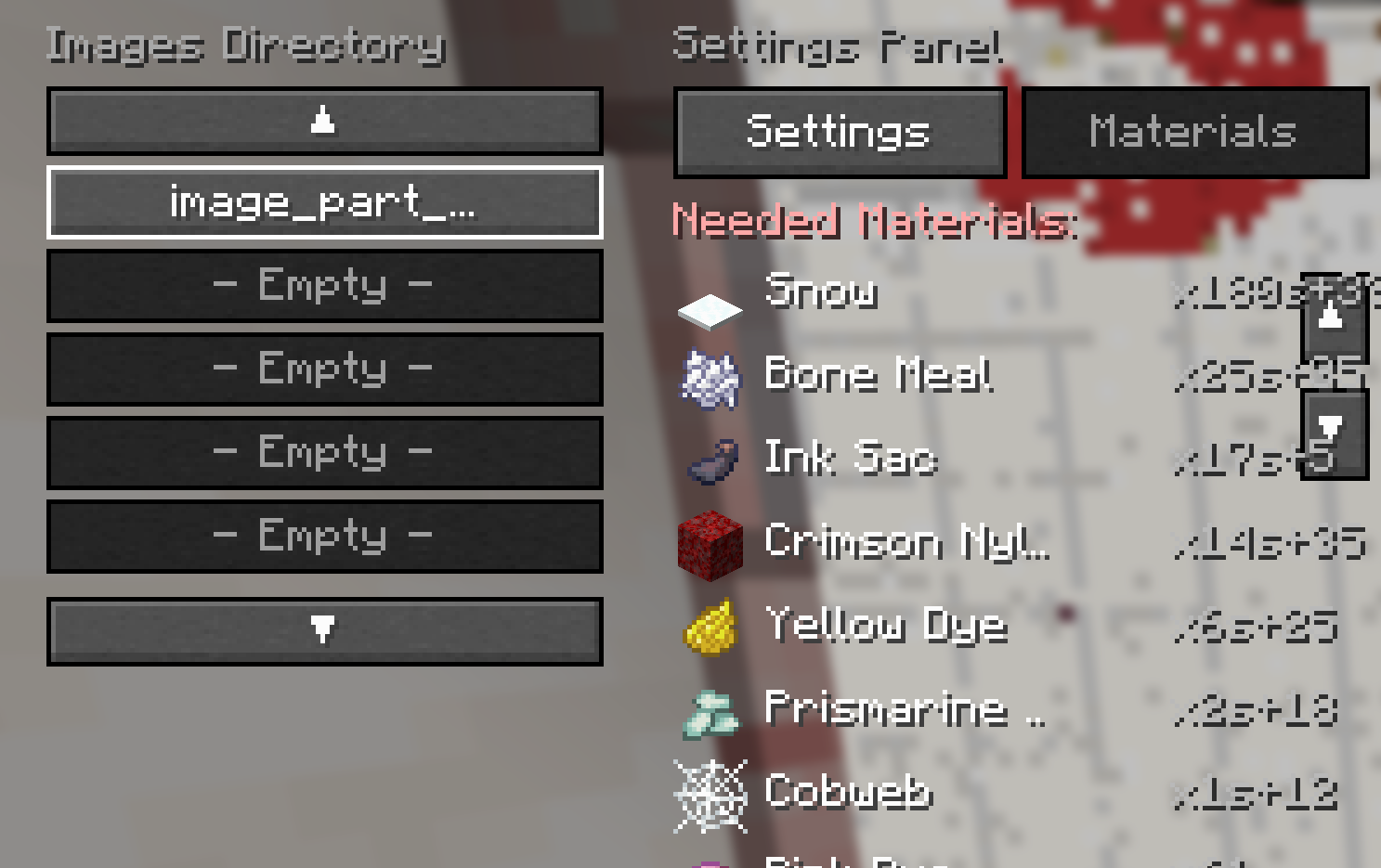
- In-Game Shopping List: The Materials tab calculates exactly how many dyes, coal, and feathers you need. It even renders live 16x16 Minecraft item icons next to each entry.
- Smart Pixel Skipping: The mod reads the canvas state before drawing and automatically skips painting any pixels that already match your image, saving you massive amounts of dye and drawing time.
- Coal and Charcoal Interchangeability: The mod intelligently treats coal and charcoal interchangeably for shading and base black steps, utilizing whatever is available in your inventory.
- Pixel-Perfect Alignment: Utilizes pre-serialized lookups (east.ser, west.ser, etc.) and a vanilla MapColor database (mappings.json) to guarantee 100% boundary alignment and color accuracy on the canvas.
How to Use
- Import Images: Put your image files (PNG or JPG) into the .minecraft/config/autopalette/images/ directory.
- Open the GUI: Sit on an ArtMap easel with a canvas, and press H to open the panel.
- Set Up: Select your image, toggle dithering, set your drawing delay, and choose your color limit.
- Collect Dyes: Click the Materials tab to check your shopping list, and gather the required items in your inventory.
- Draw: Click Start Drawing! The mod will automatically swap tools/dyes into your hotbar, turn your camera, and paint the canvas.
Dependencies and Compatibility
- Platform: Fabric
- Minecraft Version: 1.21.8 (supports minor releases 1.21.9 through 1.21.11 out of the box).
- Dependencies: Fabric Loader and Fabric API only. No other mods required!
- Server Compatibility: Works on any server running the ArtMap or DFArt Bukkit/Spigot plugins.
Disclaimer: This is a client-side utility mod. Please check your server's rules before using automated gameplay elements.
Available Versions
How to Install AutoPalette on Your Server
Order Server
Order a Minecraft Java server with at least 3 GB RAM (4 GB recommended).
Set fabric Loader
In the panel under "Egg", select the fabric loader and matching Minecraft version (1.21.11).
Install Mod
Open the mod browser in the dashboard and search for "AutoPalette". Click "Install" – done! Alternatively, upload the .jar via SFTP to the /mods folder.
Compatibility
Mod Loaders
Minecraft Versions
1.21.11, 1.21.10, 1.21.9 (+1 more)
Server-side
✗ UnsupportedRecommended RAM
4 GB(min. 3 GB)Frequently Asked Questions
AutoPalette server crashes on startup – what to do?
Most common cause: wrong fabric version or insufficient RAM. Check the server log (latest.log) for "OutOfMemoryError" or "Mixin" errors. With Mado Hosting: ensure at least 3 GB RAM is allocated and the loader matches the mod version (1.21.11). You can switch loaders with one click in the panel.
Is AutoPalette compatible with fabric?
AutoPalette officially supports fabric for Minecraft 1.21.11, 1.21.10, 1.21.9. The Mado dashboard automatically detects incompatible loader combinations.
Server lagging with AutoPalette – how to optimize performance?
Recommended RAM: 4 GB (per 8 players). Use /spark profiler to check if AutoPalette consumes the most tick time. Common fixes: reduce server view-distance to 8-10, install "performant" or "starlight" as supplementary mods on Forge. With Mado Hosting, your server runs on NVMe SSDs with dedicated CPU cores for minimal latency.
Similar Mods

![[ETF] Entity Texture Features](https://cdn.modrinth.com/data/BVzZfTc1/af683d206d50b05258d865b0d6e4aa2f2cee12f2_96.webp)
![[EMF] Entity Model Features](https://cdn.modrinth.com/data/4I1XuqiY/6e5bbd0d06b1741bfdab6c0cfab6de8fdaf0064c_96.webp)



Rent Modded Server
Install AutoPalette with just one click on your server.