
AutoSwap
Best-tool switching, broken armor/tools replacement, totem offhand rescue, and torch/block refills — keybind-ready.
Screenshots
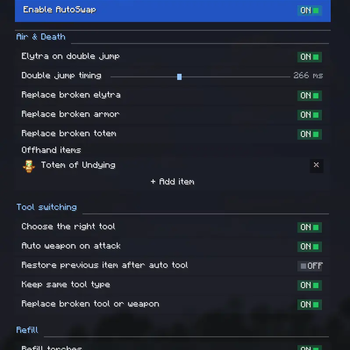
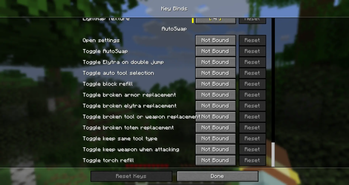
About this Mod
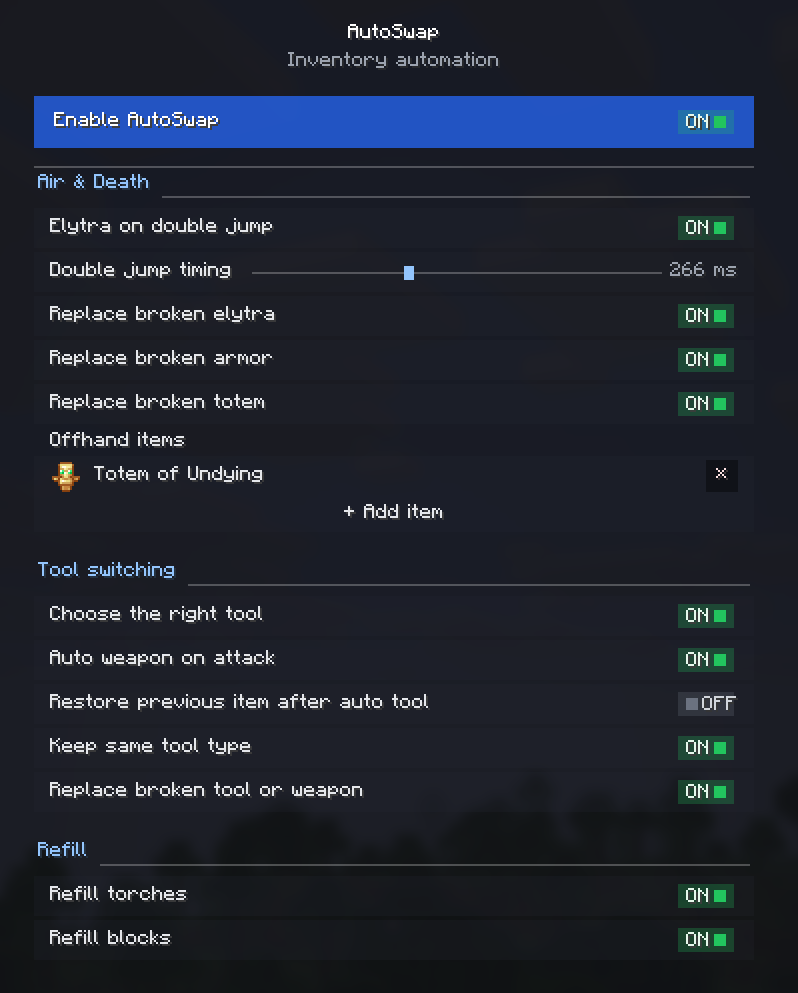

A client-side mod that automates inventory management and equipment swapping during
gameplay. It detects durability loss, empty item stacks, and block-breaking actions to
equip the correct items from your inventory automatically.
Client-side only (no server installation required). Fully compatible with singleplayer.
Features:
- Smart Tool Selection: Switches to the most efficient tool the moment you start
mining a block, and won't replace a tool that's already the right type. - Auto Weapon on Attack: Optionally draws your best sword from your
inventory the instant you start hitting a mob — the combat counterpart of tool
selection. Leave it off and AutoSwap simply never swaps off your weapon while a mob
is in your crosshair. - Gear Replacement: Automatically equips a matching tool, weapon, or armor piece
from your inventory when the currently equipped one breaks. - Offhand Replenishment: Keeps your off-hand stocked — when the held item is used
up, AutoSwap refills it from a list you control. Add a Totem of Undying, shield, or
any item through the built-in creative-style item picker (or by item id). - Stack Refills: Automatically refills the active hotbar slot with identical blocks
or torches when the current stack is depleted. - Double-Jump Elytra: Equips an elytra from your inventory instantly upon performing
a double jump, and swaps your chestplate back when you land. - Restore After Auto-Tool: Puts the item you were holding back in
your hand once you stop mining.
All features are completely modular. Each function can be enabled or disabled
individually through the redesigned in-game settings screen, the configuration file, or
via dedicated keybinds bindable under Controls → AutoSwap.
Translated into 10 languages — English and Russian are complete; other locales are
in progress.
Please report any bugs, errors, or feature suggestions on Discord: https://discord.gg/4XUPywnEyE
Available Versions
How to Install AutoSwap on Your Server
Order Server
Order a Minecraft Java server with at least 3 GB RAM (4 GB recommended).
Set fabric Loader
In the panel under "Egg", select the fabric loader and matching Minecraft version (26.1.2).
Install Mod
Open the mod browser in the dashboard and search for "AutoSwap". Click "Install" – done! Alternatively, upload the .jar via SFTP to the /mods folder.
Compatibility
Mod Loaders
Minecraft Versions
26.1.2, 26.1.1, 26.1 (+4 more)
Server-side
✗ UnsupportedRecommended RAM
4 GB(min. 3 GB)Frequently Asked Questions
AutoSwap server crashes on startup – what to do?
Most common cause: wrong fabric version or insufficient RAM. Check the server log (latest.log) for "OutOfMemoryError" or "Mixin" errors. With Mado Hosting: ensure at least 3 GB RAM is allocated and the loader matches the mod version (26.1.2). You can switch loaders with one click in the panel.
Is AutoSwap compatible with fabric and forge and neoforge?
AutoSwap officially supports fabric, forge, neoforge for Minecraft 26.1.2, 26.1.1, 26.1. Note: Forge and Fabric mods are NOT cross-compatible – pick one loader and stick with it. The Mado dashboard automatically detects incompatible loader combinations.
Server lagging with AutoSwap – how to optimize performance?
Recommended RAM: 4 GB (per 8 players). Use /spark profiler to check if AutoSwap consumes the most tick time. Common fixes: reduce server view-distance to 8-10, install "performant" or "starlight" as supplementary mods on Forge. With Mado Hosting, your server runs on NVMe SSDs with dedicated CPU cores for minimal latency.
Similar Mods




Rent Modded Server
Install AutoSwap with just one click on your server.