
AutoWaterDrop
Auto-mod for water clutch: he picks up a bucket, puts water under the player when he falls, picks it back up, returns the slot and shows the status in the HUD (G on/off).
Screenshots
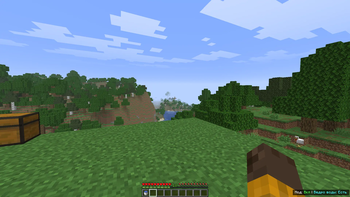
About this Mod
EN:
The project adds the AutoWaterDrop client Fabric mod for autosaving from falling from a height using a bucket of water.
Currently, the mod does the following:
Enabling/disabling with the G bind.
Automatically finds a bucket of water in the hand, hotbar, or main inventory.
If the bucket is in the inventory, it temporarily swaps it to the active slot.
During the fall, it automatically attempts to place the water.
Places water only in the column directly below the player.
After landing/contacting the water, it attempts to automatically collect the water back into the bucket.
Returns the selected slot/item after the cycle.
Displays the HUD status in the lower-right corner: mod On/Off and whether there is a water bucket.
Displays a periodic warning if there is no water bucket (with a background and a smooth fade-out).
RU:
Проект добавляет модификацию AutoWaterDrop для клиента Fabric, позволяющую автоматически сохраняться после падения с высоты с помощью ведра с водой.
В настоящее время модификация выполняет следующие действия:
Включение/выключение с помощью клавиши G.
Автоматически находит ведро с водой в руке, на панели быстрого доступа или в основном инвентаре.
Если ведро находится в инвентаре, временно перемещает его в активный слот.
Во время падения автоматически пытается разместить воду.
Размещает воду только в столбике непосредственно под игроком. После приземления/контакта с водой пытается автоматически собрать воду обратно в ведро.
Возвращает выбранный слот/предмет после завершения цикла.
Отображает состояние HUD в правом нижнем углу: модификация включена/выключена и наличие ведра с водой.
Отображает периодическое предупреждение, если ведра с водой нет (с фоном и плавным затуханием).
Available Versions
How to Install AutoWaterDrop on Your Server
Order Server
Order a Minecraft Java server with at least 3 GB RAM (4 GB recommended).
Set fabric Loader
In the panel under "Egg", select the fabric loader and matching Minecraft version (26.1.2).
Install Mod
Open the mod browser in the dashboard and search for "AutoWaterDrop". Click "Install" – done! Alternatively, upload the .jar via SFTP to the /mods folder.
Compatibility
Mod Loaders
Minecraft Versions
26.1.2, 26.1.1, 26.1 (+5 more)
Server-side
✗ UnsupportedRecommended RAM
4 GB(min. 3 GB)Frequently Asked Questions
AutoWaterDrop server crashes on startup – what to do?
Most common cause: wrong fabric version or insufficient RAM. Check the server log (latest.log) for "OutOfMemoryError" or "Mixin" errors. With Mado Hosting: ensure at least 3 GB RAM is allocated and the loader matches the mod version (26.1.2). You can switch loaders with one click in the panel.
Is AutoWaterDrop compatible with fabric and neoforge?
AutoWaterDrop officially supports fabric, neoforge for Minecraft 26.1.2, 26.1.1, 26.1. The Mado dashboard automatically detects incompatible loader combinations.
Server lagging with AutoWaterDrop – how to optimize performance?
Recommended RAM: 4 GB (per 8 players). Use /spark profiler to check if AutoWaterDrop consumes the most tick time. Common fixes: reduce server view-distance to 8-10, install "performant" or "starlight" as supplementary mods on Forge. With Mado Hosting, your server runs on NVMe SSDs with dedicated CPU cores for minimal latency.
Similar Mods




Rent Modded Server
Install AutoWaterDrop with just one click on your server.