
Azalea Growth Control
Limits azalea generation to appropriate biomes. Because even trees need boundaries.
Screenshots

About this Mod









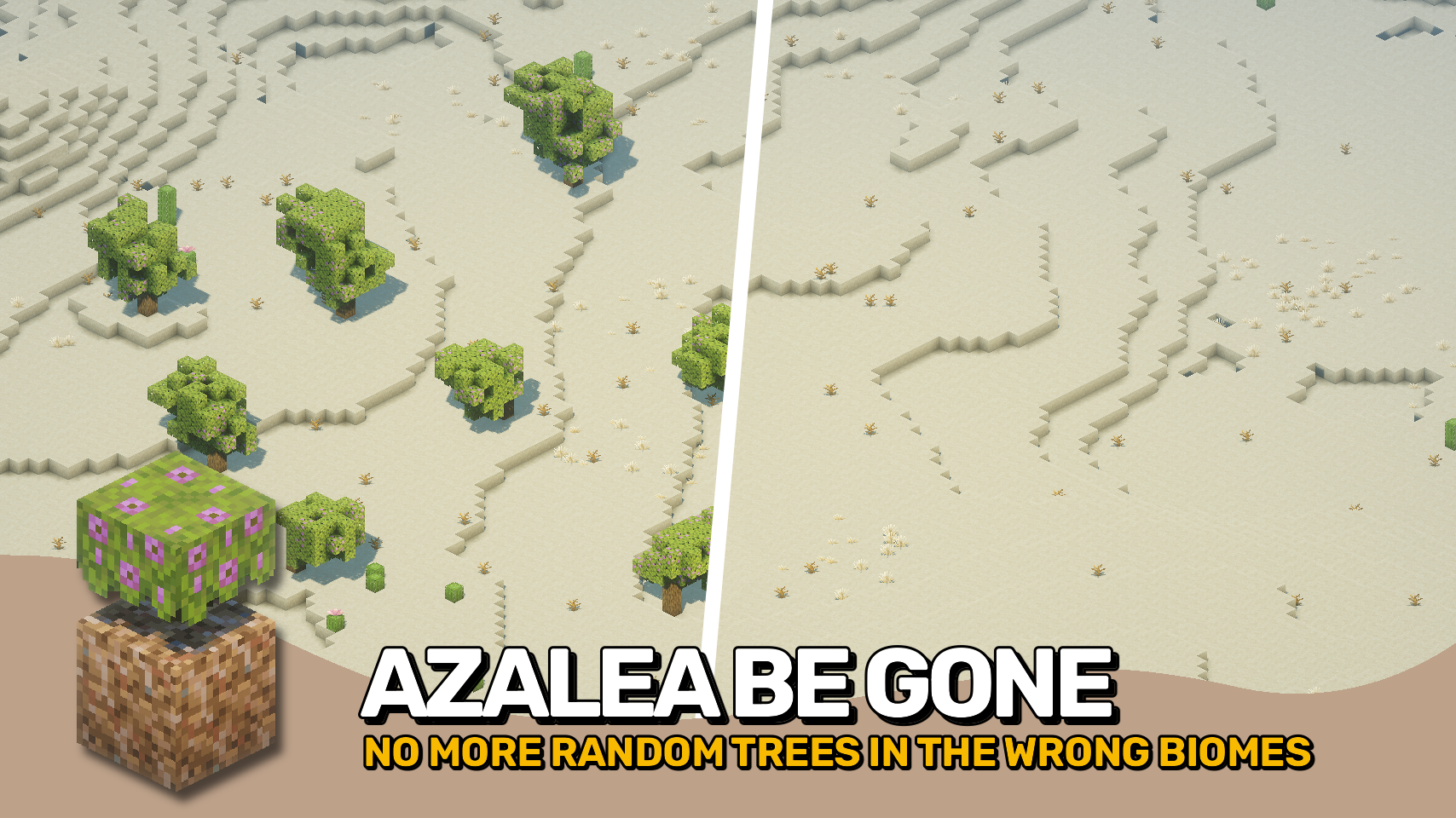
Vanilla Minecraft grows azalea trees in any surface biome: even deserts and snowy tundras. A behavior officially marked as Works As Intended in MC-238499.
Azalea Growth Control restores some sanity to world generation by limiting azalea trees to biomes that actually suit them. It does so through the new azaleagrowthcontrol:grows_azalea_trees biome tag, which defines where these trees can now appear.
It works seamlessly with both vanilla and modded biomes, giving your worlds a more natural, consistent look. No more random green blobs in frozen wastelands!


⏩ INSTALLATION REQUIRED ON SERVER
⏩ REQUIRES PUZZLES LIB TO BE INSTALLED (FABRIC & NEOFORGE)
⏩ REQUIRES FABRIC API TO BE INSTALLED (FABRIC)
⏩ REQUIRES FORGE CONFIG API PORT TO BE INSTALLED (FABRIC)

If available for a mod, configuration is possible directly from in-game using the mod menu (requires Mod Menu by Prospector to be installed on Fabric). Please note that on older Minecraft versions installing Forge Config Screens is also a requirement.
For manual configuration using an external text editor all files are found at .minecraft/config, named as MOD_ID-client.toml, MOD_ID-common.toml, or MOD_ID-server.toml, depending on the type of config. Not all types might exist for a mod, if any at all.




Available Versions
How to Install Azalea Growth Control on Your Server
Order Server
Order a Minecraft Java server with at least 4 GB RAM (6 GB recommended).
Set fabric Loader
In the panel under "Egg", select the fabric loader and matching Minecraft version (26.1.2).
Install Mod
Open the mod browser in the dashboard and search for "Azalea Growth Control". Click "Install" – done! Alternatively, upload the .jar via SFTP to the /mods folder.
Compatibility
Mod Loaders
Minecraft Versions
26.1.2, 26.1.1, 26.1 (+5 more)
Server-side
✓ RequiredRecommended RAM
6 GB(min. 4 GB)Frequently Asked Questions
Azalea Growth Control server crashes on startup – what to do?
Most common cause: wrong fabric version or insufficient RAM. Check the server log (latest.log) for "OutOfMemoryError" or "Mixin" errors. With Mado Hosting: ensure at least 4 GB RAM is allocated and the loader matches the mod version (26.1.2). You can switch loaders with one click in the panel.
Is Azalea Growth Control compatible with fabric and neoforge?
Azalea Growth Control officially supports fabric, neoforge for Minecraft 26.1.2, 26.1.1, 26.1. The Mado dashboard automatically detects incompatible loader combinations.
Server lagging with Azalea Growth Control – how to optimize performance?
Recommended RAM: 6 GB (per 5 players). Use /spark profiler to check if Azalea Growth Control consumes the most tick time. Common fixes: reduce server view-distance to 8-10, install "performant" or "starlight" as supplementary mods on Forge. With Mado Hosting, your server runs on NVMe SSDs with dedicated CPU cores for minimal latency.
Similar Mods



Rent Modded Server
Install Azalea Growth Control with just one click on your server.