
Create: BalancedFlight
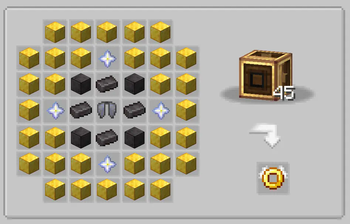
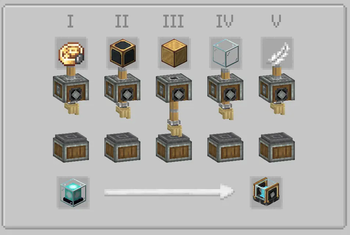
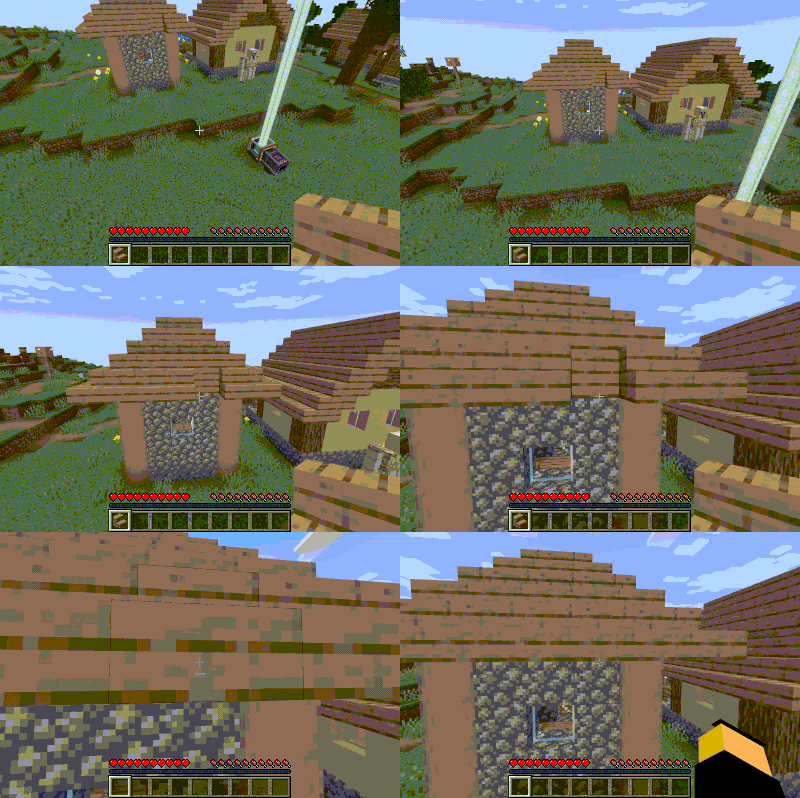
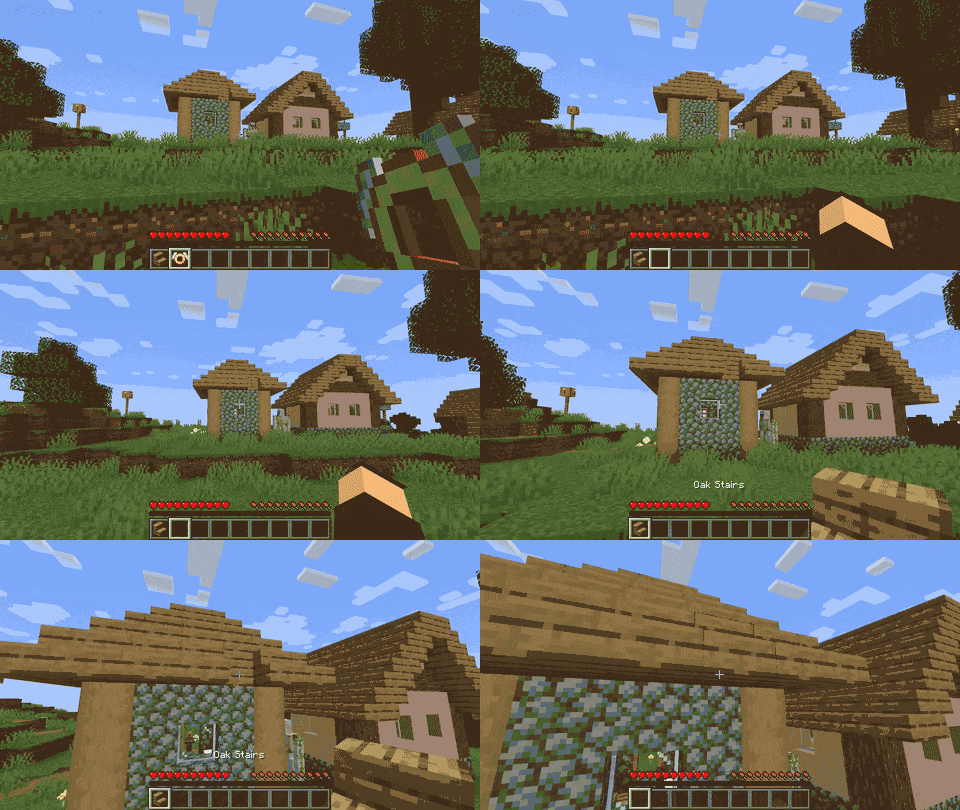
This mod allows flight using the Ascended Flight Ring, letting you fly freely like in Creative mode. Alternatively, with rotational force, it enables limited-area flight based on the power provided. Use the Flight Anchor to define your flight zone.
Screenshots

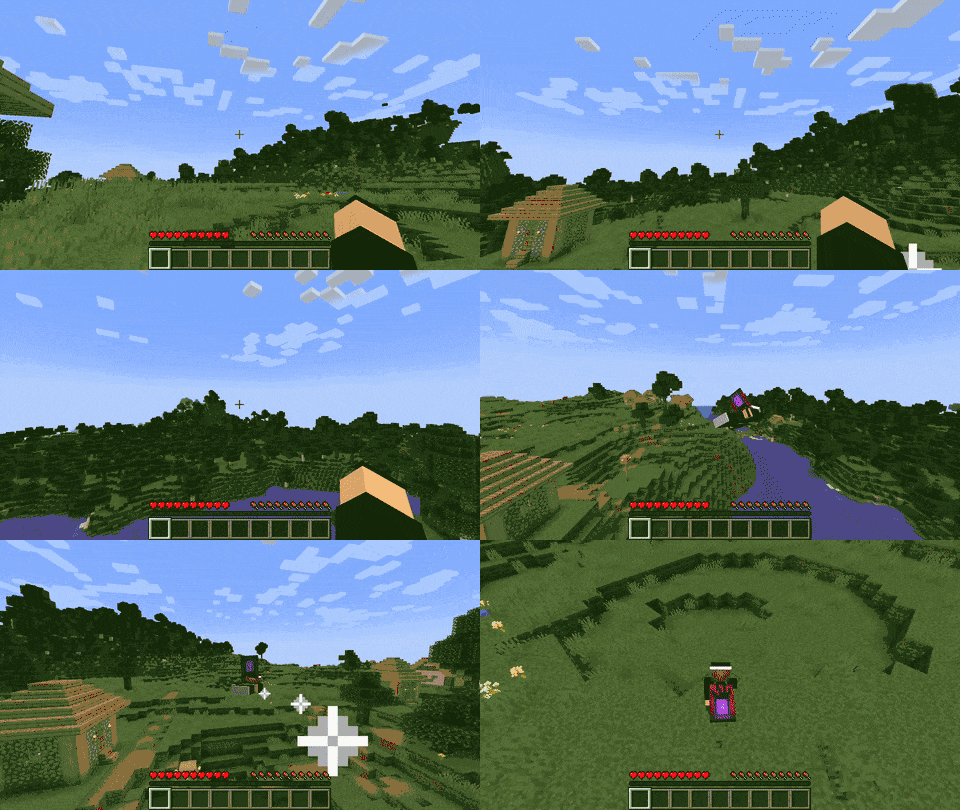
About this Mod
Disclaimer
⚠️ Disclaimer: This is a fork. I am not the original creator. The original mod was developed by Txnimc, with a later fork by Sintinium.
This version updates the mod for compatibility with Create 6.0.x.
About the Mod
Create: Balanced Flight seeks to bridge the gap between early-game convenience and meaningful late-game progression. It’s designed to be the only flight mod in your modpack — no jetpacks, gliders, or competing rings — offering a balanced, Create-compatible flight system.
Two Flight Options
Ascended Flight Ring
Grants Creative-style unlimited flight. Requires an Elytra to craft, making it an end-game reward.Flight Anchor
A rotationally-powered block that provides flight within a radius based on how much RPM it receives. Each 1 RPM gives 1 block of flight radius. Vertical flight is unlimited. However, the stress cost can be very high, requiring efficient setups.
Elytra Enhancements
To keep Elytra flight fun and relevant:
- No Elytra durability loss
- Take off from the ground with Elytra
- Infinite “free” firework boost while sprinting and holding W
- Crouch + C to launch into the air and begin gliding
These changes are fully configurable, and the Ascended Ring remains a high-cost item that modpack authors can balance as they see fit.
Requirements
- Create Mod (v6.0.x)
- Curios API
- Geckolib
Credits
Originally based on Angel Ring, though completely rewritten and retextured.
Big thanks to Txnimc (original creator), Sintinium (prior fork), and tterrag for the excellent Registrate library.
License
MIT License

Copyright (c) 2019 DenisMasterHerobrine

Permission is hereby granted, free of charge, to any person obtaining a copy
of this software and associated documentation files (the "Software"), to deal
in the Software without restriction, including without limitation the rights
to use, copy, modify, merge, publish, distribute, sublicense, and/or sell
copies of the Software, and to permit persons to whom the Software is
furnished to do so, subject to the following conditions:

The above copyright notice and this permission notice shall be included in all
copies or substantial portions of the Software.

THE SOFTWARE IS PROVIDED "AS IS", WITHOUT WARRANTY OF ANY KIND, EXPRESS OR
IMPLIED, INCLUDING BUT NOT LIMITED TO THE WARRANTIES OF MERCHANTABILITY,
FITNESS FOR A PARTICULAR PURPOSE AND NONINFRINGEMENT. IN NO EVENT SHALL THE
AUTHORS OR COPYRIGHT HOLDERS BE LIABLE FOR ANY CLAIM, DAMAGES OR OTHER
LIABILITY, WHETHER IN AN ACTION OF CONTRACT, TORT OR OTHERWISE, ARISING FROM,
OUT OF OR IN CONNECTION WITH THE SOFTWARE OR THE USE OR OTHER DEALINGS IN THE
SOFTWARE.
Available Versions
How to Install Create: BalancedFlight on Your Server
Order Server
Order a Minecraft Java server with at least 4 GB RAM (6 GB recommended).
Set forge Loader
In the panel under "Egg", select the forge loader and matching Minecraft version (1.20.1).
Install Mod
Open the mod browser in the dashboard and search for "Create: BalancedFlight". Click "Install" – done! Alternatively, upload the .jar via SFTP to the /mods folder.
Compatibility
Mod Loaders
Minecraft Versions
1.20.1
Server-side
✓ RequiredRecommended RAM
6 GB(min. 4 GB)Frequently Asked Questions
Create: BalancedFlight server crashes on startup – what to do?
Most common cause: wrong forge version or insufficient RAM. Check the server log (latest.log) for "OutOfMemoryError" or "Mixin" errors. With Mado Hosting: ensure at least 4 GB RAM is allocated and the loader matches the mod version (1.20.1). You can switch loaders with one click in the panel.
Is Create: BalancedFlight compatible with forge?
Create: BalancedFlight officially supports forge for Minecraft 1.20.1. The Mado dashboard automatically detects incompatible loader combinations.
Server lagging with Create: BalancedFlight – how to optimize performance?
Recommended RAM: 6 GB (per 5 players). Use /spark profiler to check if Create: BalancedFlight consumes the most tick time. Common fixes: reduce server view-distance to 8-10, install "performant" or "starlight" as supplementary mods on Forge. With Mado Hosting, your server runs on NVMe SSDs with dedicated CPU cores for minimal latency.
Similar Mods




Rent Modded Server
Install Create: BalancedFlight with just one click on your server.