
Bannerhunt
Capture the flag minigame!
Screenshots

About this Mod

Bannerhunt is a server-side minigame mix between Capture the Flag and King of the Hill!
It is a free-for-all designed for ongoing servers (and even new ones) to play in a server event.
How to Play
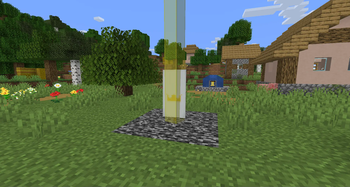
A small platform with a banner and a beacon-like beam will be placed at a location of choice. Your goal is to keep this flag in your possession for as long as possible to score points!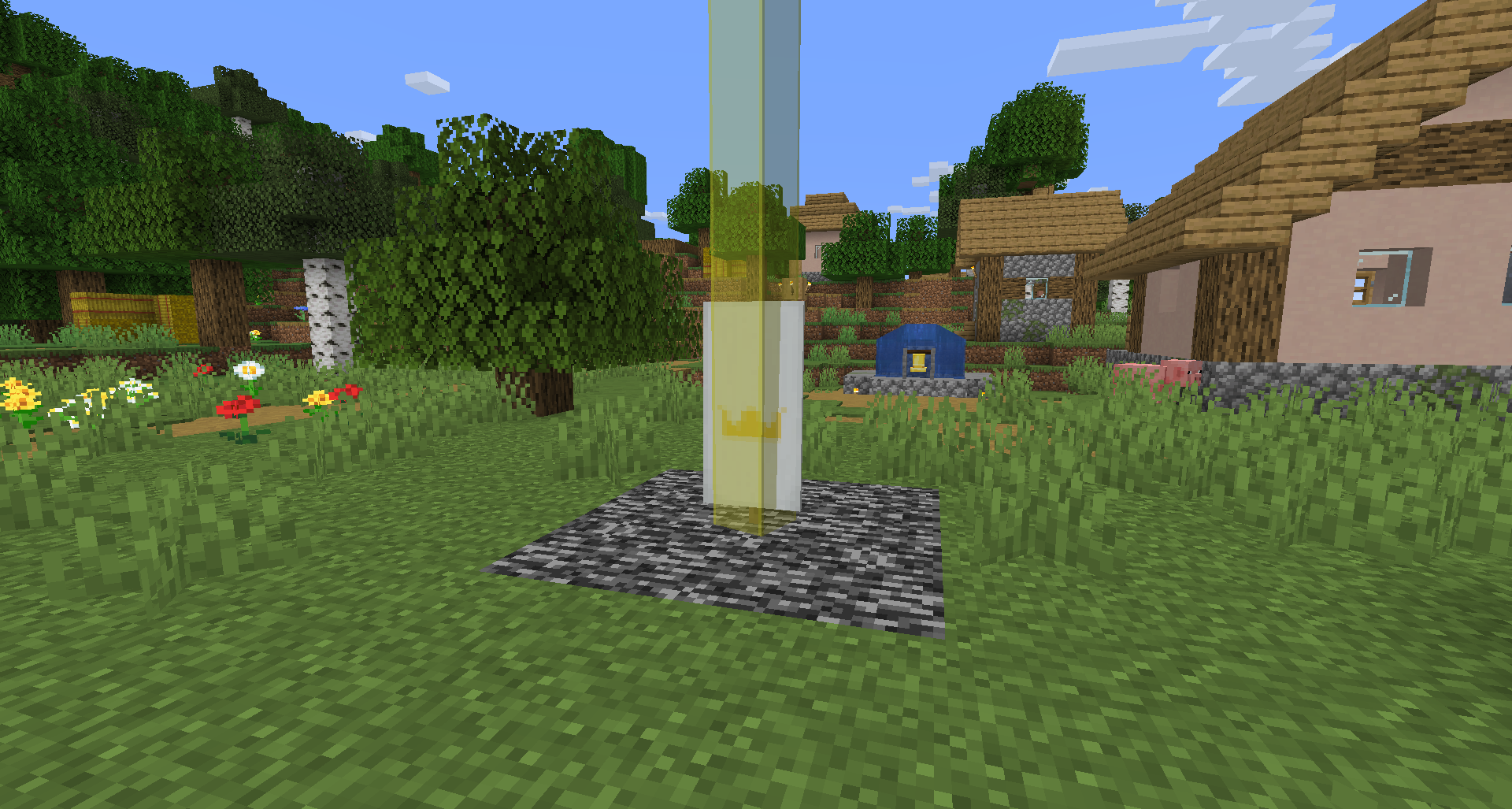
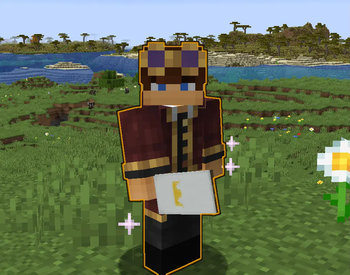
Once you get the banner, you will start to glow and sparkle until you place it down. If you were the last to touch it, you will still get points! (You can see who has the flag by their name color and prefix in tab) First to 10 points wins!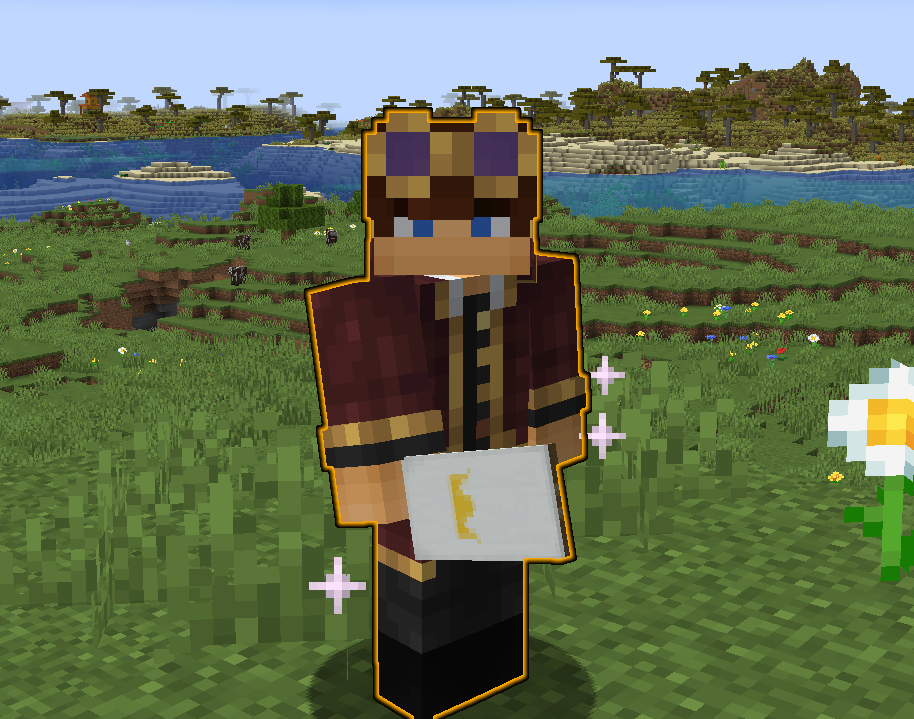
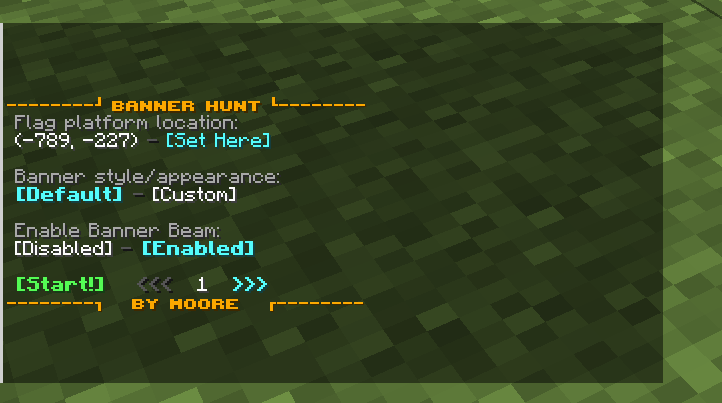
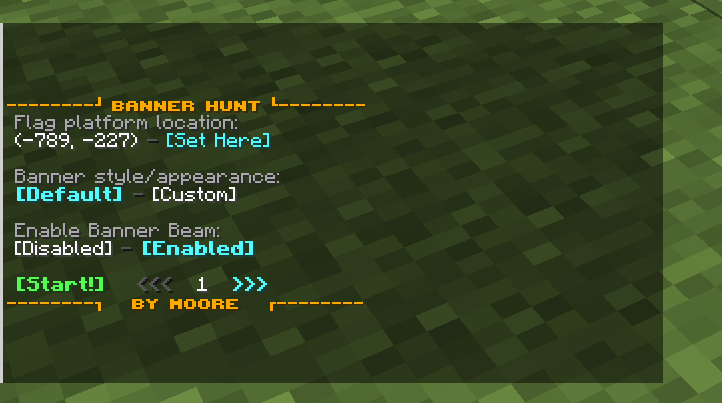
The setup is easy and intuitive with a menu system for all the settings!! Nearly everything is customizable to fit your needs! You are even able to change the style of the banner however you would like!
Rules and Settings
Forced Rules
- NO placing the banner in a container of any kind! THIS WILL MAKE A NEW FLAG, AND YOURS WILL BE DELETED
- NO logging out with the banner in your posession! This will also create a new flag!
- If the flag is destroyed in any way shape or form, a new one will be spawned.
- You are unable to place the banner on the side of a block.
Default Settings/Rules
All of these rules can be changed in settings- Placed flags have a beacon-like beam
- Points needed to win is 10
- Posessing the flag for 5 minutes gives 1 point
- Holding the flag gives debuffs! (ties into next rule)
- Holding the flag instead of placing it down results in scoring points twice as fast
- Scoring a point while holding the flag announces location in chat
- You are unable to carry the flag to other dimensions
- If you travel too fast while holding the flag (elytra, riptide, fast-travel, etc), you will lose it
Setup
With the datapack/mod properly installed on the server, type /reload, which will show the version and setup button! Go through the steps for placing down the spawn location, chosing point goals, and more!
You also have these commands at your disposal:
/function bannerhunt:setup
/function bannerhunt:settings
/function bannerhunt:start
/function bannerhunt:end
/function bannerhunt:uninstall
⚠ KNOWN ISSUES ⚠
- You cannot click and move the flag in your inventory! This was to avoid a minecraft bug that would say you do not have the flag when you really do.
- The workaround is to hover over the slot you want it in, and pressing a number key relating to the hotbar slot that it is currently positioned in.
- If your server has teams set, this will override them when someone obtains the flag! You will need to reassign your teams after you are done with the minigame, sorry!
- Occasionally the banner beam will not render! This can be fixed in most cases by increasing Entity Distance in your Video Settings.
- Killing a player that holds the flag will send a notification in chat twice
- Not really game breaking but a bit annoying! If you think you can solve it the GitHub is linked above, I've already tried.
Available Versions
How to Install Bannerhunt on Your Server
Order Server
Order a Minecraft Java server with at least 3 GB RAM (4 GB recommended).
Set datapack Loader
In the panel under "Egg", select the datapack loader and matching Minecraft version (1.20.1).
Install Mod
Open the mod browser in the dashboard and search for "Bannerhunt". Click "Install" – done! Alternatively, upload the .jar via SFTP to the /mods folder.
Compatibility
Mod Loaders
Minecraft Versions
1.20.1
Server-side
✓ RequiredRecommended RAM
4 GB(min. 3 GB)Frequently Asked Questions
Bannerhunt server crashes on startup – what to do?
Most common cause: wrong datapack version or insufficient RAM. Check the server log (latest.log) for "OutOfMemoryError" or "Mixin" errors. With Mado Hosting: ensure at least 3 GB RAM is allocated and the loader matches the mod version (1.20.1). You can switch loaders with one click in the panel.
Is Bannerhunt compatible with datapack and fabric and forge and neoforge and quilt?
Bannerhunt officially supports datapack, fabric, forge, neoforge, quilt for Minecraft 1.20.1. Note: Forge and Fabric mods are NOT cross-compatible – pick one loader and stick with it. The Mado dashboard automatically detects incompatible loader combinations.
Server lagging with Bannerhunt – how to optimize performance?
Recommended RAM: 4 GB (per 8 players). Use /spark profiler to check if Bannerhunt consumes the most tick time. Common fixes: reduce server view-distance to 8-10, install "performant" or "starlight" as supplementary mods on Forge. With Mado Hosting, your server runs on NVMe SSDs with dedicated CPU cores for minimal latency.
Similar Mods




Rent Modded Server
Install Bannerhunt with just one click on your server.