
Basic Skyblock
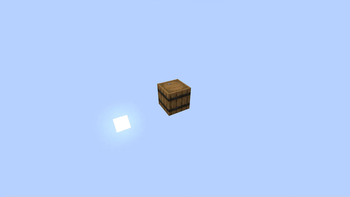
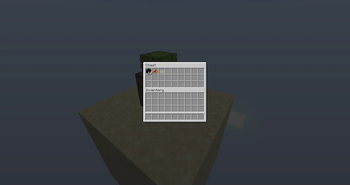
Just the bare minimum for vanilla skyblock. Automatically removes newely generated chunks.
Screenshots
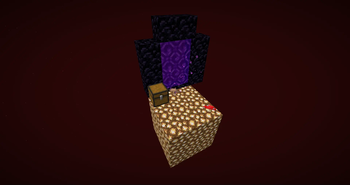
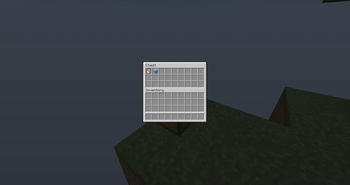
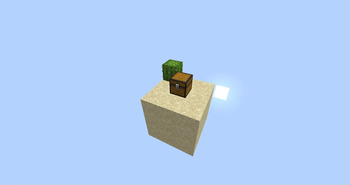
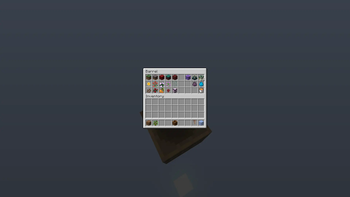
About this Mod
SkyBlock
A basic syblock implementation where all blocks and entities are
removed after they are generated as to ensure that the structure
bounding boxes are generated in their original position, but before
the chunk is lit so every chunk does not have to be relit.
The +entities (-e) version does not remove entities, although they
do fall into the void. They may be catchable using flying machines.
You can find a recreation of the original
skyblock 2.1 map with seed: -5013545841426130646
at: https://www.mediafire.com/folder/n7a7x0gkdvunw/Skyblock
WARNING: do not open any pre-1.18 worlds with this mod active!
While converting from pre 1.18 to post 1.18, the mod will remove all
blocks and entities
in the old chunks.
Remove the mod, convert your world and re-add
the mod afterwards.
Updating between any post 1.18 versions should be fine, although I do
recommend backing up your world beforehand.
Installation
Fabric Installer: https://fabricmc.net/use/
If you have any trouble with a part of the installation,
I made a step by step on the process:
https://docs.google.com/document/d/1BWKdWrVqP9K3t1T7GJG-C6UjfWvbO4MiADr9DMjai00/
The tutorial is written for 1.18 but the steps are the same for
subsequent versions.
You can also look at one of many mod installation tutorials on youtube.
Available Versions
How to Install Basic Skyblock on Your Server
Order Server
Order a Minecraft Java server with at least 4 GB RAM (6 GB recommended).
Set fabric Loader
In the panel under "Egg", select the fabric loader and matching Minecraft version (26.1.1).
Install Mod
Open the mod browser in the dashboard and search for "Basic Skyblock". Click "Install" – done! Alternatively, upload the .jar via SFTP to the /mods folder.
Compatibility
Mod Loaders
Minecraft Versions
26.1.1, 26.1, 1.21.11 (+26 more)
Server-side
✓ RequiredRecommended RAM
6 GB(min. 4 GB)Frequently Asked Questions
Basic Skyblock server crashes on startup – what to do?
Most common cause: wrong fabric version or insufficient RAM. Check the server log (latest.log) for "OutOfMemoryError" or "Mixin" errors. With Mado Hosting: ensure at least 4 GB RAM is allocated and the loader matches the mod version (26.1.1). You can switch loaders with one click in the panel.
Is Basic Skyblock compatible with fabric and quilt?
Basic Skyblock officially supports fabric, quilt for Minecraft 26.1.1, 26.1, 1.21.11. The Mado dashboard automatically detects incompatible loader combinations.
Server lagging with Basic Skyblock – how to optimize performance?
Recommended RAM: 6 GB (per 5 players). Use /spark profiler to check if Basic Skyblock consumes the most tick time. Common fixes: reduce server view-distance to 8-10, install "performant" or "starlight" as supplementary mods on Forge. With Mado Hosting, your server runs on NVMe SSDs with dedicated CPU cores for minimal latency.
Similar Mods



Rent Modded Server
Install Basic Skyblock with just one click on your server.