
BastiGHG Timer Mod
🏃♂️ BastiGHG Timer — A lightweight client-side Minecraft timer mod for speedruns, challenges, and streams, with full customization and modern GUI.
Screenshots
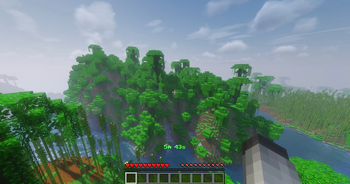
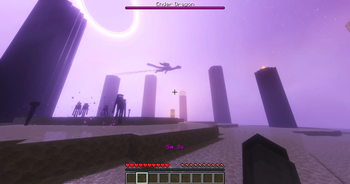
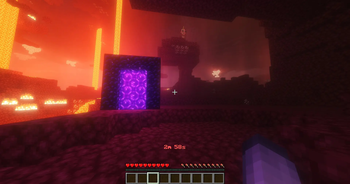
About this Mod
F7 TO OPEN GUI
🏃♂️ BastiGHG Timer – Minecraft Speedrun Timer
A client-side Fabric mod that brings BastiGHG’s speedrun timer plugin into Minecraft — perfect for speedruns, challenges, and content creation.
✨ Features
Full timer controls: start, pause, resume, stop, reset, clear, status
Countdown & Speed Challenge modes (with Speed II effect)
Displays in Actionbar, Chat, or Title with authentic time format
F7 hotkey: Open modern tab-based GUI (General, Display, Colors, Language)
Customization: Hex colors, live preview, persistent settings
Extra info: Y-level, biome, or combined view
Bilingual (English & German) + hover tooltips
Audio feedback: sounds & countdown warnings
Lightweight, optimized, and professional UI
_
📋 Requirements
Minecraft: 1.20.x – 1.21.5
Mod Loader: Fabric
Dependencies (Required): Fabric API
Optional:
ModMenu
– for mod list integration
Cloth Config
– for enhanced GUI
_
✅ Compatibility
Client-side only – works on all servers without installation
Fully compatible with vanilla servers
No server permissions required
Local config & data storage
_#
🎯 Perfect For
🏃 Speedruns – accurate, local timer
⚡ Challenges – countdowns, custom runs
🎮 Streamers/YouTubers – clean overlays
🏆 Competitions – fair play with local timing
📊 Tracking playtime & progress
📄 License
MIT License — free to use and modify
Available Versions
How to Install BastiGHG Timer Mod on Your Server
Order Server
Order a Minecraft Java server with at least 3 GB RAM (4 GB recommended).
Set fabric Loader
In the panel under "Egg", select the fabric loader and matching Minecraft version (1.21.8).
Install Mod
Open the mod browser in the dashboard and search for "BastiGHG Timer Mod". Click "Install" – done! Alternatively, upload the .jar via SFTP to the /mods folder.
Compatibility
Mod Loaders
Minecraft Versions
1.21.8, 1.21.7, 1.21.6 (+6 more)
Server-side
✗ UnsupportedRecommended RAM
4 GB(min. 3 GB)Frequently Asked Questions
BastiGHG Timer Mod server crashes on startup – what to do?
Most common cause: wrong fabric version or insufficient RAM. Check the server log (latest.log) for "OutOfMemoryError" or "Mixin" errors. With Mado Hosting: ensure at least 3 GB RAM is allocated and the loader matches the mod version (1.21.8). You can switch loaders with one click in the panel.
Is BastiGHG Timer Mod compatible with fabric?
BastiGHG Timer Mod officially supports fabric for Minecraft 1.21.8, 1.21.7, 1.21.6. The Mado dashboard automatically detects incompatible loader combinations.
Server lagging with BastiGHG Timer Mod – how to optimize performance?
Recommended RAM: 4 GB (per 8 players). Use /spark profiler to check if BastiGHG Timer Mod consumes the most tick time. Common fixes: reduce server view-distance to 8-10, install "performant" or "starlight" as supplementary mods on Forge. With Mado Hosting, your server runs on NVMe SSDs with dedicated CPU cores for minimal latency.
Similar Mods




Rent Modded Server
Install BastiGHG Timer Mod with just one click on your server.