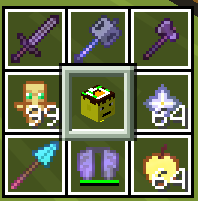
BattryLeaf's 3x3 hotbar
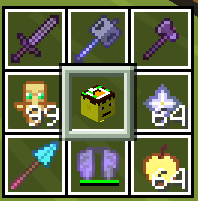
Converts your Minecraft hotbar into a clean 3×3 grid. perfect for MMO mouse users and faster item access.
Screenshots
About this Mod
⚠️ Development Over
I cannot do this anymore... lack of funds and I am just done. its just too hard especially beacause i have never coded before. This project is hereby DISCOUNTINUED. [small chances that i get back to it later. take it like a grain of salt tho]. Moving on to other projects.
🧩 What This Mod Does
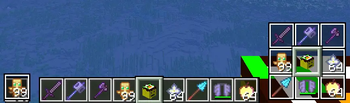
BattryLeaf's 3x3 hotbar replaces the standard 1×9 Minecraft hotbar with a 3×3 grid layout.
This makes item selection more intuitive, especially for players using MMO mice or those who prefer a more compact and visual layout.
✨ Features
- Converts hotbar into a 3×3 grid
- Designed for MMO mouse users (mapped buttons feel more natural)
- Cleaner and more organized item layout
- Lightweight and client-side
🎮 Why Use This Mod?
The default hotbar can feel limiting when using multiple keybinds.
This mod improves:
- Muscle memory for MMO mouse users
- Faster item selection
- Better visual grouping of items
⚠️ Compatibility & Notes
- Made for Minecraft 1.21.1-11
- Other versions may not be supported (for now)
- This is an early release bugs and UI issues may occur
👤 Developer Note
I'm actively learning and improving this mod over time. Feedback is appreciated
Also special thanks to ChatGPT and Claude for helping me improve the code
Available Versions
How to Install BattryLeaf's 3x3 hotbar on Your Server
Order Server
Order a Minecraft Java server with at least 3 GB RAM (4 GB recommended).
Set fabric Loader
In the panel under "Egg", select the fabric loader and matching Minecraft version (1.21.11).
Install Mod
Open the mod browser in the dashboard and search for "BattryLeaf's 3x3 hotbar". Click "Install" – done! Alternatively, upload the .jar via SFTP to the /mods folder.
Compatibility
Mod Loaders
Minecraft Versions
1.21.11, 1.21.10, 1.21.9 (+9 more)
Server-side
✗ UnsupportedRecommended RAM
4 GB(min. 3 GB)Frequently Asked Questions
BattryLeaf's 3x3 hotbar server crashes on startup – what to do?
Most common cause: wrong fabric version or insufficient RAM. Check the server log (latest.log) for "OutOfMemoryError" or "Mixin" errors. With Mado Hosting: ensure at least 3 GB RAM is allocated and the loader matches the mod version (1.21.11). You can switch loaders with one click in the panel.
Is BattryLeaf's 3x3 hotbar compatible with fabric?
BattryLeaf's 3x3 hotbar officially supports fabric for Minecraft 1.21.11, 1.21.10, 1.21.9. The Mado dashboard automatically detects incompatible loader combinations.
Server lagging with BattryLeaf's 3x3 hotbar – how to optimize performance?
Recommended RAM: 4 GB (per 8 players). Use /spark profiler to check if BattryLeaf's 3x3 hotbar consumes the most tick time. Common fixes: reduce server view-distance to 8-10, install "performant" or "starlight" as supplementary mods on Forge. With Mado Hosting, your server runs on NVMe SSDs with dedicated CPU cores for minimal latency.
Similar Mods




![[ETF] Entity Texture Features](https://cdn.modrinth.com/data/BVzZfTc1/af683d206d50b05258d865b0d6e4aa2f2cee12f2_96.webp)
![[EMF] Entity Model Features](https://cdn.modrinth.com/data/4I1XuqiY/6e5bbd0d06b1741bfdab6c0cfab6de8fdaf0064c_96.webp)
Rent Modded Server
Install BattryLeaf's 3x3 hotbar with just one click on your server.