
Better Biome Reblend
Updated version of Better Biome Blend, a mod that improves Biome Blending
Screenshots
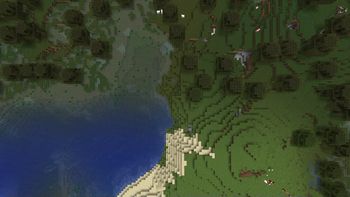
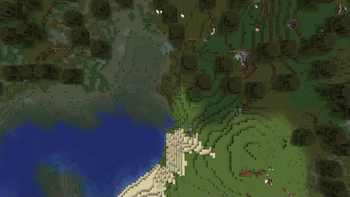
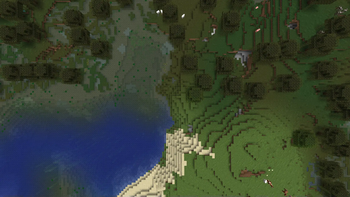
About this Mod
A updated version of BetterBiomeBlend for 1.21.x
FOR OLDER VERSIONS, USE THE ORIGNIAL Better Biome Blend
About
Better Biome Blend is a Client-Side performance and bug-fix mod. It adds support for smooth, large scale, sRGB correct biome color transitions. With the mod installed you can set the "Biome Blend" setting in your video options from 0x0 to 29x29. Compared to Vanilla, this setting no longer impacts performance.
About 1.18+
Better Biome Blend will always use a 29x29 biome blending radius (Unless on Sodium, which is forced 14x14.) This is because biomes are now 3D instead of 2D, which makes biome color calculation a lot harder. This required writing a more specialized algorithm, but in return the mod is still as fast as it is in 1.17. Better Biome Blend also completely supports grass, water and leaves in caves, while vanilla currently does not.
Compatibility
- Sodium: Fully Compatible on 1.21.x with 0.6.x
- Sodium: 0.5.x Compatible on 1.20.1/x
Usage:
You may use this mod without worry in any modpack. Though, credit would be nice.
Available Versions
How to Install Better Biome Reblend on Your Server
Order Server
Order a Minecraft Java server with at least 3 GB RAM (4 GB recommended).
Set fabric Loader
In the panel under "Egg", select the fabric loader and matching Minecraft version (1.21.11).
Install Mod
Open the mod browser in the dashboard and search for "Better Biome Reblend". Click "Install" – done! Alternatively, upload the .jar via SFTP to the /mods folder.
Compatibility
Mod Loaders
Minecraft Versions
1.21.11, 1.21.10, 1.21.9 (+18 more)
Server-side
✗ UnsupportedRecommended RAM
4 GB(min. 3 GB)Frequently Asked Questions
Better Biome Reblend server crashes on startup – what to do?
Most common cause: wrong fabric version or insufficient RAM. Check the server log (latest.log) for "OutOfMemoryError" or "Mixin" errors. With Mado Hosting: ensure at least 3 GB RAM is allocated and the loader matches the mod version (1.21.11). You can switch loaders with one click in the panel.
Is Better Biome Reblend compatible with fabric and forge and neoforge and quilt?
Better Biome Reblend officially supports fabric, forge, neoforge, quilt for Minecraft 1.21.11, 1.21.10, 1.21.9. Note: Forge and Fabric mods are NOT cross-compatible – pick one loader and stick with it. The Mado dashboard automatically detects incompatible loader combinations.
Server lagging with Better Biome Reblend – how to optimize performance?
Recommended RAM: 4 GB (per 8 players). Use /spark profiler to check if Better Biome Reblend consumes the most tick time. Common fixes: reduce server view-distance to 8-10, install "performant" or "starlight" as supplementary mods on Forge. With Mado Hosting, your server runs on NVMe SSDs with dedicated CPU cores for minimal latency.
Similar Mods


Rent Modded Server
Install Better Biome Reblend with just one click on your server.