
BearEdit
A worldedit datapack for 1.20.2+ which is easy to use - no commands required! :D
Screenshots
About this Mod
Introducing BearEdit, the best world edit datapack for Minecraft 1.20.2+. With no finicky commands or chat based UI, this datapack makes building more efficient. No past experience is required - BearEdit is designed to be as simple as possible, while still being super powerful. Here’s what we’ve got:
Features
- No commands or confusing UI - everything can be done in seconds without interrupting your flow.
- No resource pack or mod you have to download!
- No lag, like at all
- Works in multiplayer
- Works with any blocks, even modded ones.
- Works in 1.20.2 and above
Build Tool item
The Build Tool item is the way to control the datapack. You can only use it in creative mode. To get the item, run /function be:give.
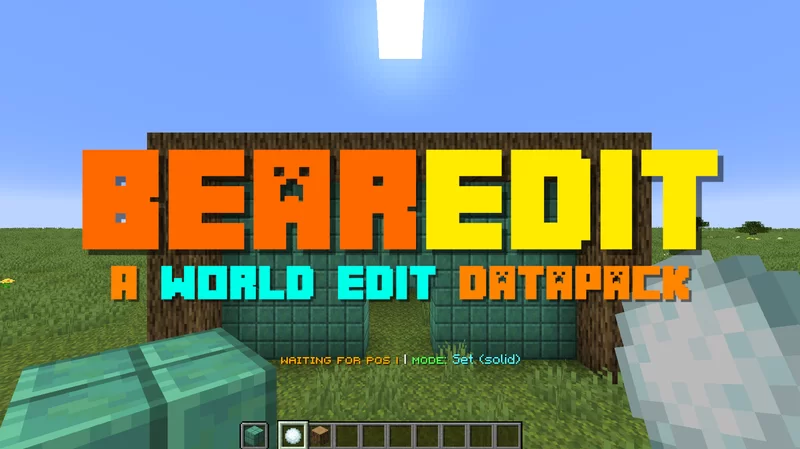
If you hold the item, you should see text above your hotbar, showing the current status and selected mode.
This item is super duper simple to use. In fact, it’s no more than 3 steps to understand:
- Select the mode using F
- Pick a block by putting it in your offhand, if applicable
- Right click on a block to select the start position. Do the same for the end position.
The item has these main controls:
- Right click on a block to select a position, or to run the action. If you right click in midair, it selects the current position.
- F (Swap Hands) to cycle through the Build Tool's modes
- Q (Drop Item) resets the current stored positions/data
- Shift + F (Sneak + Swap Hands) will open the Mode Selector Chat GUI to select which mode you want to use.
If you get stuck, all the controls can be seen by hovering over the item in your inventory.
Modes
Here are all the modes currently in the datapack:
| Mode | Description |
|---|---|
| Set Solid | Fills the area with the chosen block, replacing anything in the way |
| Set (Hollow) | Fills the outer layer of the area with the chosen block, leaving the inside as it is. |
| Remove Blocks | Removes all blocks in the area, essentially setting it to air. |
| Draw Line | Draws a straight line from the start to the end positions made of the chosen block. |
| Replace | Replaces all of one type of block with another in the selected area. |
Settings
These functions will toggle settings in the pack:
| Command | Description |
|---|---|
/function be:settings/keep_positions |
Toggles whether to keep the positions after you run an action, or reset them. |
/function be:settings/outline |
Toggles whether the selected are should have an outline. |

Available Versions
How to Install BearEdit on Your Server
Order Server
Order a Minecraft Java server with at least 3 GB RAM (4 GB recommended).
Set datapack Loader
In the panel under "Egg", select the datapack loader and matching Minecraft version (1.21.11).
Install Mod
Open the mod browser in the dashboard and search for "BearEdit". Click "Install" – done! Alternatively, upload the .jar via SFTP to the /mods folder.
Compatibility
Mod Loaders
Minecraft Versions
1.21.11, 1.21, 1.20.6 (+4 more)
Server-side
✓ RequiredRecommended RAM
4 GB(min. 3 GB)Frequently Asked Questions
BearEdit server crashes on startup – what to do?
Most common cause: wrong datapack version or insufficient RAM. Check the server log (latest.log) for "OutOfMemoryError" or "Mixin" errors. With Mado Hosting: ensure at least 3 GB RAM is allocated and the loader matches the mod version (1.21.11). You can switch loaders with one click in the panel.
Is BearEdit compatible with datapack and fabric and forge and neoforge and quilt?
BearEdit officially supports datapack, fabric, forge, neoforge, quilt for Minecraft 1.21.11, 1.21, 1.20.6. Note: Forge and Fabric mods are NOT cross-compatible – pick one loader and stick with it. The Mado dashboard automatically detects incompatible loader combinations.
Server lagging with BearEdit – how to optimize performance?
Recommended RAM: 4 GB (per 8 players). Use /spark profiler to check if BearEdit consumes the most tick time. Common fixes: reduce server view-distance to 8-10, install "performant" or "starlight" as supplementary mods on Forge. With Mado Hosting, your server runs on NVMe SSDs with dedicated CPU cores for minimal latency.
Similar Mods




Rent Modded Server
Install BearEdit with just one click on your server.
Details
- License
- Creative Commons Attribution Share Alike 4.0 International
- Server-side
- Required