
BetaLAN StationAPI
Allows easily launching a server using the currently loaded single-player world and currently in use mod-set/configuration.
Screenshots
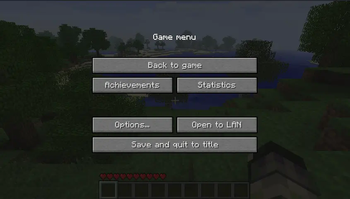
About this Mod
BetaLAN StationAPI Edition for Minecraft Beta 1.7.3
A StationAPI mod for Minecraft Beta 1.7.3 that allows easily launching a server using the currently loaded single-player world and currently in use mod-set/configuration.
- Configure server settings and java version using GlassConfigAPI 3 (GCAPI3).
- In v1.1.0 and above, a backup world zip file is created on server launch (if the config setting is turned on).
- The backup file's name begins with an underscore (
_) and ends with.zip - The backup file is recreated everytime the server is launched using the most recent world files
- The backup file's name begins with an underscore (
- In v2.3.0 and above, world showcase mode is available
- In world showcase mode a copy of your world will be created that the server will launch with
- No world or player changes will be saved and no world backup will be created (since nothing will be saved to the original world anyway)
- In v2.4.0 and above, UniTweaks v0.24.0 server properties are supported (difficulty and spawn-protection radius)
Troubleshooting
- I strongly recommend launching the server jar from your .minecraft directory if the loading bar gets stuck at "Preparing World"
- Most likely it crashed due to a mod incompatibility
- Sometimes the client will crash when it joins the world, this seems to be a common bug even when joining normal servers
- Simply close the client, relaunch, and try again usually it goes away when trying to join a server the second time
Additional Setup
- You will need to port forward and use public IP to let others join the server
- This method was tested and works
- It is possible that you can bypass port forwarding by using LogMeInHamachi instead
- Let me know if you test this method, so we can inform players how it works
Installation using Prism Launcher
- Download an instance of Babric for Prism Launcher: https://github.com/babric/prism-instance
- Install Java 17 and set the instance to use it: https://adoptium.net/temurin/releases/
- Add GlassConfigAPI 3.0.2+ to the mod folder for the instance: https://modrinth.com/mod/glass-config-api
- Add Glass Networking to the mod folder for the instance: https://modrinth.com/mod/glass-networking
- Add StationAPI to the mod folder for the instance: https://modrinth.com/mod/stationapi
- (Optional) Add Mod Menu to the mod folder for the instance: https://modrinth.com/mod/modmenu-beta
- Add this mod to the mod folder for the instance: https://github.com/telvarost/BetaLAN-StationAPI/releases
- Run and enjoy! 👍
Feedback
Got any suggestions on what should be added next? Feel free to share it by creating an issue. Know how to code and want to do it yourself? Then look below on how to get started.
Contributing
Thanks for considering contributing! To get started fork this repository, make your changes, and create a PR.
If you are new to StationAPI consider watching the following videos on Babric/StationAPI Minecraft modding: https://www.youtube.com/watch?v=9-sVGjnGJ5s&list=PLa2JWzyvH63wGcj5-i0P12VkJG7PDyo9T
Available Versions
How to Install BetaLAN StationAPI on Your Server
Order Server
Order a Minecraft Java server with at least 3 GB RAM (4 GB recommended).
Set babric Loader
In the panel under "Egg", select the babric loader and matching Minecraft version (b1.7.3).
Install Mod
Open the mod browser in the dashboard and search for "BetaLAN StationAPI". Click "Install" – done! Alternatively, upload the .jar via SFTP to the /mods folder.
Compatibility
Mod Loaders
Minecraft Versions
b1.7.3
Server-side
✗ UnsupportedRecommended RAM
4 GB(min. 3 GB)Frequently Asked Questions
BetaLAN StationAPI server crashes on startup – what to do?
Most common cause: wrong babric version or insufficient RAM. Check the server log (latest.log) for "OutOfMemoryError" or "Mixin" errors. With Mado Hosting: ensure at least 3 GB RAM is allocated and the loader matches the mod version (b1.7.3). You can switch loaders with one click in the panel.
Is BetaLAN StationAPI compatible with babric and fabric?
BetaLAN StationAPI officially supports babric, fabric for Minecraft b1.7.3. The Mado dashboard automatically detects incompatible loader combinations.
Server lagging with BetaLAN StationAPI – how to optimize performance?
Recommended RAM: 4 GB (per 8 players). Use /spark profiler to check if BetaLAN StationAPI consumes the most tick time. Common fixes: reduce server view-distance to 8-10, install "performant" or "starlight" as supplementary mods on Forge. With Mado Hosting, your server runs on NVMe SSDs with dedicated CPU cores for minimal latency.
Similar Mods




Rent Modded Server
Install BetaLAN StationAPI with just one click on your server.