
BetaTweaks StationAPI
BetaTweaks mod for b1.7.3 babric adding config options to add old features back into the game such as punching sheep for wool and boat elevators.
Screenshots
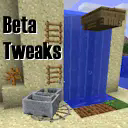
About this Mod
BetaTweaks StationAPI Edition for Minecraft Beta 1.7.3
If you're looking for the ModLoader edition, see this repository: https://github.com/rekadoodle/BetaTweaks
Special thanks to EOfSL and Amb0s for their similar BTA mod: https://github.com/EOfSL/bta-old-nostalgic-bugs
If you're looking for skin fixes and inventory fixes: https://modrinth.com/mod/mojangfix/versions
Mod Info:
All fixes are disabled by default. You will need ModMenu and GlassConfigAPI to enable them. See installation instructions below.
- Mod works on Multiplayer with GlassConfigAPI version 3.0+ used to sync configs!
Implemented
- Allow player crafting grid (2x2 grid) to be used as inventory slots.
- Allow Gaps In Ladders
- Disable Colored Sheep Spawning
- Elevator Boats
- Hide/Show Achievement Notifications
- Hide/Show Dead Shrubs
- Hide/Show Long Grass
- Hoe Grass For Seeds
- Milk Squids
- Minecart Boosters
- Have Pigs Drop Brown Mushrooms
- Punch Sheep For Wool
- Punch TNT To Ignite
- Water ladders: entities can get into fluids through the south-east corner or into some sides via signs/ladders
- Infinite Fire Spread and Selectable Tick Rate
- WARNING: Please be careful with this setting, always make sure it is false when editing configs unless if you really want it true
Not Implemented
- Inventory Dragging Shortcuts (implemented in InventoryTweaks instead)
- FOV Slider (implemented in FinalBeta-StationAPI instead)
Installation using Prism Launcher
- Download an instance of Babric for Prism Launcher: https://github.com/babric/prism-instance
- Install Java 17 and set the instance to use it: https://adoptium.net/temurin/releases/
- Add GlassConfigAPI 3.0.2+ to the mod folder for the instance: https://modrinth.com/mod/glass-config-api
- Add Glass Networking to the mod folder for the instance: https://modrinth.com/mod/glass-networking
- (Optional) Add StationAPI to the mod folder for the instance: https://modrinth.com/mod/stationapi
- (Optional) Add Mod Menu to the mod folder for the instance: https://modrinth.com/mod/modmenu-beta
- Add this mod to the mod folder for the instance: https://github.com/telvarost/BetaTweaks-StationAPI/releases
- Run and enjoy! 👍
FAQ
- Q. Why is minecraft so small and part of my screen white?
- A. You probably have screen scaling on or are using a high DPI screen. There are 5 possible ways to fix this:
- The best option is to install Gambac: https://modrinth.com/mod/gambac
- You could also pass the following string in as a java argument in the settings tab
-Dsun.java2d.uiScale=1.0
- You could also install ClientsideEssentials mod or UniTweaks and use their screen scaling fix from GCAPI config options (fix may produce small artifacts with this option)
- You could also change the DPI settings for Prism Launcher to system
- Or, you could change your screen scaling to 100%
- A. You probably have screen scaling on or are using a high DPI screen. There are 5 possible ways to fix this:
Feedback
Got any suggestions on what should be added next? Feel free to share it by creating an issue. Know how to code and want to do it yourself? Then look below on how to get started.
Contributing
Thanks for considering contributing! To get started fork this repository, make your changes, and create a PR.
If you are new to StationAPI consider watching the following videos on Babric/StationAPI Minecraft modding: https://www.youtube.com/watch?v=9-sVGjnGJ5s&list=PLa2JWzyvH63wGcj5-i0P12VkJG7PDyo9T
Available Versions
How to Install BetaTweaks StationAPI on Your Server
Order Server
Order a Minecraft Java server with at least 3 GB RAM (4 GB recommended).
Set babric Loader
In the panel under "Egg", select the babric loader and matching Minecraft version (b1.7.3).
Install Mod
Open the mod browser in the dashboard and search for "BetaTweaks StationAPI". Click "Install" – done! Alternatively, upload the .jar via SFTP to the /mods folder.
Compatibility
Mod Loaders
Minecraft Versions
b1.7.3
Server-side
✓ RequiredRecommended RAM
4 GB(min. 3 GB)Frequently Asked Questions
BetaTweaks StationAPI server crashes on startup – what to do?
Most common cause: wrong babric version or insufficient RAM. Check the server log (latest.log) for "OutOfMemoryError" or "Mixin" errors. With Mado Hosting: ensure at least 3 GB RAM is allocated and the loader matches the mod version (b1.7.3). You can switch loaders with one click in the panel.
Is BetaTweaks StationAPI compatible with babric and fabric?
BetaTweaks StationAPI officially supports babric, fabric for Minecraft b1.7.3. The Mado dashboard automatically detects incompatible loader combinations.
Server lagging with BetaTweaks StationAPI – how to optimize performance?
Recommended RAM: 4 GB (per 8 players). Use /spark profiler to check if BetaTweaks StationAPI consumes the most tick time. Common fixes: reduce server view-distance to 8-10, install "performant" or "starlight" as supplementary mods on Forge. With Mado Hosting, your server runs on NVMe SSDs with dedicated CPU cores for minimal latency.
Similar Mods




Rent Modded Server
Install BetaTweaks StationAPI with just one click on your server.