
better crosshair by rinat
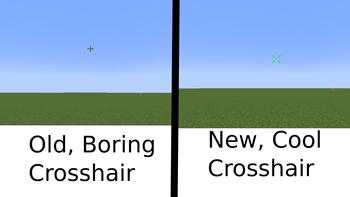
This mod allow you to customize your crosshair
Screenshots
About this Mod
Description
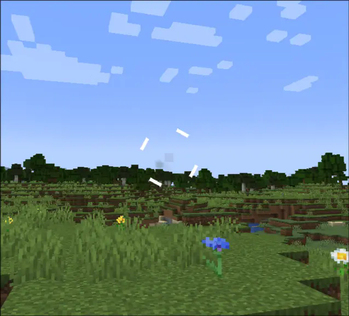
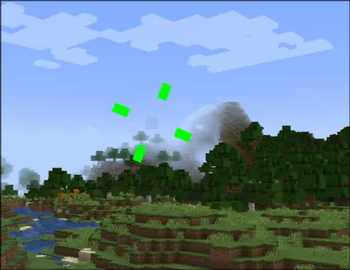
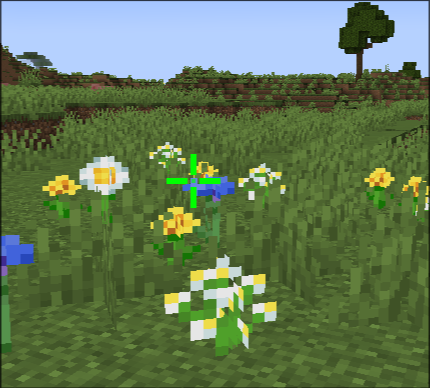
This mod lets you customize your crosshair’s appearance, behavior, and position—so you can improve visibility, express your style, or just make aiming more fun.
Open Settings (click the mod in Mod Menu) to personalize your crosshair exactly how you want it.
Latest Update
- added ability to change color then you can attack entity
Why You’ll Love It
Better visibility — Choose vibrant colors or a rainbow effect to stand out against any
Optimize your aim — Tweak size, gap, width, and rotation for precision targeting.
Express yourself — Use spinning crosshairs, fun shapes, or even items as your cursor for a playful twist.
Important Notes
- Requires: Fabric Api, Cloth Config Api, Mod Menu
- Incompatible with: Vulkan Mod
- Supported Versions: 1.21 - 1.21.5 with fabric
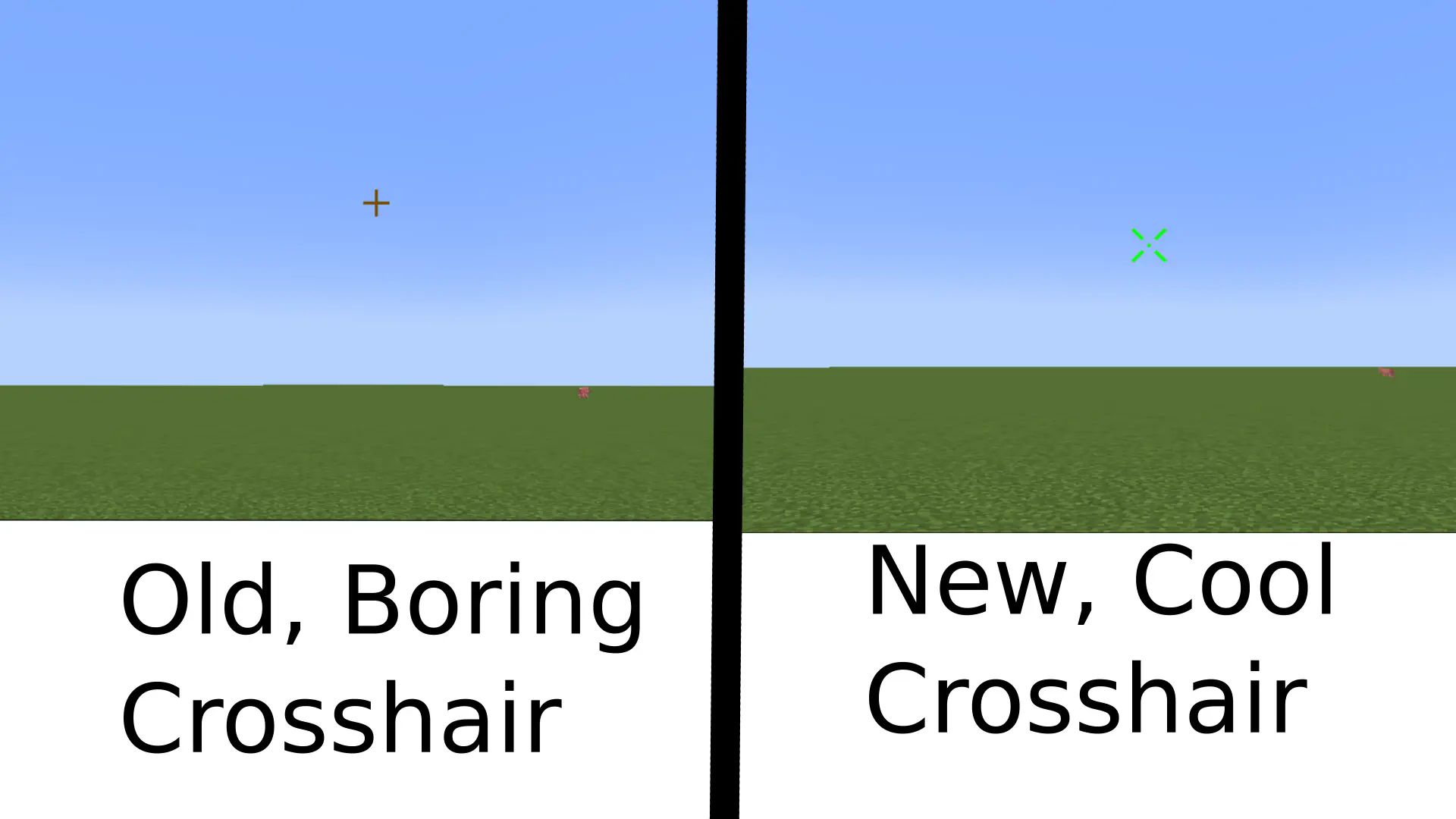
Features
Features
General
- Enable – Toggle the mod on or off.
Colors
- Crosshair Color – Set the crosshair color.
- Use Rainbow – Enable or disable the rainbow effect.
- Rainbow Speed – Adjust how fast the rainbow colors change.
Sizes
Use Attack Indicator – Show or hide the vanilla attack indicator.
Distance from Center to Attack Indicator – Adjust spacing between the crosshair and the attack indicator.
Crosshair Size – Change the line length.
Crosshair Gap – Change the gap between the center and crosshair lines.
Crosshair Width – Change line thickness.
Crosshair Rotation – Rotate the crosshair (recommended: 0–45 degrees).
Use Different Color Then Can Attack Enemy - everything explained in the name
Crosshair Color If Can Attack Enemy - once again everything explained in the name
Dot Settings
Enable Dot – Show or hide the center dot.
Dot Size – Adjust the dot size.
Dot Color – Set the dot color.
Fun
Use Cross as Crosshair – Use a plus-shaped crosshair instead of the item crosshair.
Spin Crosshair – Make the crosshair spin (works with both Cross and Item crosshairs).
Use Item as Crosshair – Display an item as your crosshair.
Choose Item as Crosshair – Select which item to use as the crosshair.
To get the item ID, press F3 + H, then hover over the item in your inventory. Example:
minecraft:baked_potato.
Available Versions
How to Install better crosshair by rinat on Your Server
Order Server
Order a Minecraft Java server with at least 3 GB RAM (4 GB recommended).
Set fabric Loader
In the panel under "Egg", select the fabric loader and matching Minecraft version (1.21.5).
Install Mod
Open the mod browser in the dashboard and search for "better crosshair by rinat". Click "Install" – done! Alternatively, upload the .jar via SFTP to the /mods folder.
Compatibility
Mod Loaders
Minecraft Versions
1.21.5, 1.21.4, 1.21.3 (+3 more)
Server-side
✗ UnsupportedRecommended RAM
4 GB(min. 3 GB)Frequently Asked Questions
better crosshair by rinat server crashes on startup – what to do?
Most common cause: wrong fabric version or insufficient RAM. Check the server log (latest.log) for "OutOfMemoryError" or "Mixin" errors. With Mado Hosting: ensure at least 3 GB RAM is allocated and the loader matches the mod version (1.21.5). You can switch loaders with one click in the panel.
Is better crosshair by rinat compatible with fabric?
better crosshair by rinat officially supports fabric for Minecraft 1.21.5, 1.21.4, 1.21.3. The Mado dashboard automatically detects incompatible loader combinations.
Server lagging with better crosshair by rinat – how to optimize performance?
Recommended RAM: 4 GB (per 8 players). Use /spark profiler to check if better crosshair by rinat consumes the most tick time. Common fixes: reduce server view-distance to 8-10, install "performant" or "starlight" as supplementary mods on Forge. With Mado Hosting, your server runs on NVMe SSDs with dedicated CPU cores for minimal latency.
Similar Mods




![[ETF] Entity Texture Features](https://cdn.modrinth.com/data/BVzZfTc1/af683d206d50b05258d865b0d6e4aa2f2cee12f2_96.webp)
![[EMF] Entity Model Features](https://cdn.modrinth.com/data/4I1XuqiY/6e5bbd0d06b1741bfdab6c0cfab6de8fdaf0064c_96.webp)
Rent Modded Server
Install better crosshair by rinat with just one click on your server.